Note: This article is for general informational purposes and reflects publicly available EōS Fitness, ABC Fitness, MYiCLUBonline, and U.S. consumer-policy information reviewed in May 2026. Members should always confirm the exact cancellation terms in their own membership agreement.
Canceling a gym membership should be as easy as wiping down a treadmill after using it. Unfortunately, anyone who has ever tried to end a recurring fitness membership knows the process can sometimes feel like a bonus endurance workout. If you are trying to figure out how to cancel an EOS membership online or in person, the good news is that you have several practical routes to try. The key is knowing which method applies to your location, your agreement, and your billing account.
EōS Fitness, often searched as EOS Fitness, operates on month-to-month membership options at many locations, but cancellation is not always instant. The company’s public membership language commonly refers to a thirty-day notice requirement, and some published EōS agreement terms explain that members may cancel by sending or delivering a signed and dated written notice. Depending on your state, home gym, and account setup, you may be able to start the process online through MYiCLUBonline, by email, by mail, or by visiting your home club in person.
This guide breaks down the steps, explains what to prepare, covers common billing surprises, and gives you realistic tips so your cancellation does not turn into a soap opera with dumbbells.
Understanding EOS Membership Cancellation Before You Start
Before you click, call, email, or walk into the gym with your “I need to cancel” face, review one thing first: your membership agreement. EōS memberships can vary by location, membership tier, state law, promotional offer, and add-on services. A member who joined a standard month-to-month plan may have a different experience from someone who signed up for personal training, Kids’ Club, towel service, or a promotional package tied to a presale club.
In general, members should expect three important ideas:
- Cancellation usually requires notice. Many EōS materials refer to a thirty-day notice period for month-to-month memberships.
- You may be billed one more time. If your next billing date arrives during the notice window, a final monthly payment may still process.
- Written proof matters. Whether you cancel online, by email, by mail, or in person, keep confirmation like it is your favorite water bottle.
Think of the cancellation notice as a runway, not a light switch. You are not necessarily stopping the membership the second you submit the request; you are starting the official countdown.
Can You Cancel an EOS Membership Online?
For many members, the first question is simple: “Can I cancel EOS Fitness online?” The practical answer is: sometimes, depending on your account access, your home club, and the cancellation options available through the billing platform.
EōS Fitness uses online member tools, and ABC Fitness provides MYiCLUBonline, a member account platform used by many gyms for billing and account management. Through MYiCLUBonline, members may be able to view account information, manage payment details, and access membership-related support. Some members report that cancellation options appear in the online account area, while others may need to contact member services, use email, or visit the club.
Because online cancellation availability can vary, do not assume that failing to find a cancellation button means you are stuck forever in burpee purgatory. It may simply mean your club requires a different written method.
How to Try Canceling EOS Online Through MYiCLUBonline
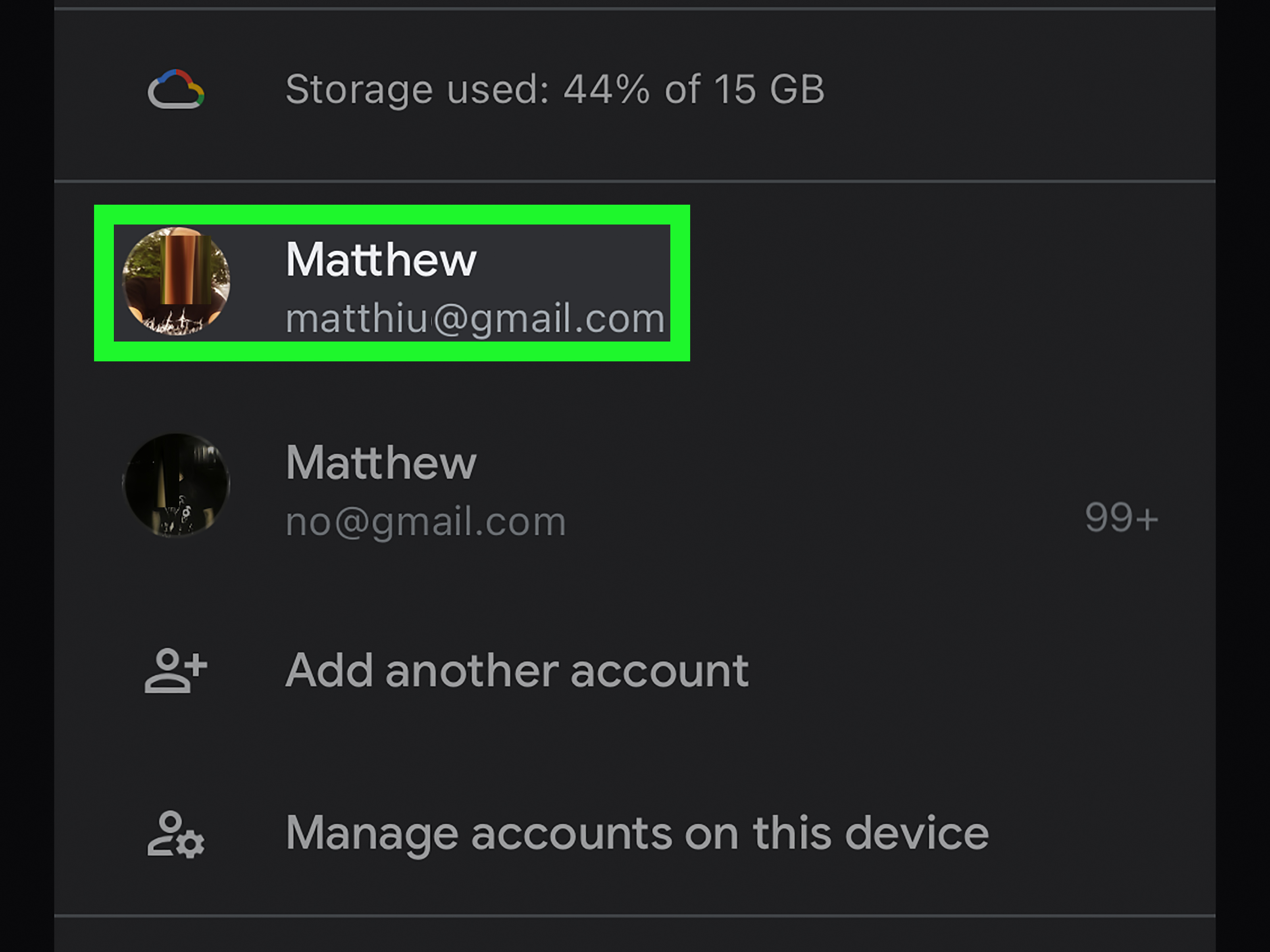
- Go to the EōS member login or MYiCLUBonline portal. Use the email address connected to your gym account.
- Create or recover your profile. You may need your barcode number, agreement number, date of birth, or billing information.
- Look for account, agreement, or membership settings. Search for wording such as “manage membership,” “agreement info,” “request cancellation,” or “contact support.”
- Submit the cancellation request if the option is available. Enter the required details carefully and avoid jokes in the reason box, even if “my couch misses me” feels accurate.
- Save confirmation immediately. Screenshot the final page, download any confirmation, and check your email for a cancellation notice.
If the portal does not show a cancellation option, use the contact or support feature if available. You can also contact ABC Fitness member support if your EōS billing is managed through that platform. Keep your tone polite and specific: ask whether your EōS agreement can be canceled through MYiCLUBonline and request written confirmation of any action taken.
How to Cancel EOS by Email
Some published EōS agreement terms list email as an acceptable cancellation route when the notice is sent from the email address on file with the health studio. A good cancellation email should be short, dated, and unmistakable. Do not write a novel. The goal is not to win a Pulitzer; the goal is to stop recurring billing.
Use a clear subject line such as:
Subject: Membership Cancellation Request – [Your Full Name]
Your email should include:
- Your full legal name
- Date of birth or phone number on the account
- Home EōS Fitness location
- Membership or agreement number, if available
- A clear statement that you are canceling your membership
- The date you are sending the notice
- A request for written confirmation and the final billing date
Here is a simple example:
Dear EōS Fitness Member Services,
I am requesting cancellation of my EōS Fitness membership. My name is [Full Name], my home gym is [Location], and the email address on file is [Email]. Please process this as my written notice of cancellation and confirm the effective cancellation date, any final billing date, and confirmation number.
Thank you,
[Full Name]
[Phone Number]
After sending it, save the email in a folder, take a screenshot, and watch for a reply. If you do not receive confirmation, follow up. Silence is great in meditation class, not in billing matters.
How to Cancel an EOS Membership In Person
If online cancellation is not available or you want the most direct route, canceling in person at your home EōS Fitness location is often the safest option. In-person cancellation lets you ask questions, confirm whether add-ons are included, and request written proof before leaving the building.
Step-by-Step In-Person Cancellation
- Visit your home club. Go to the location where you enrolled or the location listed as your home gym.
- Bring identification. Carry a photo ID and, if possible, your membership barcode or agreement number.
- Ask for membership cancellation. Be clear: “I would like to cancel my EōS Fitness membership today.”
- Complete the required cancellation form or written notice. Make sure it includes your name, date, signature, and account details.
- Ask about the thirty-day notice period. Confirm the expected final billing date and last day of access.
- Request written confirmation. Ask for a printed receipt, email confirmation, or cancellation reference number.
Do not leave with only a verbal promise. Verbal promises are fine for “I’ll spot you on bench press,” but not ideal for recurring charges. A cancellation confirmation is your best friend if billing continues later.
What to Say at the Front Desk
You do not need to over-explain. A simple, calm script works best:
Hi, I need to cancel my membership today. Can you help me complete the required cancellation notice and provide written confirmation showing the effective date and any final billing?
If the staff member says a manager must process it, ask when the manager is available and whether you can submit a signed written notice immediately. If they cannot process the cancellation on the spot, ask for the correct email or mailing address and the exact information your notice must include.
How to Cancel EOS by Mail
Mail is old-school, but it still works well when you need a paper trail. Some EōS agreement terms reference first-class mail or hand delivery of a signed and dated cancellation notice. If you choose mail, consider using certified mail with tracking or return receipt. That way, you can prove when your cancellation notice was sent and received.
Your mailed cancellation letter should include the same details as an email cancellation: full name, contact information, home gym, membership number, a direct cancellation statement, date, and signature. Keep a copy of the signed letter and postal receipt.
Mail can be especially useful if you are moving, dealing with a disability-related cancellation, managing an account for a deceased family member, or documenting a dispute. It is not the fastest route, but it is wonderfully stubborn in the way paper records can be.
Will EOS Charge You After You Cancel?
Possibly, yes. A common reason members get frustrated is that they submit a cancellation request and then still see one more charge. That does not always mean the cancellation failed. If your agreement requires thirty days’ notice, your next scheduled monthly billing may still occur if it falls within that window.
For example, suppose your billing date is the 15th of each month and you submit your cancellation on June 10. If the policy requires thirty days’ notice before cancellation takes effect, your June 15 payment may still be charged. Your membership may then end around July 10, depending on how your agreement is applied. The important question to ask is: “What is my final billing date?”
However, if charges continue after the confirmed final payment, contact EōS member services or the billing processor immediately. Provide your cancellation confirmation, date of notice, and screenshots or bank statements showing the disputed charge.
What About the Annual Fee, Processing Fee, and Add-Ons?
EōS Fitness membership pricing can include more than the monthly dues. Public membership information has referenced a monthly processing fee, which may be waived for ACH billing, and an annual membership fee that may apply to some membership types. Amenities and rates also vary by gym and membership level.
When canceling, ask three specific questions:
- Will I owe one final monthly payment?
- Will an annual fee process during my notice period?
- Are any add-ons, personal training agreements, guest privileges, or Kids’ Club services billed separately?
This matters because canceling a base gym membership may not automatically resolve every related service. Personal training contracts, for instance, may have separate terms. Do not assume everything disappears into the fitness fog. Ask for confirmation that all services you want canceled are included.
Can You Freeze Instead of Canceling?
If your main issue is temporary travel, injury, school, finances, or a schedule that has become busier than a squat rack on Monday night, freezing may be worth asking about. A membership freeze pauses or reduces access for a set period rather than ending the membership entirely.
Freezing is not the same as canceling. It may involve its own rules, fees, eligibility requirements, or time limits. If you are sure you no longer want the membership, cancel. If you only need a short break, ask whether a freeze is available and get the terms in writing.
Special Cancellation Situations
If You Recently Joined
Some health studio contracts provide a short rescission period after signing. In California, for example, health studio service contracts generally include a five-business-day right to cancel, excluding Sundays and holidays, and additional cancellation windows may apply for higher contract values. If you joined very recently and regret it, act quickly. Waiting “just one more day” is how small problems put on gym shoes and become bigger problems.
If You Are Moving
Some agreement terms allow cancellation if a member moves more than a specified distance from the club or an affiliated club offering comparable services. You may need proof of your new address, such as a lease, utility bill, or official change-of-address document. Ask exactly what proof is accepted before submitting your request.
If You Have a Medical Issue or Disability
Certain health club agreements and state laws may allow cancellation if a disability prevents the member from using the facility, often with physician verification. If this applies, keep the documentation simple and relevant. You do not need to share your entire medical history; provide what the policy requires.
If You Are in the Military
Military deployment or relocation may qualify for cancellation or suspension under certain agreement terms or state protections. You may need official orders or verification from a commanding officer. Submit copies, not originals, and keep your own records.
What If EOS Will Not Cancel Your Membership?
If you believe you followed the cancellation steps correctly but the membership remains active, stay organized. Start with a calm follow-up. Include your cancellation date, method, confirmation number, and any screenshots or mail receipts.
If that does not solve it, take these steps:
- Contact your home club again. Ask for a manager or membership services representative.
- Contact the billing support platform. If your account is handled through ABC Fitness or MYiCLUBonline, ask them to review the cancellation status.
- Send a second written notice. Reference your first request and attach proof.
- Dispute unauthorized charges with your bank or card issuer. Provide documentation, not just frustration.
- File a consumer complaint if necessary. Your state attorney general, consumer protection office, or the Better Business Bureau may accept complaints about unresolved billing issues.
The magic ingredient is documentation. Dates, names, confirmation numbers, screenshots, and emails are stronger than “I talked to someone last month, I think their name started with a J.”
EOS Membership Cancellation Checklist
Use this checklist before you submit your cancellation request:
- Read your membership agreement.
- Confirm your home gym location.
- Find your membership or agreement number.
- Check your next billing date.
- Decide whether you are canceling only the gym membership or add-ons too.
- Use a written method whenever possible.
- Ask for the effective cancellation date.
- Ask whether one final payment will occur.
- Save confirmation and monitor your bank account for at least two billing cycles.
Online vs. In-Person: Which EOS Cancellation Method Is Best?
The best method is the one that gives you proof. If MYiCLUBonline shows a cancellation option and produces confirmation, online cancellation may be the easiest path. If the online portal is unclear, in-person cancellation gives you a chance to get immediate answers. If you anticipate a dispute, certified mail or email from the address on file can create a strong written record.
For most members, a smart approach is to use two layers: submit the cancellation through the available official method, then request written confirmation by email. If you cancel in person, ask for the confirmation to be emailed to you before you leave. If you cancel online, screenshot every step. If you cancel by email, save the sent message and any reply.
Common Mistakes to Avoid When Canceling EOS
Waiting Until the Day Before Billing
If your membership requires thirty days’ notice, canceling one day before your billing date is unlikely to stop that payment. Submit your request early.
Assuming Deleting the App Cancels the Membership
Deleting an app does not cancel a gym contract. It only removes the app from your phone, which is emotionally satisfying but financially useless.
Changing Your Card Instead of Canceling
Replacing a debit or credit card may not end your membership obligation. It can also create declined payments, late fees, or collections risk. Cancel properly and keep proof.
Forgetting Add-Ons
Ask about personal training, guest privileges, Kids’ Club, and other services. Cancel what you no longer want in writing.
Leaving Without Confirmation
A cancellation request is not complete until you have proof. Confirmation is not just paperwork; it is your shield against future confusion.
Real-World Experience: What Canceling an EOS Membership Usually Feels Like
Canceling a gym membership is rarely dramatic in theory. In real life, it can feel oddly stressful because money, contracts, and customer service all meet in one tiny lobby. Many members begin by logging into their account, hoping for a large friendly “Cancel Membership” button. Sometimes they find one. Sometimes they find a maze of account settings that seems designed by someone who also hides the 5-pound plates.
The smoothest cancellation experiences usually share a pattern. The member checks the billing date first, submits a written request at least thirty days ahead, confirms whether a final payment will happen, and keeps every receipt. These people do not rely on memory. They build a tiny cancellation folder with screenshots, emails, postal receipts, and names of staff members they spoke with. It may sound excessive, but it is much less excessive than arguing about a mystery charge three months later.
In-person cancellations can also go well when the member arrives prepared. Walking in with an ID, membership number, and a calm script makes the conversation easier. The best phrase is direct: “I want to cancel my membership today and receive written confirmation.” That sentence does not invite debate about your fitness goals, your schedule, or whether you might want to “think about it.” You can be friendly without being vague.
Some members feel awkward canceling because they like the staff or planned to go more often. Do not let gym guilt run your bank account. Life changes. Maybe you moved. Maybe you built a home gym. Maybe your workout routine is now hiking, swimming, pickleball, or chasing a toddler who has the cardio of an Olympic athlete. A membership should serve your current life, not your January 2nd optimism.
The biggest frustration tends to appear when a final charge posts after cancellation. This is where expectations matter. If a thirty-day notice applies, one last payment may be normal. The problem is not necessarily the final charge; the problem is not knowing whether it is final. That is why members should always ask, “Is this the last payment, and what date will my account close?” A clear answer prevents panic when the bank notification arrives.
Another common experience involves add-ons. A person cancels the main gym membership but later discovers a training package or extra service had separate terms. This is why a good cancellation request should say exactly what you want canceled: the base membership and any recurring add-ons you no longer want. If you are unsure what is active, ask for a full account review.
Finally, the members who have the least trouble tend to be polite but persistent. They do not yell, but they also do not disappear after one unanswered email. They follow up, document, and ask for confirmation. In the world of recurring billing, kindness is good, but kindness with screenshots is better.
Conclusion
Canceling an EOS membership online or in person is manageable when you understand the process before you start. Begin by reviewing your agreement, checking your next billing date, and choosing the cancellation method that gives you the clearest proof. Online cancellation through MYiCLUBonline may be available for some members, while others may need to send written notice by email, mail, or visit their home EōS Fitness club in person.
The most important rule is simple: get everything in writing. Ask for the effective cancellation date, final billing date, and confirmation number. Keep screenshots, emails, receipts, and notes until you are certain billing has stopped. A little organization now can save you from future billing headachesand possibly from having to explain to your bank why a gym you no longer use is still doing cardio on your checking account.