Note: This article is written for web publishing and focuses on the everyday user experience, security, ecosystem integration, and practical advantages of iMessage compared with leading Android messaging apps.
Every phone has a messaging app. Every messaging app claims to be fast, private, fun, and “the future of communication.” And yet, when two iPhone users open Messages and see that calm little blue bubble, something different happens. No setup. No account-hunting. No “which app are you on?” negotiation. The conversation simply works.
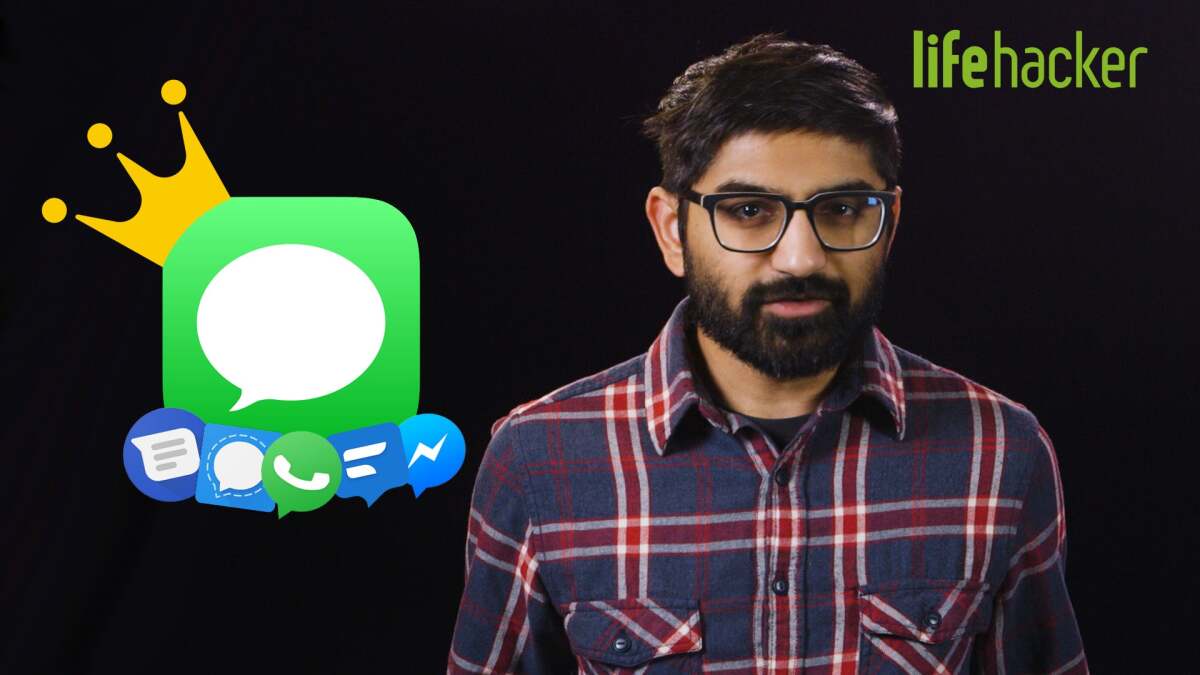
That is the quiet magic of iMessage. It is not just another chat app sitting beside WhatsApp, Signal, Telegram, Facebook Messenger, or Google Messages. It is a deeply integrated communication layer built into iPhone, iPad, Mac, Apple Watch, and even Apple Vision Pro. For many users, especially in the United States, iMessage is not an app they choose. It is the place texting naturally happens.
Android has excellent messaging options. Google Messages with RCS has improved dramatically. WhatsApp dominates globally. Signal is a privacy champion. Telegram is powerful for large communities. Messenger is convenient for Facebook users. But when the comparison is about the best overall experience for people already inside the Apple ecosystem, iMessage still has a strong lead. It wins not by shouting louder, but by removing friction until messaging feels almost invisible.
iMessage Is More Than a Messaging App
The first reason iMessage stands out is simple: it is not trying to be a separate social network. It is built directly into the default Messages app on Apple devices. That means your phone number and Apple Account become the bridge. You do not have to convince your mom to download another app, explain usernames to your uncle, or ask your group chat whether everyone has the same service installed. If they use an Apple device and iMessage is enabled, the experience is ready.
On Android, the messaging world is more fragmented. One friend uses WhatsApp. Another prefers Signal. Someone else is on Telegram. Your coworker replies through Google Messages. Your cousin still sends Facebook Messenger voice notes like tiny podcasts. None of these apps are bad, but together they create a scattered communication drawer. iMessage keeps the essentials in one polished place.
This matters because messaging is not supposed to be homework. The best messaging app is the one that disappears when you need it. iMessage does that beautifully. It handles plain texts, photos, videos, voice messages, Tapbacks, stickers, location sharing, group chats, business conversations, and device syncing without making the user feel like they are managing a miniature IT department.
Security Comes Built In, Not Bolted On
Privacy is one of the biggest reasons users compare iMessage with Android messaging apps. iMessage conversations between Apple users are protected with end-to-end encryption, meaning message content and attachments are designed so that only the sender and recipient can access them. Apple also offers iMessage Contact Key Verification for users who want extra protection against highly sophisticated attacks, such as attempts to impersonate contacts or compromise messaging servers.
Signal remains the gold standard for many security experts because of its open-source approach, minimal data collection, and strong encryption model. WhatsApp also uses end-to-end encryption by default for personal messages and calls. Google Messages encrypts RCS chats when supported conditions are met. Messenger has moved personal messages and calls toward default end-to-end encryption as well. So, iMessage does not win by being the only secure option.
It wins because the security is integrated into the main texting experience. Users do not need to pick a privacy mode, start a secret chat, or persuade friends to migrate to a specialized app. When both sides are using iMessage, the secure version is the normal version. That default behavior matters. Most people do not want to become encryption hobbyists before sending a photo of a dog wearing sunglasses.
There are still caveats. Messages sent to Android users may use RCS or SMS depending on device, carrier, and software support. RCS has improved cross-platform texting, and recent developments have pushed encrypted RCS between iPhone and Android forward, but support can vary. SMS remains less private and less capable. The key point is that Apple-to-Apple messaging is still the smoothest, most predictable version of the experience.
The Apple Ecosystem Turns Messages Into a Superpower
One of iMessage’s greatest advantages is how naturally it follows you across devices. Start a conversation on your iPhone while standing in line for coffee. Continue it on your Mac when you sit down at your desk. Reply from your Apple Watch while pretending you are not checking messages during a meeting. Pick it up later on your iPad from the couch. The same conversation feels present everywhere.
Android can do multi-device messaging, especially through Google Messages for web and third-party apps, but Apple’s version feels more unified. It is tied into the operating system, notifications, contacts, FaceTime, AirDrop, SharePlay, Focus modes, Siri, and iCloud. The result is not just syncing. It is continuity.
This is where many Android messaging apps struggle. WhatsApp works across devices, but it still feels like WhatsApp. Telegram is excellent for cloud-based access, but its standard cloud chats are different from its Secret Chats. Signal is secure and increasingly full-featured, but it is still a separate destination. iMessage feels like part of the device itself.
iMessage Makes Group Chats Less Painful
Group chats are where messaging apps reveal their true personality. A bad group chat can turn into a digital food fight: blurry videos, missing reactions, broken replies, confused threads, and someone asking, “Who is this?” because phone numbers replaced names. iMessage group chats, when everyone is on Apple devices, are refreshingly civilized.
You can name groups, add or remove people, use inline replies, react with Tapbacks, share high-quality media, edit messages, unsend recent mistakes, send voice notes, and enjoy typing indicators and read receipts. These are not exotic features anymore, but Apple’s implementation is clean, consistent, and familiar.
Google Messages with RCS has closed much of the gap. It supports read receipts, typing indicators, better media sharing, improved group chats, and richer communication than old SMS/MMS. That is good news for everyone, including iPhone users texting Android users. But inside Apple-only groups, iMessage still feels tighter. It is like the difference between a well-rehearsed band and five talented musicians meeting for the first time in a garage.
Editing, Unsending, and Send Later Are Everyday Wins
Messaging is full of tiny disasters. Autocorrect changes “I’m on my way” to “I’m on my yak.” You send a message to the wrong thread. You remember someone’s birthday at midnight but do not want to look like a sleep-deprived raccoon. iMessage helps with these moments.
Apple lets users edit recently sent iMessages and undo send within a short time window. It also supports scheduling messages with Send Later, making it easier to plan polite reminders, birthday wishes, or work follow-ups without becoming that person who texts at 1:37 a.m. because inspiration struck.
Other apps offer similar tools. Messenger supports message editing. WhatsApp and Telegram have editing and deletion features. Google Messages has been developing richer RCS capabilities. But again, iMessage benefits from being the default place many iPhone users already communicate. A feature is more useful when it is available exactly where your conversations already live.
Messages via Satellite Is a Real Differentiator
One of the most underrated iMessage advantages is Messages via satellite on supported iPhone models. Starting with iOS 18, compatible iPhones can send and receive iMessages and SMS via satellite when cellular and Wi-Fi coverage are unavailable in supported regions. This is not meant to replace emergency services, but it can help users stay in touch when they are off the grid.
For hikers, road-trippers, campers, rural travelers, or anyone who has ever watched their signal vanish at the exact moment they needed it, this is a serious feature. Most Android messaging apps depend on an internet connection. No data, no Wi-Fi, no message. Apple’s satellite messaging support gives iMessage a practical advantage in situations where normal apps become decorative icons.
It is also very Apple: take a feature that sounds futuristic, hide most of the complexity, and make the user interface feel simple enough that your least technical relative might actually use it correctly.
iMessage Handles Fun Without Feeling Chaotic
Messaging is not only about security and efficiency. Sometimes it is about sending confetti because your friend got a promotion, slamming a bubble because your team won, or attaching a sticker to a message because adulthood is already serious enough. iMessage has a playful side, and it is surprisingly well balanced.
Message effects, Tapbacks, Memoji stickers, sticker packs, animated reactions, voice messages, and iMessage apps give users plenty of ways to personalize conversations. The important part is that these features do not overwhelm the core experience. They are available when you want them and out of the way when you do not.
Some Android messaging apps go bigger. Telegram is packed with bots, channels, animated stickers, massive groups, and power-user features. WhatsApp has communities and broadcast-style tools. Messenger has social integrations. But iMessage keeps the conversation feeling personal. It is less like walking into a digital shopping mall and more like texting from a very comfortable couch.
Apple Pay, Check In, and Business Messaging Add Practical Value
iMessage also benefits from Apple services that live around it. Apple Cash makes it easy for supported users to send money inside a conversation. Check In can notify a friend or family member when you arrive safely or if something seems off during a trip. Messages for Business lets users contact companies, ask questions, schedule appointments, and in some cases make purchases with Apple Pay directly from the conversation.
These features are not always the headline attractions, but they make iMessage more useful in daily life. You are not just chatting; you are coordinating, paying, confirming, checking in, and resolving problems without bouncing between five apps and a browser tab called “customer support nightmare.”
Android alternatives can do pieces of this. WhatsApp Business is powerful. Google integrates messaging with search and business profiles. Messenger connects naturally with Facebook pages. But Apple’s approach feels more private and less noisy because it lives inside a communication experience rather than a social feed or ad-driven platform.
RCS Helps Android, But It Also Makes iMessage Stronger
For years, one of the biggest criticisms of iMessage was the green bubble problem. Texting between iPhone and Android often meant lower-quality media, awkward group chats, and a less modern experience. RCS improves that. It brings read receipts, typing indicators, better photo and video sharing, and improved group messaging to cross-platform texting.
That is excellent for users. In fact, RCS support makes the Messages app on iPhone more useful because it reduces the pain of texting Android contacts. But it does not erase iMessage’s advantages. Instead, it gives Apple users a better fallback while preserving the richer blue-bubble experience when chatting with other Apple users.
Think of it like airport lounges. RCS improves the main terminal. Great! Everyone deserves better seating and fewer blurry videos. But iMessage remains the private lounge for Apple users, complete with cleaner integration, richer features, and fewer compatibility surprises.
Where Android Messaging Apps Still Beat iMessage
A fair comparison must admit where iMessage does not win. If your friends and family use many different phone brands, WhatsApp may be more practical. It works across iPhone and Android with a consistent experience, which is why it is the default messaging tool in many countries. If your top priority is privacy and minimal metadata, Signal is hard to beat. If you run large communities, channels, public broadcasts, or bot-powered groups, Telegram offers tools iMessage simply does not try to match.
Google Messages is also the best native texting experience for many Android users, especially now that RCS has matured. It is cleaner, more capable, and far better than the old SMS days. Messenger remains useful for people whose social graph lives on Facebook.
But iMessage does not need to defeat every app at every specialty. Its advantage is total experience. It combines default availability, security, polish, ecosystem sync, quality media sharing, useful extras, and cultural momentum into one place. That combination is difficult for Android messaging apps to match because Android users are spread across different manufacturers, default apps, services, and regional habits.
Why iMessage Feels Faster Even When It Is Not Technically Faster
Speed in messaging is not only measured in milliseconds. It is also measured in how quickly you can do what you came to do. iMessage feels fast because there are fewer decisions. You open Messages, tap the contact, and type. The app already knows whether the conversation can use iMessage, RCS, SMS, or MMS. The user does not have to think about protocols. The bubbles may change color, but the workflow stays familiar.
That simplicity is a major UX win. Android messaging often asks users to pick an ecosystem. Are we using WhatsApp for family, Signal for privacy, Telegram for groups, Google Messages for texts, and Messenger for old college friends? That setup works, but it creates mental clutter. iMessage reduces that clutter for iPhone users by making the default app genuinely excellent.
The best technology often feels boring because it works before you notice it. iMessage is boring in the best possible way. It does not require a tutorial, a migration campaign, or a family meeting with slides.
Real-World Experience: Why iMessage Wins in Daily Life
The strongest argument for iMessage is not found in a spec sheet. It is found in ordinary days. Imagine planning a weekend trip with four friends. In an Apple-only iMessage group, everyone sees the same thread, the same reactions, the same shared photos, and the same location pins. Someone sends a restaurant link. Another person reacts with a thumbs-up. Someone edits the time from 7:30 to 7:45. Nobody needs to ask which app the plan is in. Nobody uploads the same screenshot to three different chats. The conversation becomes the plan.
Now imagine the same situation across several Android messaging apps. One person sends the plan in WhatsApp. Another replies in Google Messages. Someone drops a Telegram link. A fourth person says they muted Messenger three years ago for emotional survival. Suddenly, the trip is less “fun weekend” and more “small-scale communications audit.” This is where iMessage’s default status becomes powerful. It reduces coordination friction.
Another common experience is switching devices. With iMessage, many users can move from iPhone to Mac without breaking rhythm. You might be texting from your phone in the kitchen, then sit down at your laptop and continue the same conversation with a full keyboard. For long messages, that is a gift. For anyone who has ever typed a serious apology with two thumbs, it is practically a public service.
Family communication is another area where iMessage shines. Parents can use Check In. Grandparents can send photos without installing a new app. Kids can message from an iPad or Apple Watch depending on family settings. The interface stays familiar across devices, which lowers the support burden for the family’s unofficial tech expert. Every family has one. They are tired. Give them iMessage.
Work conversations also benefit from Apple’s continuity. A quick confirmation from an iPhone can become a longer reply from a Mac. A shared photo, document, or link stays in the thread. Notifications respect Focus modes. The experience is not perfect, and plenty of workplaces use Slack, Teams, or email for formal communication, but for quick personal coordination, iMessage is wonderfully efficient.
The off-grid scenario is even more convincing. When cellular service disappears, most messaging apps become useless unless you find Wi-Fi. On supported iPhones in supported regions, Messages via satellite can keep basic communication alive. It is not designed for sending vacation albums or running a group debate about pizza toppings, but the ability to send essential texts without normal coverage can matter. That is not a gimmick. That is a real-world advantage.
Finally, iMessage wins emotionally because it feels personal. WhatsApp can feel global. Telegram can feel like a platform. Messenger can feel social. Signal can feel private and serious. Google Messages can feel practical. iMessage feels like the iPhone’s native voice. It is where birthday wishes arrive, where family photos land, where plans change, where jokes get Tapbacked, and where the blue bubble quietly says, “This will probably work exactly the way you expect.”
Conclusion: iMessage Wins Because It Solves the Whole Problem
So, why is iMessage better than the best messaging apps on Android? Not because every single feature is unique. Many competitors have excellent tools, and some beat iMessage in specific categories. Signal is stronger for privacy purists. WhatsApp is better for global reach. Telegram is better for massive communities and power-user channels. Google Messages is the best native RCS experience for Android users.
iMessage wins because it solves the whole communication problem for Apple users. It is secure by default between Apple devices, deeply integrated across hardware, polished in group chats, practical with features like editing and Send Later, playful without becoming messy, and increasingly capable when texting Android users through RCS. Add Messages via satellite, Apple ecosystem continuity, Check In, Apple Pay, and business messaging, and the result is more than a chat app. It is a communication system.
For Android users, the best messaging app depends on who they talk to and what they value most. For iPhone users, the answer is usually already installed. That is iMessage’s greatest flex: it does not need to beg for space on your home screen. It is already there, quietly doing the job better than most apps that try much harder to get noticed.