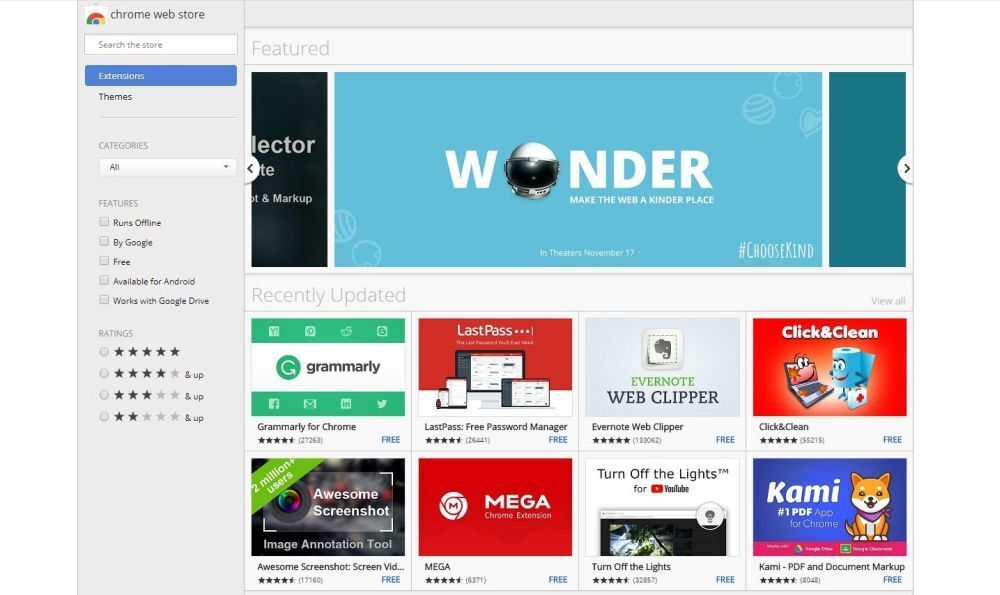
Your browser is no longer just a browser. It is your office, your note-taking desk, your shopping assistant, your grammar coach, your research lab, your screen recorder, and occasionally the place where 47 tabs go to start a small civilization. That is exactly why the best browser extensions for 2025 matter so much. A smart extension can save time, reduce distractions, tighten privacy, and make everyday browsing feel less like digital chaos and more like a system that actually likes you back.
But 2025 also comes with a catch. Browser extensions have become more powerful, while browser rules have changed. Chrome’s Manifest V3 era has reshaped how some privacy and ad-blocking tools work, which means users need better recommendations, not just longer lists. The goal is not to install every shiny new add-on in sight and turn your browser into a Frankenstein productivity machine. The goal is to choose a handful of trustworthy tools that solve real problems.
Below, you will find the top browser extensions for 2025 across security, privacy, focus, research, writing, and workflow. These picks are useful, well-known, and based on real-world browsing habits, not fantasy scenarios where you calmly manage your life with three tabs and a color-coded soul.
Why Browser Extensions Still Matter in 2025
In 2025, most work and everyday life happen inside a browser window. We write emails in web apps, manage projects in dashboards, watch tutorials in tabs we swear we will close later, and jump between personal and professional accounts all day long. A good extension helps reduce friction in that routine. It can autofill passwords, clip a page to your notes, block trackers, darken bright websites at night, or save a stack of tabs before your laptop starts wheezing like it just ran a marathon.
Extensions also help you customize the web around your needs. Some people want less noise. Some want stronger privacy. Some want a fast way to save research. Others want a browser that gently whispers, “Please stop opening YouTube when you have three deadlines.” No judgment. We have all been there.
How to Choose the Right Browser Extensions in 2025
Not every useful extension deserves a permanent home in your browser. The best browser extensions for 2025 have a few things in common: they come from trustworthy developers, request sensible permissions, do one job very well, and do not feel like they are secretly reading your diary while pretending to organize your tabs.
Before you install anything, look at these basics:
- Trustworthiness: Prefer established developers, official stores, and tools with a clear track record.
- Permissions: If a simple coupon finder wants access to everything on every site forever, that is your cue to raise an eyebrow.
- Performance: A great extension should help your browsing, not slow it to the pace of a dramatic period film.
- Cross-browser support: Some extensions work everywhere, while others are strongest on Chrome, Firefox, or Edge.
- Actual need: Install tools you will really use. Your browser does not need twelve motivational dashboards competing for your attention.
Top Browser Extensions for 2025
1. Bitwarden
Best for: Password management, passkeys, and secure logins
Bitwarden remains one of the best browser extensions for 2025 because it solves one of the oldest internet problems: humans are terrible at passwords. We reuse them, simplify them, forget them, and then act shocked when the internet punishes us for our optimism. Bitwarden fixes that with secure password storage, autofill, password generation, and growing passkey support.
What makes Bitwarden especially strong is the balance between security and convenience. It works well across devices and browsers, has a solid free tier, and fits naturally into everyday browsing. For most users, it is the extension that quietly does the most important work in the background.
2. Ghostery
Best for: Privacy, tracker blocking, and cleaner browsing
Ghostery is a great pick for anyone who wants a browser that feels less crowded and less creepy. It blocks trackers, cuts down on ads, and helps speed up page loading by reducing the junk that follows you around the web. In a year when privacy concerns are still front and center, Ghostery earns its place by being practical instead of preachy.
It is especially useful for people who want privacy protection without diving into a giant settings menu that looks like it was designed by an encryption wizard. Install it, customize a few basics, and enjoy a web that feels calmer and less invasive.
3. uBlock Origin Lite for Chrome and uBlock Origin for Firefox
Best for: Ad and content blocking with platform-aware choices
This category needs a 2025 footnote, because browser rules matter now. If you use Chrome or another Chromium-based browser, uBlock Origin Lite is the practical choice for the Manifest V3 world. If you use Firefox, the full uBlock Origin is still the heavyweight champion for users who want powerful, efficient content blocking.
This is one of the biggest extension shifts users should understand in 2025. The name you choose depends on your browser. Either way, the goal is the same: fewer ads, fewer trackers, fewer distractions, and more control over what loads on a page. If your current web experience feels like being tackled by pop-ups, autoplay junk, and mystery scripts, this category is your friend.
4. Dark Reader
Best for: Dark mode across the web
Dark Reader is the extension you do not fully appreciate until you open a bright white webpage at 11:48 p.m. and your retinas file a formal complaint. It creates dark themes for websites that never got the memo that dark mode is no longer a niche preference. It also gives you control over brightness, contrast, sepia, and site-specific settings.
The beauty of Dark Reader is that it makes the web easier on your eyes without asking you to change your habits. If you read a lot, work late, or simply prefer a less glaring screen, this extension feels like an immediate quality-of-life upgrade.
5. Grammarly
Best for: Writing, editing, and tone improvement
Grammarly is still one of the top browser extensions for 2025 because nearly everyone writes online all day, whether that means emails, docs, comments, applications, reports, or messages that begin as “quick note” and somehow become a four-paragraph essay. Grammarly catches grammar mistakes, awkward phrasing, punctuation issues, and tone problems across the web.
Its strength is not just proofreading. It also helps polish clarity and flow, which is useful when you are tired, rushed, or trying to sound professional while internally being held together by caffeine and calendar reminders. Used well, it makes writing faster without replacing your judgment.
6. Todoist
Best for: Turning webpages and ideas into tasks
Todoist works beautifully inside the browser because the browser is where so many tasks are born. You read an article you want to revisit, see a product you need to compare later, spot a form you still have to finish, or remember a deadline while staring at a completely unrelated tab. Todoist lets you capture those moments instantly.
Its browser extension makes it easy to save pages as tasks, collect snippets of text, and keep momentum without breaking your flow. That sounds simple, but in real life it prevents the classic productivity tragedy of saying, “I’ll remember that,” and then absolutely not remembering that.
7. Notion Web Clipper
Best for: Research, reading lists, and organized saving
Notion Web Clipper is ideal for students, writers, marketers, researchers, and anyone building a digital stash of useful stuff. It lets you save webpages directly into Notion so your inspiration, references, and “I need this later” finds stop living in random bookmarks you will never open again.
What makes it so useful in 2025 is the rising volume of online information. A good clipper keeps your research system tidy. You can save pages for reading later, add them to project databases, or build a knowledge base that does not disappear into browser history like socks in a dryer.
8. Loom
Best for: Screen recording, walkthroughs, and async communication
Loom continues to thrive because sometimes typing a long explanation is slower than just showing the thing. With one click, you can record your screen, camera, or both, then send a shareable link. It is useful for tutorials, team updates, customer support, design feedback, and those moments when “Let me show you” saves fifteen emails and a meeting that should have been a message.
In 2025, async work is still a major part of how teams communicate. Loom fits that reality perfectly. It is fast, visual, and much better than writing “See attached” and hoping everyone interprets your screenshot the same way.
9. OneTab
Best for: Tab overload and saving memory
OneTab is for the tab hoarders. You know who you are. If your browser looks like a row of tiny panicked rectangles, OneTab can turn that mess into a clean list with a single click. You can restore tabs later individually or all at once, which is much nicer than keeping 63 tabs open because you are “still using them.”
It is a small extension with a big impact. By reducing active tabs, it can help your browser run more smoothly and make your workspace feel less chaotic. In a world where browser clutter often equals brain clutter, OneTab earns every bit of praise it gets.
10. Momentum
Best for: Focus, routines, and a better new-tab page
Momentum replaces the usual empty new-tab wasteland with a dashboard that feels more intentional. You get a cleaner start page, a daily focus prompt, reminders, and a design that makes opening a new tab feel slightly less like an invitation to procrastinate. Slightly. We are still on the internet.
This extension is especially good for people who want visual calm and a simple nudge toward better habits. It will not magically make you a monk of productivity, but it can reduce friction and help you reset your attention dozens of times a day.
11. Wappalyzer
Best for: Developers, marketers, SEOs, and competitive research
Wappalyzer is one of the most useful browser extensions for 2025 if you work in tech, digital marketing, web design, or SEO. It tells you what technologies a website is built with, including CMS platforms, frameworks, analytics tools, ecommerce systems, and more.
This makes it excellent for research and learning. Curious what stack a competitor uses? Want to identify a store platform, analytics setup, or JavaScript framework? Wappalyzer gives you fast context without needing to play detective in the page source like it is 2009.
12. Firefox Multi-Account Containers
Best for: Separating work, personal, and shopping identities
If you use Firefox, Multi-Account Containers is one of the smartest browser extensions you can install. It separates browsing activity into color-coded containers, which means you can keep work logins, personal accounts, shopping sessions, and side projects in different spaces. Cookies stay separated, which is great for privacy and account management.
It is one of those extensions that feels slightly nerdy until you use it for a week and realize it is brilliant. No more signing in and out of multiple accounts like you are doing administrative gymnastics before lunch.
Honorable Mentions
Depending on your workflow, a few other extensions deserve a look in 2025. StayFocusd is handy if distractions are winning. Google Translate is great for multilingual browsing. Rakuten can be useful for shoppers who want cash-back help. Workona is worth considering if you want project-based tab organization instead of simple tab compression. The best extension list is never one-size-fits-all, and that is exactly the point.
Common Extension Mistakes to Avoid
The first mistake is installing too many extensions. A browser full of helpers can quickly become a browser full of conflicts, clutter, and slowdowns. Start with three to five that solve your biggest problems, then add more only if you genuinely need them.
The second mistake is ignoring permissions. If an extension wants access to every site you visit, ask why. Sometimes that level of access is necessary. Sometimes it is absolutely not. Read the permissions like you are reading the fine print on a suspiciously generous coupon.
The third mistake is forgetting to audit what you installed six months ago. Old extensions, abandoned tools, or random one-time installs should be removed. Your browser deserves a spring cleaning even if your actual closet does not.
What Using These Browser Extensions in 2025 Actually Feels Like
Real-world experience with browser extensions is less dramatic than marketing pages make it sound, but honestly, that is a good thing. The best ones do not try to become the center of your life. They quietly remove friction from things you already do every day.
Take a normal work morning. You open your laptop, launch the browser, and Momentum gives you a cleaner new-tab page instead of a blank stare and a temptation spiral. You log into your tools with Bitwarden instead of trying your usual password strategy, which is “surely I used the good password on this site, right?” Then Ghostery or uBlock starts trimming the web down so pages feel faster and less noisy. Without much effort, your browser already feels more organized and less exhausting.
Later, you start researching a project. Notion Web Clipper becomes useful almost immediately because good information online has a way of multiplying like rabbits. You open one article, then another, then five more, then a forum thread from three years ago that somehow still matters. Instead of losing everything in bookmark purgatory, you clip the pages you want, drop them into a workspace, and move on. That one habit alone can save hours every week.
Then the tab situation arrives, because it always does. A few tabs are normal. Ten tabs are manageable. Twenty tabs feel ambitious. Forty tabs mean your browser has become a cry for help. OneTab is excellent in that moment because it gives you permission to clean house without losing your place. It does not shame you for your chaos. It simply hands you a neat list and says, “Here, let us pretend this was your plan all along.”
Grammarly and Todoist also shine in ways that feel surprisingly practical. Grammarly is helpful when your brain is moving faster than your fingers and your sentence structure begins to resemble a shopping cart with one broken wheel. It catches little issues before they become embarrassing ones. Todoist, meanwhile, is what saves all the tiny commitments you would otherwise forget. A page to revisit. A quote to save. A task sparked by something you just read. In real use, it becomes the bridge between browsing and doing.
Loom is one of those extensions you may not need every hour, but when you need it, you really need it. Explaining a bug, walking someone through a process, giving visual feedback, or recording a quick tutorial is often much easier in video than in text. A two-minute Loom can replace a long thread, a confusing chat, and a meeting everyone secretly wished had been canceled.
Dark Reader is more subtle, but it might be the extension people feel most quickly. Bright websites are fine until you spend hours reading them. Then they start to feel like overhead lights in a room where you are trying to think. Dark Reader smooths that out. It is not flashy. It just makes long reading sessions more comfortable, especially at night.
For more advanced users, Wappalyzer and Firefox Multi-Account Containers add a different kind of power. Wappalyzer makes the web feel more understandable. You visit a site and instantly know what tools are behind it. Containers, on the other hand, make the web feel more separated and sane. Work stays with work. Personal accounts stay personal. Shopping does not bleed into everything else. It is a small structural change that makes browsing feel less tangled.
That is really the story of the top browser extensions for 2025. They are not magic. They are leverage. Pick the right few, and your browser feels faster, cleaner, safer, and more intentional. Pick too many, and your browser starts resembling a junk drawer with Wi-Fi. The sweet spot is a curated setup that fits your real habits, not your fantasy self. Your fantasy self probably closes tabs anyway.
Final Thoughts
The top browser extensions for 2025 are the ones that respect your time, reduce digital friction, and earn their place in your toolbar. For most people, the best setup will include a secure password manager, a privacy tool, a focus or tab manager, and one or two workflow helpers for writing, clipping, or communication. That is more than enough to make the web feel noticeably better.
If you want the simplest winning formula, start with Bitwarden, Ghostery or uBlock, Dark Reader, Todoist, and OneTab. Then add Grammarly, Notion Web Clipper, Loom, Momentum, Wappalyzer, or Firefox Multi-Account Containers depending on how you work. Your browser does not need a hundred upgrades. It just needs the right ones.