A Ryobi battery that refuses to charge can feel like a tiny green-and-black betrayal. One minute you are ready to trim the yard, drill a shelf, or blow leaves into your neighbor’s yard by “accident,” and the next minute your lithium battery is sitting on the charger blinking like it knows a secret.
The good news: a Ryobi battery not charging does not always mean the battery is dead. Sometimes the pack is too hot, too cold, deeply discharged, dirty at the terminals, not seated correctly, or connected to a charger that needs a second look. The less exciting news: if the battery is damaged, swollen, leaking, smoking, cracked, or repeatedly showing a defective-battery code, the safest fix is replacement and proper recyclingnot a garage-lab rescue mission involving wires, sparks, and regret.
This guide explains how to troubleshoot a Ryobi lithium battery safely, what the charger lights usually mean, when a battery may be recoverable, and when it is time to stop arguing with plastic and buy a replacement.
First: Safety Rules Before You Touch the Battery
Before troubleshooting, inspect the battery pack. Do not charge or use a Ryobi lithium-ion battery if the case is cracked, swollen, melted, wet inside, smells burnt, leaks fluid, gets unusually hot, or makes hissing noises. Lithium-ion batteries store a lot of energy in a compact pack, which is wonderful when powering a drill and less wonderful when abused.
Use only a compatible Ryobi charger for your battery platform. An 18V ONE+ battery belongs on an 18V ONE+ compatible charger. A 40V battery belongs on a 40V charger unless you have a manufacturer-approved dual-platform charger. Do not use homemade chargers, universal chargers, jumper wires, or “quick hacks” that bypass the battery’s protection electronics. Those tricks may wake up a battery temporarily, but they can also damage cells or create a fire risk.
Charge batteries on a dry, nonflammable surface with airflow around the charger. Keep the charger away from direct sunlight, heaters, wet floors, sawdust piles, oily rags, and other things that should not be invited to a lithium-ion party.
Why a Ryobi Battery May Not Charge
When a Ryobi battery is not charging, the cause usually falls into one of these categories:
- The battery is too hot or too cold. Lithium-ion packs may pause charging until they return to a safe temperature range.
- The battery is deeply discharged. If the voltage drops too low during long storage, the charger may read the pack as defective.
- The terminals are dirty or oxidized. Dust, corrosion, grass clippings, or shop grime can prevent solid electrical contact.
- The battery is not seated fully. A slightly misaligned pack can confuse the charger.
- The charger is faulty. If multiple known-good batteries fail on the same charger, the charger may be the problem.
- The battery has failed internally. Cells age, protection circuits fail, and packs eventually retiresometimes dramatically, but usually with a blinking light and poor attitude.
Understand the Ryobi Charger Lights
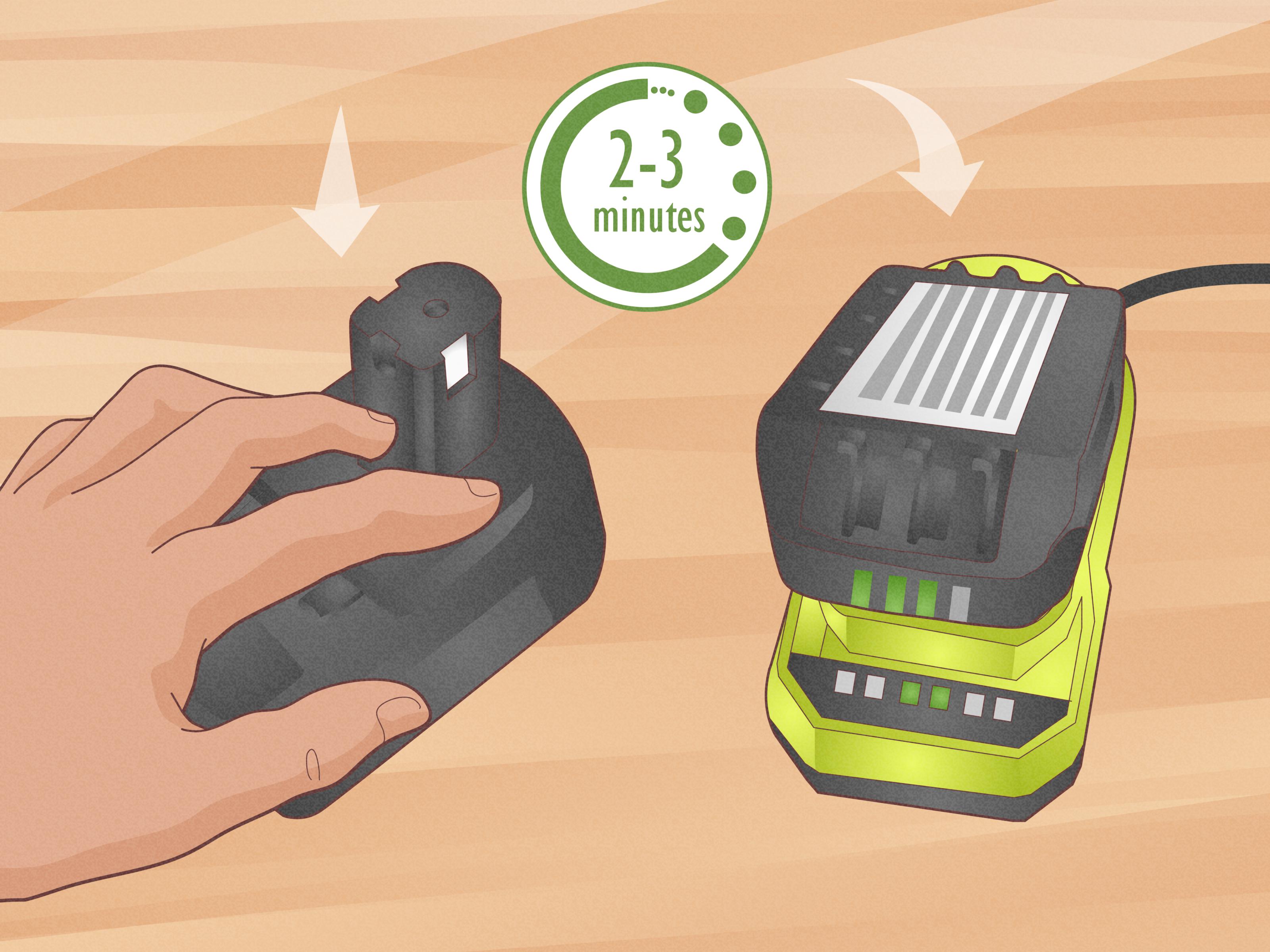
Ryobi charger lights vary by model, so always check the label printed on your charger or the manual for your exact unit. Still, many Ryobi lithium chargers use similar patterns. A solid red light often means the charger has power. A flashing green light often means charging is in progress. A solid green light usually means the battery is charged or in maintenance mode. Red and green flashing together commonly indicates a battery or charger error. Some models show a testing, waiting, hot/cold delay, or defective status differently.
In simple terms, do not panic at the first blink. Watch the pattern for a minute, remove and reinstall the battery, and compare the light pattern with the charger label. Ryobi chargers are not decorative desk lamps; those blinks are diagnostic messages.
Step-by-Step Fixes for a Ryobi Battery Not Charging
1. Confirm the Outlet and Charger Have Power
Start with the boring fix because boring fixes are often free. Plug a lamp, phone charger, or another small device into the same outlet to confirm power. If you are using a garage outlet, check whether a GFCI outlet has tripped. Many garages, patios, and workshops have GFCI circuits that cut power silently, leaving you to blame the poor battery.
Avoid long, lightweight extension cords when charging. A weak connection or voltage drop can cause charging problems. Plug the Ryobi charger directly into a wall outlet when testing.
2. Remove and Reinsert the Battery
Slide the battery out, wait a few seconds, then reinstall it firmly. Make sure it clicks or seats fully. On some chargers, a pack can look connected while sitting just slightly off the contacts. That tiny gap is enough to start the blinking-light opera.
If the charger shows an error again, remove the battery and try one more time. If the same error repeats, move to the next step instead of reinstalling it twenty times like you are negotiating with a vending machine.
3. Let the Battery Cool Down or Warm Up
A Ryobi battery may refuse to charge immediately after heavy use. For example, if you just ran a leaf blower, circular saw, mower, or string trimmer hard, the pack may be too warm. Set it indoors at room temperature for 30 to 60 minutes, then try charging again.
Cold weather can cause the same issue from the opposite direction. A battery stored overnight in a freezing garage may need time to warm naturally before charging. Do not place it on a heater, in an oven, under a heat gun, or in direct sun. The goal is gentle room temperature, not “battery sauna.”
4. Clean the Battery and Charger Contacts
Remove the charger from the wall outlet before cleaning. Then inspect the metal contacts on both the battery and charger. Look for dirt, sawdust, corrosion, moisture, or bent contact points. Use a dry cloth, soft brush, or cotton swab to clean the contacts gently. If there is stubborn grime, use a small amount of electrical contact cleaner and let everything dry completely before reconnecting.
Do not scrape aggressively with metal tools. You are cleaning the contacts, not excavating dinosaur bones.
5. Test With Another Battery
If you have another Ryobi battery, place it on the same charger. If the second battery charges normally, the first battery is likely the problem. If the second battery also shows an error, the charger may be faulty.
This battery-versus-charger test is one of the fastest ways to avoid buying the wrong replacement. A new charger will not fix a dead pack, and a new battery will not fix a charger that has given up and emotionally moved to Florida.
6. Test the Battery on Another Compatible Charger
If possible, try the questionable battery on another compatible Ryobi charger. This is especially useful if your charger is old, has been dropped, got wet, or has been living under a pile of extension cords since 2017.
If the battery fails on multiple chargers, the battery is probably defective. If it charges on a different charger, replace the charger or have it checked through an authorized service option.
7. Check the Fuel Gauge
Many Ryobi lithium batteries include an onboard LED fuel gauge. Press the gauge button. If no lights appear, the battery may be fully depleted, asleep, or failed. If one light flashes, the pack may be low. If the lights behave strangely, such as flashing all at once or not responding consistently, the internal battery management system may be detecting a fault.
The fuel gauge is not a full diagnostic computer, but it gives clues. Combine it with charger behavior, temperature, and cross-testing before deciding what to do next.
8. Consider Deep Discharge From Long Storage
Lithium-ion batteries do not love being stored completely empty. If a Ryobi battery sat unused for months after being drained, it may have dropped below the minimum voltage the charger expects. In that case, the charger may reject it as defective.
There are many internet “revival” methods that involve jumping the pack with another battery. Skip them. A deeply discharged lithium battery can be unstable, and bypassing built-in protections is not worth the risk. A safe approach is to try the battery on the correct charger after it reaches room temperature. If it still shows defective, replace and recycle it properly.
9. Inspect for Moisture or Impact Damage
Ryobi tools work hard, which means batteries get dropped, rained on, rolled under workbenches, and occasionally introduced to suspicious garage puddles. If the battery has been soaked, cracked, crushed, punctured, or dropped hard, do not charge it. Internal damage may not be visible, and charging a damaged lithium-ion pack can be dangerous.
Let exterior moisture dry only if the battery was lightly splashed and the case is intact. If you suspect water entered the pack, retire it.
10. Check Warranty and Service Options
If the battery or charger is relatively new, check your receipt, product registration, and warranty terms. Ryobi provides support resources, warranty information, and service center options. A battery that fails early may be eligible for warranty help, depending on the model, purchase date, proof of purchase, and conditions.
Before visiting a service center, call ahead. Not every service location handles every Ryobi product, and a quick call can save a pointless drive, which is good because your battery already wasted enough of your afternoon.
What About Ryobi 18V ONE+ Batteries?
Ryobi’s 18V ONE+ system is popular because the batteries work across a large family of tools. Newer lithium-ion ONE+ batteries are designed to remain compatible with many 18V ONE+ tools, including drills, saws, lights, fans, inflators, and outdoor equipment. That compatibility is convenient, but it also means one battery may get passed around and worked hard.
If your 18V ONE+ battery will not charge, pay close attention to usage patterns. A small 1.5Ah or 2Ah pack may overheat faster under demanding tools than a larger 4Ah, 6Ah, or high-performance pack. If the battery stops charging after heavy work, temperature delay is a strong possibility. Let it rest, then retry.
What About Ryobi 40V Batteries?
Ryobi 40V batteries are common in mowers, blowers, chainsaws, snow tools, and other outdoor equipment. These packs are larger and more expensive, so a charging problem feels more personallike the battery just insulted your landscaping budget.
The same basic troubleshooting applies: check the charger, outlet, temperature, contacts, seating, and cross-test with another pack or charger if available. Because 40V packs contain more cells and more stored energy, avoid any DIY internal repair. Do not open the case, replace cells, bridge terminals, or bypass the protection circuit. If a 40V battery repeatedly shows an error, pursue warranty service or replace it safely.
When the Battery Is Actually Dead
A lithium-ion battery is a consumable product. Even with good care, it will age. Signs that a Ryobi battery may be at the end of its life include very short runtime, repeated charger errors, sudden shutdown under light loads, failure on multiple chargers, no response from the fuel gauge, or excessive heat during normal use.
If the battery worked hard for years, replacement may be normal. If it failed after only a few uses, check warranty options. If it is physically damaged, do not keep testing it. A dead battery is annoying. A dangerous battery is a whole different category of weekend project.
How to Make Ryobi Lithium Batteries Last Longer
Good battery habits can prevent many charging problems. Store batteries in a cool, dry location. Avoid leaving them in a hot vehicle, freezing shed, damp basement, or direct sun. Remove batteries from tools before long storage. Charge them before they are completely drained when possible, and avoid storing them empty for months.
Let hot batteries cool before charging. Keep terminals clean. Use the right charger. Do not drop packs onto concrete if you can help it. Rotate batteries if you own several, so one pack does not do all the work while the others enjoy a spa retirement in the drawer.
What Not to Do
Do not open a Ryobi lithium battery pack unless you are a qualified repair professional with proper equipment. Do not solder random cells into the pack. Do not use jumper wires to force charge a battery. Do not place the battery in a freezer as a “reset.” Do not charge a battery that is hot, swollen, wet, cracked, or smells burnt. Do not throw lithium-ion batteries in regular trash or curbside recycling.
Instead, recycle lithium-ion batteries through a local hazardous waste program, battery recycling center, participating retailer, or manufacturer-approved recycling path. Tape exposed terminals if instructed by the recycling program to reduce short-circuit risk.
Quick Troubleshooting Checklist
- Confirm the wall outlet works.
- Plug the charger directly into the outlet.
- Remove and reinsert the battery firmly.
- Compare the charger lights with the label or manual.
- Let the battery reach room temperature.
- Clean battery and charger contacts.
- Try another battery on the same charger.
- Try the battery on another compatible charger.
- Stop using the battery if it is damaged or repeatedly defective.
- Check warranty, service, or recycling options.
Real-World Experience: The Battery That Would Not Behave
Here is the kind of situation many Ryobi owners recognize. You finish trimming the yard, the tool slows down, and you toss the battery on the charger expecting a normal green blinking light. Instead, the charger flashes red and green. You remove the battery, slide it back in, and get the same result. Naturally, the first thought is, “Great, this battery has chosen violence.”
In many cases, the pack is simply too hot. Outdoor tools can pull a lot of current, especially string trimmers, blowers, and mowers. After heavy use on a warm day, the battery may need a cooling period before the charger accepts it. Waiting 45 minutes indoors can feel ridiculous, but it often solves the problem. Lithium batteries are a little like people after mowing in August: they need shade, time, and maybe fewer expectations.
Another common experience is the “dirty contact mystery.” A battery may look clean at a glance, but the charger contacts can collect dust, dried grass, sawdust, or oxidation. One user may think a pack is dead, only to wipe the terminals and watch it charge normally. This is especially common in garages where tools share space with lawn equipment, fertilizer, sanding dust, and mystery debris from 2009.
Then there is the long-storage problem. A battery gets used until empty, placed on a shelf, forgotten through winter, and rediscovered when spring projects return. The charger rejects it. That does not always mean the owner did anything outrageous; it just means lithium-ion batteries do not like being stored completely drained. A better habit is to store batteries partially charged and top them up occasionally during long breaks.
The most useful diagnostic habit is comparing. Try another battery on the charger. Try the questionable battery on another charger. This simple swap test can prevent unnecessary spending. If three batteries fail on one charger, the charger is suspicious. If one battery fails on three chargers, the battery is probably done. The battery may still look fine externally, but internal cells or electronics can fail without a dramatic movie-style explosion.
My practical rule is simple: attempt the safe fixes first, but do not become emotionally attached to a failing lithium battery. Clean it, cool it, reseat it, test it, and check the warranty. If it still refuses to charge, recycle it properly and move on. Your time, tools, and garage are worth more than squeezing one risky final charge from a tired battery pack.
Conclusion
A Ryobi battery not charging can be caused by something simple, such as temperature, dirty contacts, a loose fit, or a tripped outlet. It can also be caused by a defective battery or charger. The safest troubleshooting path is to read the charger lights, let the pack reach room temperature, clean the terminals, test with another battery or charger, and avoid risky DIY revival tricks.
If the battery is damaged, repeatedly shows a defective code, or fails on multiple compatible chargers, replace it and recycle the old pack correctly. A working Ryobi battery is useful. A questionable lithium battery is not a science fair project; it is a sign to be smart, safe, and maybe treat yourself to a fresh pack.
Note: Always follow the manual for your exact Ryobi battery and charger model. If the battery is damaged, swollen, leaking, overheating, or repeatedly marked defective by the charger, stop using it and recycle or service it through an approved channel.