
Software demos are supposed to make selling easier. Yet for many SaaS companies, they become a calendar-filling ritual in which sales representatives repeat the same clicks, explain the same features, and answer the same questions several times a day. It is useful work, but it does not always feel like the best use of a skilled sales team.
Troi found a more scalable approach. By using Userpilot to add personalized, interactive guidance to its demo environment, the company transformed a largely manual process into an automated product experience. Prospects could explore the platform at their own pace, while Troi gathered stronger signals about which visitors were genuinely interested.
The result was more than a polished product tour. Troi created a self-service layer that supported onboarding, demonstrated product value, and helped pre-qualify leads before the sales team invested time in personal conversations. Userpilot’s published account describes improved guided-tour feedback, more focused sales follow-up, and meaningful savings in time and development effort, although it does not publish a specific conversion percentage or exact number of hours saved.
What Is Troi, and Why Was Its Product Challenging to Demo?
Troi is a professional services automation platform with ERP-level capabilities for project-focused organizations. It brings together areas such as project planning, resource management, time tracking, budgeting, controlling, approvals, and billing. Its typical users include agencies, consulting firms, architecture practices, engineering offices, IT service providers, and other businesses that earn revenue through projects.
That breadth is valuable for customers, but it creates an obvious demo challenge. A platform that manages contacts, resources, projects, finances, and operational workflows cannot be explained effectively with one heroic tooltip pointing at a button labeled “Projects.” Prospects have different priorities, responsibilities, and levels of technical knowledge.
A finance leader may want to see profitability and billing controls. A project manager may care about deadlines, dependencies, and capacity planning. An agency owner may want a high-level view of utilization and margins. Showing every module to every visitor would make the demo feel less like a helpful introduction and more like being handed the cockpit manual for a small aircraft.
Troi therefore needed a way to demonstrate a sophisticated product without forcing every prospect through the same long, salesperson-led presentation.
The Problems With a Fully Manual Software Demo Process
Sales capacity becomes the ceiling
Live demonstrations can be highly effective, especially for complex B2B software. However, they are expensive in human time. Every meeting requires scheduling, preparation, delivery, follow-up, and sometimes a second demonstration for additional stakeholders.
When every curious visitor receives the same one-on-one treatment, sales representatives spend a large part of the week qualifying interest that could have been qualified earlier. The process scales only when the company hires more people, adds more meeting slots, or gives its sales team an alarming amount of coffee.
Prospects must wait to experience the product
Modern software buyers often want to investigate independently before talking to a salesperson. A traditional “book a demo” funnel places a calendar between curiosity and product experience. The prospect may have to submit a form, wait for a response, select an available time, and attend a meeting before seeing how the software actually works.
Self-service sales experiences remove part of that delay. Salesforce describes self-service selling as a hands-off model that allows customers to explore or purchase without speaking to a representative, while G2 defines demo automation as using software to deliver demonstrations without requiring live human interaction.
The message can vary between demonstrations
Even excellent sales representatives present products differently. One person may emphasize reporting, another may focus on integrations, and another may enthusiastically wander into an advanced configuration menu that the prospect did not ask to see.
An automated software demo creates a consistent foundation. Every visitor can receive the same core explanation, product positioning, and sequence of important actions. Human representatives can then personalize later conversations instead of rebuilding the basics from scratch.
Product updates create maintenance work
When a demonstration depends on custom development, every interface change can produce another engineering request. Updating tooltips, replacing screenshots, revising copy, or changing a demo path may compete with product work that directly serves paying customers.
Troi needed an approach that business teams could manage without treating every wording change as a miniature software release.
How Userpilot Helped Troi Automate Software Demos
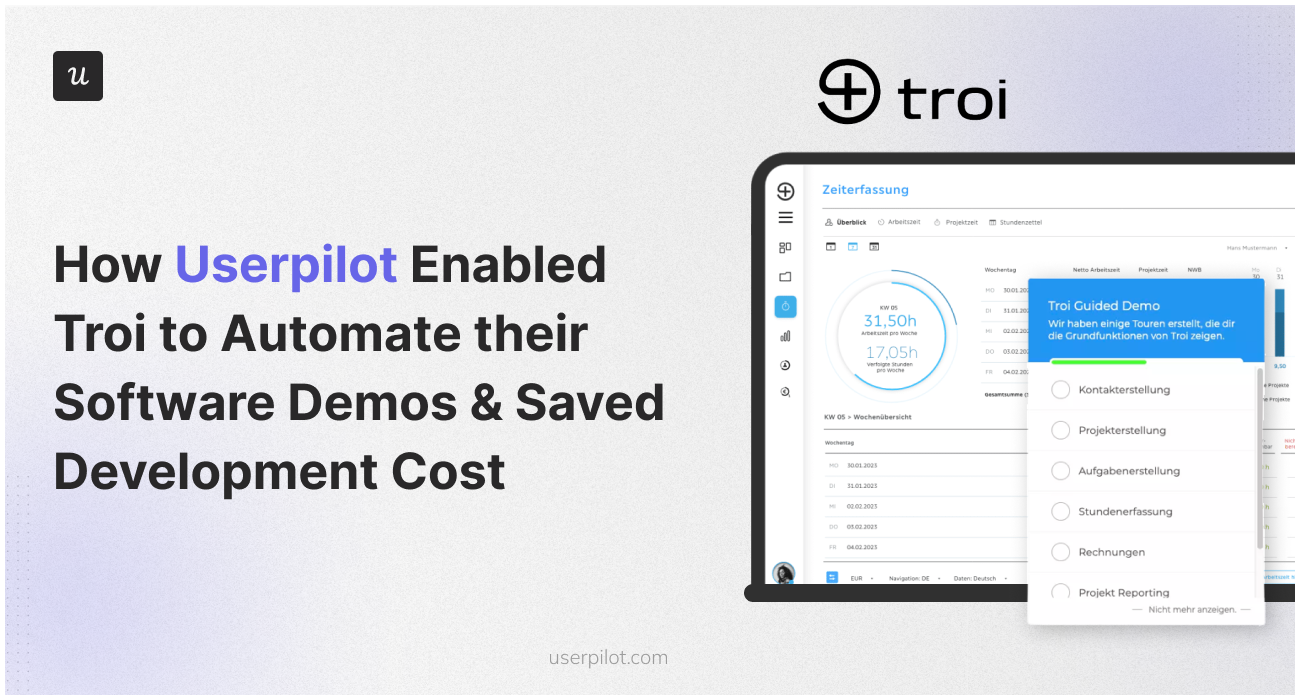
Troi used Userpilot in its demo version to improve the onboarding experience and guide prospective users through the product. The published customer testimonial specifically notes positive feedback about the guided tours, along with satisfaction with Userpilot’s interface and customer support.
The central idea was simple: instead of requiring a person to explain every important screen, Troi placed guidance directly inside the demo environment.
1. Troi created an interactive guided experience
Userpilot allows teams to build in-app flows with UI elements such as modals, tooltips, banners, spotlights, driven actions, and checklists. These experiences can be placed on top of an existing web application and updated through a visual builder rather than being coded individually into the product.
For Troi, this meant the demo itself could explain what prospects were seeing. A welcome message could establish context, tooltips could introduce essential controls, and action-based guidance could encourage visitors to interact with meaningful features rather than merely clicking “Next” until the tour politely disappeared.
This distinction matters. Passive tours describe a product. Interactive walkthroughs help users perform an action inside it. The second approach is usually more memorable because prospects learn by doing instead of watching a cursor take a scenic tour of the navigation menu.
2. The demo could be personalized
One generic tour is rarely suitable for a multi-role B2B platform. Userpilot supports behavioral and attribute-based segmentation, allowing teams to deliver different experiences according to a user’s role, plan, lifecycle stage, stated goals, or previous activity.
In a Troi-style implementation, prospects interested in project planning can be directed toward scheduling and resource features, while visitors focused on financial control can be shown budgeting, reporting, or billing workflows. The product remains the same, but the story changes according to the visitor’s job to be done.
This approach follows a broader onboarding principle: guide users toward the value that matters to them instead of treating every person as an identical “average user.” Pendo and Amplitude both recommend using role and behavioral data to tailor onboarding paths at scale.
3. Prospects could explore without waiting for a live meeting
Once the tour was available in Troi’s demo environment, prospects could investigate the software on their own schedule. This automated the repetitive introductory portion of the sales process without eliminating the option of human assistance.
That is an important balance. Demo automation does not have to replace sales representatives. It can prepare prospects for more useful conversations. A buyer who has already explored the product can arrive at a meeting with specific questions about implementation, pricing, security, or workflow design instead of asking, “So, what does the software do?”
4. User behavior helped pre-qualify leads
Troi’s personalized guided tour did more than educate visitors. According to Userpilot’s description, it helped pre-qualify prospects so the sales team could concentrate on higher-quality opportunities.
A prospect who completes a guided workflow, explores multiple relevant modules, or requests more information after using the demo provides a stronger buying signal than someone who submits a form and immediately vanishes into the digital wilderness.
Behavioral signals can help distinguish casual interest from serious evaluation. Teams can examine tour starts, completion rates, feature interactions, repeated sessions, and calls to action. These signals do not replace proper qualification, but they give sales representatives more context before outreach begins.
5. Troi reduced dependence on developers
Userpilot’s no-code builder made it possible to create and modify in-app guidance without developing every step from the ground up. That gave Troi greater control over demo content and shortened the distance between identifying a problem and improving the experience.
If visitors repeatedly abandoned a particular step, the team could adjust the copy, shorten the flow, change the sequence, or emphasize a different action. The demo became an experience that could be iterated rather than a static presentation waiting for the next development cycle.
The Business Impact of Troi’s Automated Demo Strategy
More focused use of sales time
By allowing prospects to complete an introductory product experience independently, Troi could reserve live conversations for people who demonstrated stronger intent or needed personalized advice.
Sales representatives were no longer required to function as human playback buttons. They could focus on discovery, objection handling, workflow fit, stakeholder alignment, and closing opportunitiesthe parts of selling where judgment and conversation matter most.
A consistent product story
The automated tour gave Troi a repeatable way to introduce its product. Core capabilities could be presented in a deliberate order, with carefully written explanations and calls to action.
This consistency is especially useful when a product has multiple modules. It prevents important value propositions from being skipped and reduces the risk that a prospect leaves a demonstration remembering one obscure settings screen but not the business problem the software solves.
Faster iteration
No-code editing meant the demo could evolve alongside the application. Product, marketing, customer success, and sales teams could refine guidance based on feedback and behavior without requesting a custom engineering project for every improvement.
Better onboarding feedback
Troi reported strong user feedback regarding its guided tours. This is significant because the demonstration experience also acts as a preview of the customer experience. If prospects find the demo clear and useful, they are more likely to believe the full product will be approachable after purchase.
Lower time and development costs
Userpilot states that the implementation saved Troi significant time and development costs. The available case material does not disclose an exact financial amount, number of meetings eliminated, or conversion-rate increase, so those figures should not be invented. The defensible conclusion is that automating repetitive guidance allowed Troi to scale product education with less manual and technical effort.
Why Automated Product Demos Work
Users learn inside the product
Contextual guidance appears where an action happens. Instead of reading a manual in one browser tab and trying to remember the instructions in another, users receive help while interacting with the relevant interface.
Nielsen Norman Group has warned that long introductory tutorials can interrupt users and be forgotten quickly. Contextual help is often more useful because it appears when the information is needed.
Prospects control the pace
Some visitors want a quick overview. Others want to investigate a particular workflow in detail. A self-guided demo allows both groups to move at a comfortable speed, repeat steps, pause, or continue later.
Automation creates reusable sales enablement
A good interactive demo can support several teams. Marketing can embed it in campaigns, sales can share it before meetings, customer success can reuse parts for onboarding, and product teams can adapt flows to introduce new features.
One well-designed experience can therefore replace a surprising number of slide decks, recorded calls, repetitive explanations, and mysterious internal documents named something like “FINAL-demo-v7-really-final.pptx.”
Behavior becomes measurable
Live demonstrations produce valuable conversational feedback, but they are difficult to compare systematically. Automated tours generate structured events that can be analyzed across many sessions.
Product analytics platforms recommend examining onboarding engagement, funnels, feature usage, cohort behavior, and downstream business outcomes instead of relying only on tour completion.
How to Build an Automated Software Demo Like Troi
Define one meaningful outcome
Start by deciding what a successful demo visitor should understand or accomplish. The objective might be creating a sample project, generating a report, configuring a workflow, or seeing how a common problem is solved.
A demo that attempts to explain the entire product usually explains nothing particularly well.
Segment prospects by role or goal
Ask one or two useful questions at the beginning. What type of organization does the visitor represent? What problem are they trying to solve? What is their role?
Use the answers to launch the most relevant path. Keep the survey short; prospects came to inspect software, not apply for a mortgage.
Guide users toward actions, not interface landmarks
Avoid tours that merely identify navigation items. Encourage visitors to complete a realistic task. Clicking a button, entering sample information, or viewing a generated result demonstrates value more clearly than reading a tooltip that says, “This is the Reports tab.”
Use progressive disclosure
Show only the information required for the current step. Advanced settings can wait. Effective product tours commonly focus on a small number of steps leading toward an early value moment rather than displaying every feature at once.
Offer a clear next step
When the tour ends, tell the visitor what to do next. Options may include starting a trial, booking a consultation, requesting pricing, inviting a colleague, or exploring another workflow.
The call to action should match the prospect’s demonstrated level of interest.
Measure the complete funnel
Track more than completion rates. Useful metrics include:
- Demo landing-page conversion rate
- Demo start rate
- Completion rate by segment
- Drop-off point for each guided step
- Completion of the primary value action
- Repeat demo sessions
- Demo-to-meeting conversion rate
- Demo-to-trial conversion rate
- Qualified opportunities influenced by the demo
- Sales hours spent per qualified opportunity
Keep qualified opportunity
improving the experience
An automated demo is not a museum exhibit. Review behavioral data, collect short feedback, and update the flow when the product or target audience changes.
Common Mistakes to Avoid
Turning the demo into a feature parade
Prospects do not need to meet every button on the first visit. Prioritize capabilities connected to their immediate problem.
Forcing every user down one path
A finance director and a project coordinator should not receive identical demonstrations. Even basic segmentation can make an experience feel substantially more relevant.
Making the tour impossible to skip
Guidance should help visitors, not hold the interface hostage. Allow experienced users to close, pause, restart, or select another path.
Replacing every human interaction
Complex products still benefit from consultative selling. Use automation to handle repetitive education and early qualification, then make human expertise easy to access when it adds value.
Celebrating completion instead of business results
A 90% tour completion rate is not impressive if nobody understands the product, books a meeting, or starts a trial. Tie engagement data to meaningful downstream behavior.
Practical Experience: What Teams Learn After Automating Software Demos
The first practical lesson is that writing demo copy is harder than it looks. A live presenter can notice confusion, rephrase an explanation, or skip a section. An automated flow cannot read the room, so every sentence must be clear without extra commentary. Teams often discover that their initial tooltips are too long, too technical, or focused on what a feature is rather than why it matters.
The cure is usually aggressive editing. A tooltip should communicate one idea and lead to one action. When a paragraph begins developing subplots, it probably belongs in the help center.
The second lesson is that internal assumptions do not always survive contact with real prospects. Product teams may believe a reporting dashboard is the most exciting part of the platform, while visitors repeatedly head toward resource planning. Sales may consider a feature self-explanatory, yet analytics show a sharp drop-off as soon as users encounter it.
Automated demos expose these differences. They create a behavioral record that helps teams compare what they expected with what people actually did.
The third lesson is that segmentation delivers more value than simply adding more steps. A shorter, relevant tour generally feels smarter than a long tour with beautiful animations. Visitors do not award bonus points because the company successfully attached a tooltip to every menu item.
Teams also learn that demo automation improves collaboration. Marketing becomes responsible for attracting the right visitors and setting expectations. Product contributes knowledge about valuable workflows. Sales explains the questions serious buyers ask. Customer success identifies the areas that typically cause confusion after purchase. The automated experience becomes a shared representation of how the company explains its value.
Another practical benefit is faster experimentation. A team can test a shorter welcome message, change the order of two actions, create a separate path for a high-value segment, or replace a generic closing screen with a role-specific call to action. These changes are much easier when they do not require a complete application release.
However, automation also creates a maintenance responsibility. Broken selectors, renamed buttons, new navigation, and retired features can damage a tour. Someone must own the experience, review it after product updates, and monitor sudden changes in completion behavior.
The most successful teams treat an automated demo as part of the product rather than a temporary marketing campaign. They establish an owner, document the intended audience, define success metrics, and schedule regular reviews.
Finally, teams learn that the best automated demos do not try to close every deal alone. Their job is to create understanding, reveal intent, and move the right prospect toward the right next step. Sometimes that step is a trial. Sometimes it is a technical consultation. Sometimes it is the realization that the product is not a suitable fitwhich also saves everyone time.
This is the broader lesson from Troi’s experience with Userpilot. Demo automation is not merely about replacing meetings. It is about designing a scalable path from curiosity to product value while preserving human attention for the conversations where it matters most.
Conclusion
Troi’s use of Userpilot shows how a complex SaaS company can automate software demos without turning the buyer journey into a robotic slideshow. By adding personalized guided tours to its demo environment, Troi allowed prospects to explore independently, improved the onboarding experience, collected stronger behavioral signals, and helped its sales team focus on better-qualified leads.
The implementation also reduced the time and development effort required to deliver and update demonstrations. Most importantly, it shifted the demo from a repetitive presentation into an interactive product experience.
For SaaS teams facing crowded sales calendars, inconsistent demos, or heavy engineering dependence, the strategy is worth studying: identify the prospect’s goal, guide them toward a meaningful action, measure what happens, and bring in a human when human expertise will make the greatest difference.
Note: This article uses verified descriptions from Troi, Userpilot, FeaturedCustomers, Userpilot documentation, and established product-onboarding and demo-automation research. No unpublished Troi conversion rate, cost saving, or time-saving figure has been assumed.
{

  "meta_title": "How Userpilot Automated Troi’s Software Demos",

  "meta_description": "See how Userpilot helped Troi automate software demos, improve guided onboarding, pre-qualify leads, and reduce sales and development effort.",

  "sapo": "Troi needed a scalable way to demonstrate its feature-rich project and business management platform without requiring a salesperson for every introductory tour. By implementing Userpilot’s personalized in-app guidance in its demo environment, Troi gave prospects an interactive, self-service product experience while gathering stronger buying signals. The automated tours improved onboarding feedback, supported lead qualification, reduced repetitive sales work, and limited dependence on developers. This case study explains how the strategy worked, why contextual demonstrations outperform generic feature tours, and how other SaaS teams can create automated demos that guide buyers toward meaningful product value.",

  "keywords": [

    "Userpilot",

    "Troi software demos",

    "automated software demos",

    "interactive product demos",

    "user onboarding automation",

    "SaaS product tours",

    "lead qualification"

  ]

}/pre>











