Some people hear music and think, “Wow, what a beautiful song.” Other people hear music and think, “Why does the singer sound like they’re trapped inside a soup can?” If you have ever felt the second emotion, welcome to the wonderful, slightly nerdy world of EQ.
EQ, short for equalization, is one of the easiest ways to change how your audio sounds without buying new headphones, replacing your soundbar, or pretending your living room is a recording studio. A few small adjustments can make voices clearer, bass tighter, podcasts easier to hear, and action movies less likely to turn your walls into subwoofers.
This guide explains how to adjust EQ settings on audio devices in a way that actually makes sense. We’ll cover what EQ does, which frequency ranges matter, how to tune different devices, which settings work best for music, movies, gaming, and podcasts, and how to avoid the classic mistake of turning every slider up until your speakers start sounding personally offended.
What EQ Actually Does
EQ changes the level of specific frequency ranges in an audio signal. In plain English, it lets you boost or reduce parts of the sound spectrum. Think of it as a tone-shaping tool: more bass, less harshness, clearer dialogue, brighter cymbals, fuller vocals, and so on.
Most consumer devices handle EQ in one of two ways:
- Presets, such as Rock, Jazz, Vocal, Bass Boost, Movie, or Spoken Word.
- Manual sliders, where you adjust specific bands yourself.
Some devices keep it simple with bass and treble controls. Others give you a graphic EQ with several sliders. Higher-end systems may offer parametric EQ, room correction, or app-based tuning tools. No matter how fancy the device looks, the goal is the same: shape the sound so it works better for your ears, your room, and what you are listening to.
Know Your Frequency Ranges Before You Start Twisting Knobs
If the EQ screen looks like a tiny skyline and you have no idea which slider does what, this quick cheat sheet helps:
- 20–60 Hz: Deep rumble and sub-bass. Great for cinematic impact, not great when overdone.
- 60–250 Hz: Bass and punch. Too much can sound boomy or muddy.
- 250 Hz–2 kHz: Midrange. This is where much of speech, vocals, guitars, and everyday sound lives.
- 2–6 kHz: Presence and clarity. Helpful for vocals and dialogue, but too much can sound sharp.
- 6–12 kHz: Treble and sparkle. This adds detail and crispness.
- 12 kHz and up: Air and shimmer. Nice in moderation, hissy in excess.
That means if your headphones sound muddy, you probably do not need more bass. If your podcast sounds muffled, boosting the low end is usually the audio equivalent of putting ketchup on ice cream. Start small and think in terms of tiny corrections, not dramatic surgery.
The Best Rule of EQ: Make Small Changes
The fastest way to wreck good audio is to get excited and start making giant boosts everywhere. Small changes work better. In many cases, a subtle cut is smarter than a huge boost. If a sound is harsh, reducing the problem area often sounds more natural than cranking everything else around it.
A solid beginner method looks like this:
- Play a song, movie scene, or podcast you know very well.
- Set all sliders to flat or neutral.
- Change only one area at a time.
- Use tiny adjustments, then listen for 20 to 30 seconds.
- Compare with EQ off.
- Stop when it sounds better, not when it looks dramatic.
If your EQ curve starts resembling a roller coaster designed by an over-caffeinated engineer, it may be time to calm things down.
How to Adjust EQ on Different Audio Devices
1. Smartphones and Tablets
Phones are often the easiest place to start because many music apps, headphone apps, and system settings already include EQ tools.
On iPhone and iPad, Apple offers built-in music EQ presets in Settings, plus accessibility audio features that can help tailor the sound. If you use AirPods or supported headphones, Headphone Accommodations can change tonal balance and boost certain frequencies, which is especially useful if voices feel soft or certain details seem buried.
On Android devices, the process varies by brand. Some phones offer built-in sound enhancements, while others rely on headphone apps or streaming apps. Google Pixel devices, for example, include Adaptive Sound on supported phones and offer EQ controls through Pixel Buds settings for compatible earbuds.
Best practice: Use your headphone maker’s app first if you have one. The built-in app is often tuned specifically for your earbuds or headphones.
2. Windows PCs and Laptops
Windows can be slightly chaotic because audio features often depend on your sound driver and hardware. On some systems, you can find EQ or audio enhancement options by opening Sound settings, going to more detailed playback device properties, and checking the Enhancements or Advanced tabs.
If you do not see an EQ option, do not assume Windows is gaslighting you. Some devices simply do not expose one through the built-in interface. In those cases, your manufacturer’s audio software, such as Realtek or another branded control app, may provide the controls instead.
Also important: if your sound gets distorted, crackly, or weirdly hollow after enabling audio enhancements, turn them off and compare again. Enhancements are supposed to improve sound, not turn your laptop into a haunted karaoke machine.
3. Mac Computers
Mac users often adjust EQ through specific apps rather than through a system-wide graphic equalizer. Apple Music includes preset EQ options, and supported AirPods features can be customized through accessibility settings on compatible Apple devices. If your goal is better music playback, start in the app you use most. If your goal is hearing detail more clearly across calls and media, explore the audio accessibility tools.
4. Wireless Earbuds and Headphones
This is where modern EQ gets fun. Many brands now provide companion apps with presets and custom EQ tools.
- Bose products often let you adjust bass, mids, and treble directly in the Bose app.
- JBL headphones and speakers commonly support custom EQ through the JBL app ecosystem.
- Google Pixel Buds allow EQ customization and adaptive sound features on supported models.
- Apple AirPods rely more on system-level tuning and accessibility settings than on a traditional multi-band EQ panel.
If your headphones already sound pretty balanced, do not force a “fun” EQ just because the sliders are there. Sometimes the best custom EQ is the one you barely notice.
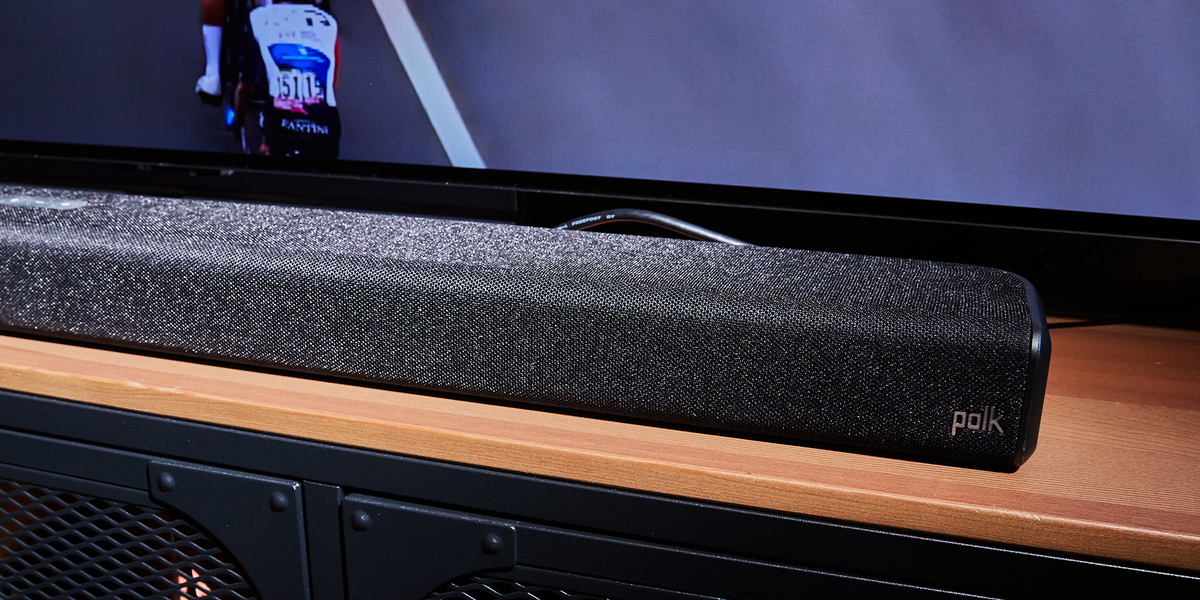
5. Soundbars, Smart Speakers, and Home Theater Systems
Many soundbars and wireless speakers keep things simple with bass, treble, speech enhancement, or content-based presets like Movie, Music, and Night mode. Smart speaker systems such as Sonos also let users adjust EQ in the app and, on supported setups, use room tuning features like Trueplay to adapt sound to the space.
Home theater receivers may go farther, with tone controls, speaker level adjustments, and room calibration systems. Yamaha, for example, includes tone control and EQ-related room correction features on many products. If your receiver includes auto-calibration, run that first before you start doing manual EQ changes. Room correction handles speaker placement and room reflections, which your ears may interpret as “bad EQ” when the real issue is the room itself.
Best EQ Settings for Common Listening Situations
For Music
There is no single best EQ setting for all music. Hip-hop, jazz, classical, EDM, acoustic folk, and pop all behave differently. That said, here are some useful starting ideas:
- For cleaner vocals: slightly reduce muddy low mids and gently boost upper mids.
- For tighter bass: add a little low-end punch, but trim if it gets boomy.
- For extra sparkle: gently raise treble, but stop before the sound gets sharp or fatiguing.
If a preset called “Rock” makes everything louder but less clear, congratulations: you have discovered why presets are only starting points.
For Movies and TV
Dialogue is king. A great explosion is fun, but not if you need subtitles for every conversation. Raise the presence range a bit for clearer speech, keep bass controlled, and use a speech or dialogue mode if your device offers one. Many soundbars also include night mode, which reduces the gap between whispers and explosions.
For Podcasts and Audiobooks
Podcasts usually sound best with less deep bass and a little extra presence for speech intelligibility. You are not trying to make the host sound like they are performing live at Madison Square Garden. You are trying to understand every word while folding laundry.
For Gaming
Gaming EQ depends on the game. Competitive titles often benefit from clearer mids and highs so footsteps, reloads, and directional cues stand out. Single-player cinematic games may feel better with fuller bass and wider presentation. If your headset includes game-specific presets, test them, but always compare with flat EQ before declaring victory.
Should You Use Presets or Manual EQ?
Use presets when you want speed, simplicity, and decent results with minimal effort. They are especially helpful if you are adjusting sound on the go or switching between music and podcasts quickly.
Use manual EQ when you know what bothers you. Maybe vocals are recessed, bass is too thick, or treble feels piercing. Manual control is better when you have a specific listening goal and a little patience.
A smart compromise is to choose the closest preset, then tweak gently from there. Think of presets like ordering a burger your way: the preset gets you the sandwich, but manual EQ adds the pickles.
Common EQ Mistakes to Avoid
Boosting Everything
If every slider goes up, nothing is really balanced. You are just making louder chaos.
Ignoring the Room
Speakers sound different in every room. Bare walls, hardwood floors, giant couches, bookshelves, and speaker placement all affect what you hear. Sometimes the problem is not your EQ at all. It is your room acting like an unpaid sound engineer.
Using One Setting for Everything
The best EQ for podcasts is rarely the best EQ for bass-heavy music or blockbuster movies. Create separate profiles if your device supports them.
Trusting Visual Curves More Than Your Ears
A dramatic-looking EQ graph may feel satisfying, but your ears are the final judge. The best curve is the one that sounds right, not the one that looks like modern art.
A Practical Step-by-Step EQ Tuning Method
- Reset EQ to flat.
- Pick one familiar track, one dialogue-heavy scene, or one podcast episode.
- Listen for the biggest problem first: muddiness, harshness, weak bass, or poor vocal clarity.
- Adjust only one or two neighboring bands.
- Compare with EQ off.
- Save the profile.
- Test with other content.
- Refine later instead of over-correcting immediately.
This method works better than random slider chaos, and it gives you a repeatable way to improve sound across headphones, speakers, soundbars, and computers.
When EQ Will Not Fix the Problem
EQ is powerful, but it is not magic. It cannot fully repair a low-quality recording, broken speaker driver, poor Bluetooth connection, badly positioned soundbar, or cheap earbuds with serious hardware limitations. It also will not turn a noisy room into a mastering suite.
If audio still sounds off after careful EQ adjustments, check the basics: placement, ear tip fit, software settings, source quality, firmware updates, and whether sound enhancements or spatial audio modes are helping or hurting. In some cases, turning off extra processing sounds better than adding more.
Real-World Experiences With EQ: What Happens When You Actually Start Adjusting It
The funny thing about EQ is that most people do not realize how much it matters until they finally use it correctly. Before that moment, audio tends to fall into two categories: “fine, I guess” and “why does this sound like the drummer is inside my kitchen cabinet?” Once you begin adjusting the EQ with intention, you start noticing patterns everywhere.
A very common experience happens with wireless earbuds. Out of the box, many consumer earbuds are tuned to sound exciting, which often means boosted bass and shiny highs. At first, that can feel impressive. Then a podcast comes on, and suddenly the host sounds distant while the background music is trying to steal the show. A small reduction in bass and a gentle lift in the vocal range can make the same earbuds feel clearer, more expensive, and far less tiring.
Another classic scenario involves TV soundbars. People buy a soundbar because they want bigger sound, but then discover that movie explosions are huge while dialogue sounds like it is hiding behind a curtain. The first instinct is usually to turn the volume up. That works for about six seconds, until the next action scene blasts through the room like a helicopter made of thunder. A better experience often comes from using a speech mode, trimming overblown bass, and adding a touch of presence so voices move forward.
Car audio is its own adventure. In a parked car, the stereo may sound great. Once you are driving, road noise starts eating low-level detail, and suddenly vocals, podcasts, and subtle instrument parts seem to disappear. Many drivers respond by adding more bass because it feels powerful. In reality, a slightly cleaner midrange and better controlled low end often create a more balanced, more enjoyable sound on the road.
Gaming headsets reveal another truth: “immersive” is not always the same as “useful.” A giant cinematic bass boost may make explosions thrilling, but it can also bury footsteps, dialogue, and environmental cues. Players who switch to a more focused EQ often describe the change as hearing the game “open up,” even though they technically lowered some of the more dramatic frequencies.
One of the most satisfying EQ experiences happens when listeners stop chasing “more” and start chasing “better.” Better does not always mean louder bass, brighter treble, or an extreme V-shaped curve. Sometimes it means the singer sounds natural, the podcast is easy to follow, and your ears are not exhausted after thirty minutes. That is when EQ stops feeling like a gimmick and starts feeling like control.
In real life, the best EQ settings are often modest. They respect the content, the device, and the listener. That may not sound glamorous, but it is exactly why thoughtful EQ works. It is less about showing off a dramatic graph and more about creating a listening experience that feels effortless. And honestly, effortless is underrated.
Final Thoughts
If you want better audio without buying new gear, learning how to adjust the EQ settings on your audio devices is one of the smartest upgrades you can make. Whether you are tuning earbuds for the gym, a laptop for video calls, a soundbar for clearer dialogue, or a receiver for movie night, EQ helps you shape the sound around your real-world needs.
Start flat. Make small changes. Trust your ears. Save different profiles for different situations. And remember: the goal is not to create the most dramatic EQ curve on earth. The goal is to make your music, movies, games, and podcasts sound better to you.
That is the beauty of sound equalization. It is personal, practical, and, when done well, surprisingly addictive.