Note: This article is for consumer education and safe maintenance. Do not open, modify, rebuild, solder, or tamper with lithium-ion battery packs. When in doubt, contact Dyson support or a qualified repair professional.
A Dyson cordless vacuum is one of those household gadgets that makes you feel oddly powerful. You press the trigger, crumbs surrender, pet hair panics, and the floor starts looking like a responsible adult lives there. Then one day the battery gives up after seven dramatic seconds, flashes a light like it is sending Morse code from a sinking ship, and suddenly your premium vacuum has the stamina of a tired goldfish.
That is when many owners search for a Dyson battery replacement and discover a jungle of suspiciously cheap third-party batteries promising heroic run time, miracle capacity, and compatibility with nearly every Dyson model ever made. Some are decent aftermarket parts from serious repair suppliers. Others are dodgy Dyson batteries in the full sense of the word: unclear branding, inflated specs, weak documentation, and safety claims that sound like they were written by a toaster trying to pass a law exam.
Fighting back does not mean panic-buying the first shiny battery pack with a five-star review and a price that feels too good to be true. It means knowing how Dyson vacuum batteries work, why lithium-ion packs can become risky, how to spot unsafe replacements, and how to extend battery life without turning your cleaning routine into a science project. The goal is simple: keep your vacuum useful, your wallet unburned, and your home not starring in a fire safety brochure.
Why Dyson Batteries Become a Big Deal
Dyson cordless vacuums rely on rechargeable lithium-ion batteries because they pack a lot of energy into a small, lightweight case. That is what lets a stick vacuum feel nimble instead of like you are dragging a lawn mower through the hallway. But lithium-ion batteries naturally degrade over time. Heat, heavy use, frequent high-power mode, clogged filters, blocked airways, and repeated charge cycles can all reduce run time.
Battery decline is not automatically a scandal. It is chemistry doing chemistry. A healthy battery slowly loses capacity after years of work, especially if the vacuum is used hard. What turns ordinary wear into a problem is when owners are pushed toward questionable replacements because the original battery seems expensive, out of stock, or confusing to identify. That confusion creates the perfect marketplace for knockoffs, low-quality packs, and sellers using words like “premium” with the confidence of a raccoon in a tuxedo.
The Real Risk Behind Cheap Replacement Batteries
The main issue with dodgy Dyson batteries is not merely that they may fail early. A bad lithium-ion pack can overheat, smoke, swell, or catch fire. In 2024, the U.S. Consumer Product Safety Commission warned consumers to stop using certain ZAUTNKN.INC lithium-ion replacement battery packs sold as replacements for Dyson V6 vacuums because they posed a fire risk. The notice said the packs were not Dyson-authorized and were not verified to meet UL 1642 safety standards. It also cited reports of fires and smoke inhalation connected to the battery packs.
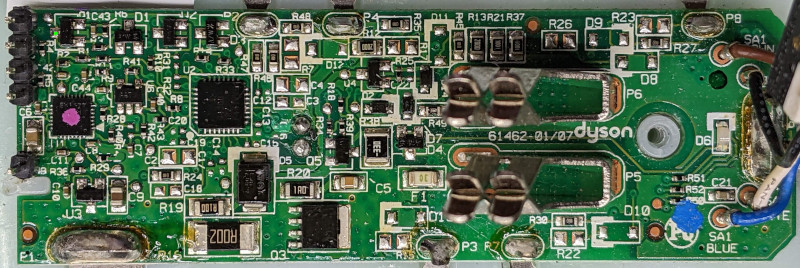
That example matters because it shows the difference between “annoying battery problem” and “serious household hazard.” A vacuum battery is not a pack of generic socks. Inside that plastic shell are cells, protection circuits, terminals, and charging communication that need to work correctly together. If the cells are low quality, the protection board is poorly designed, or the charger and pack do not communicate properly, the battery may behave unpredictably.
Good lithium-ion packs are designed with safeguards. Poorly made or counterfeit packs may skip those safeguards, exaggerate capacity, use inconsistent cells, or copy logos and certification marks without actually passing tests. That is why a suspiciously cheap Dyson battery replacement can be more expensive than it looks. Saving $60 is not impressive if the battery turns your charging dock into a tiny haunted fireplace.
Signs Your Dyson Battery May Actually Need Replacing
Before blaming the battery, do a little detective work. Dyson notes that reduced run time outside Max or Boost mode can be a sign that the battery is aging. Flashing warning lights can also point to battery trouble, depending on the model. However, low suction, sudden cutouts, or poor run time can also come from blocked airways, dirty filters, a jammed brush bar, or a charger problem.
Common symptoms of a failing Dyson battery
- The vacuum runs for only a few seconds after a full charge.
- Run time has dropped sharply even in normal mode.
- The battery will not charge even after checking the outlet and charger.
- The machine shows a repeated battery fault light.
- The battery casing is cracked, swollen, or visibly damaged.
If the battery casing is damaged, stop using the vacuum and do not charge it. That is not the moment for “one more quick clean.” That is the moment to treat the pack carefully, keep it away from flammable materials, and contact official support or a safe disposal program.
Genuine Dyson Battery vs. Third-Party Battery
A genuine Dyson battery is designed for a specific machine, tested with that model, and supported by Dyson’s warranty rules. Dyson states that its cordless vacuums come with a two-year warranty, including the battery, and that owners should check warranty status before buying a replacement. Dyson also advises using genuine batteries to keep the machine working as intended and preserve warranty coverage.
Third-party batteries are not all identical. Some come from reputable repair-focused suppliers that clearly list compatibility, voltage, capacity, warranty terms, and safety information. Others appear under random brand names, vanish from marketplaces, and return with a new label faster than a villain in a soap opera. The safest approach is to buy directly from Dyson when possible, or from a reputable repair supplier with transparent specifications, real customer service, and a return policy that does not require solving a riddle under a bridge.
Red flags when shopping for a Dyson battery replacement
- The price is dramatically lower than official and reputable alternatives.
- The listing claims impossible capacity or unusually long run time.
- The seller uses vague phrases such as “for all Dyson models.”
- The product photos show mismatched labels, blurry safety marks, or no clear branding.
- Reviews mention overheating, swelling, smoke, melted plastic, or sudden failure.
- The seller cannot provide clear warranty, compatibility, or support information.
Compatibility matters. A Dyson V6 battery is not automatically suitable for a V7, V8, V10, V11, or newer model. Even within a product range, Dyson may use different battery versions. Always check the model, serial number, connector shape, voltage, and official compatibility guidance before buying.
How to Fight Back Before Buying
The best defense is a boring checklist. Boring is good here. Boring keeps the vacuum running and the fire extinguisher decorative.
Step 1: Troubleshoot first
Clean the filter, check for blockages, inspect the brush bar, make sure the charger cable is not damaged, and verify that the wall outlet works. A clogged filter can force the motor to work harder, which drains the battery faster and may cause cutouts. Sometimes the battery is innocent; the filter is just wearing a tiny sweater made of dust.
Step 2: Check warranty status
If your Dyson cordless vacuum is still under warranty, contact Dyson before buying anything. A covered battery may be replaced without you spending money on a third-party part. Keep your serial number handy, because support teams love serial numbers the way librarians love alphabetized shelves.
Step 3: Identify the exact battery
Use your machine’s model and serial number to find the correct replacement. Do not rely only on a marketplace title. Search listings are often stuffed with every model name imaginable, which is great for SEO and terrible for accuracy.
Step 4: Buy from a trusted source
Dyson’s official replacement battery page is the safest starting point. If you consider an aftermarket battery, choose a reputable repair supplier with clear specifications and support. Avoid mystery-brand packs that use copied images, inflated numbers, or fake-looking certification icons.
Step 5: Recycle the old battery properly
Lithium-ion batteries should not go into household trash or regular recycling bins. The safe move is to tape exposed terminals or place the battery in a separate plastic bag, then take it to a battery recycler, retailer takeback program, or local household hazardous waste collection site. Tossing lithium-ion batteries in the trash is not “decluttering.” It is sending a tiny fire risk on a field trip.
Battery Care That Actually Helps
You cannot make a lithium-ion battery immortal, but you can avoid aging it like it lives in a sauna with a gym membership. Dyson recommends letting the machine cool down after use before placing it back on the dock. Heat stresses batteries, and heat plus charging is a rough combination. If your vacuum just battled a carpet full of pet hair, give it a few minutes to relax before docking it like nothing happened.
Use Max or Boost mode only for short bursts. Those modes are useful for stubborn dirt, but they draw more power and reduce run time. For everyday cleaning, normal or auto mode is usually enough. Think of Boost mode like hot sauce: excellent in the right amount, alarming when used on everything.
Keep filters clean and completely dry before reinstalling them. A wet filter can damage the vacuum, and a clogged filter makes the motor work harder. Empty the bin before it becomes a compacted museum of crumbs. Check the brush roll for hair, thread, and mystery fibers that appear to come from a sweater nobody owns.
Temperature matters too. Dyson notes that some machines will not operate or charge below 37°F to protect the motor and battery. Storing a cordless vacuum in a freezing garage or a hot car is not battery care; it is battery bullying. A cool, dry indoor location is better.
What Not to Do With a Dodgy Dyson Battery
Do not keep using a battery that smells odd, feels unusually hot, shows swelling, has cracks, or produces smoke. Do not charge it overnight beside curtains, bedding, cardboard boxes, or anything that would eagerly participate in a fire. Do not open the battery pack to “see what is going on.” The inside of a lithium-ion pack is not a casual DIY zone.
Also avoid mixing random chargers and batteries. A charger is not just a plug with optimism. Lithium-ion systems need proper voltage, current, and protection behavior. Using the wrong charger with a battery pack can increase risk, even if the connector seems to fit. In electronics, “it fits” is not the same as “it is safe.” A raccoon also fits in a kitchen cabinet, and yet no one recommends it.
When Repair Makes Sense
Replacing a removable Dyson battery module can be a reasonable repair when the correct part is used and the vacuum is otherwise in good condition. Repair guides for some Dyson models show that battery-module replacement may involve removing a few screws and sliding out the battery pack. That is different from opening the pack itself or replacing individual cells, which is not recommended for ordinary consumers.
Repair makes the most sense when the motor, bin, cyclone assembly, charger, and attachments are still working well. If the vacuum is old, heavily worn, and needs multiple parts, compare the cost of a genuine battery with the cost of a newer model or certified refurbished machine. The smart choice is not always the cheapest one today. It is the one that gives safe, reliable cleaning without turning every charging session into a suspense thriller.
How to Report Unsafe Batteries
If a replacement battery overheats, smokes, catches fire, damages property, or causes injury, report it to the seller, marketplace, manufacturer, and the appropriate product safety authority. In the United States, consumers can report product safety incidents through SaferProducts.gov. Reporting matters because unsafe listings often keep circulating until enough evidence pushes marketplaces, regulators, or manufacturers to act.
Keep records: order numbers, product photos, packaging, seller name, model information, screenshots, and incident details. Do not ship a damaged lithium-ion battery unless you are following official hazardous-material guidance. When a battery has already shown signs of failure, safe handling matters more than winning an argument with customer service.
Experience Section: Lessons From Real Dyson Battery Battles
The most common Dyson battery story begins with denial. The owner charges the vacuum, presses the trigger, and gets eight seconds of suction followed by silence. Naturally, the first reaction is to stare at the machine as if disappointment might recharge it. Then comes the ritual: unplug, replug, clean the filter, shake the vacuum gently, apologize to it, threaten to buy a broom, and finally search for a replacement battery.
That search is where the real adventure begins. Official batteries often cost more than expected, while marketplace alternatives appear for a fraction of the price. One listing promises “upgraded 9000mAh super capacity,” another says “perfect fit for V6 V7 V8 V10 V11,” and a third includes a product photo that looks like it was taken during an earthquake. At that point, the bargain hunter inside every homeowner wakes up and whispers, “How bad could it be?”
The answer is: sometimes merely annoying, sometimes risky. People who buy questionable batteries often report the same patterns. The pack fits loosely. The vacuum cuts out under load. The charger light behaves strangely. Run time is not better than the old battery. The plastic feels cheaper. The battery gets warmer than expected. Customer support replies with a cheerful message that somehow answers no questions at all. It is like ordering a lifeboat and receiving a decorative napkin.
A safer experience usually starts with patience. First, confirm that the old battery is truly the issue. A clogged filter can make a cordless vacuum act exhausted. A blocked airway can trigger safety cutouts. Hair wrapped around the brush bar can drain performance. One careful cleaning session can sometimes bring back enough run time to delay replacement. That is not glamorous, but neither is buying a battery you did not need.
When replacement is necessary, owners tend to feel better after choosing a genuine Dyson battery or a reputable aftermarket source with clear documentation. The packaging is better, the fit is cleaner, the warranty is easier to understand, and the battery behaves like it belongs in the machine rather than like it snuck in wearing a fake mustache. A proper battery replacement can make an older Dyson feel useful again, especially if the motor and attachments are still in good shape.
The biggest lesson is that battery shopping is not the place to chase the wildest discount. You can buy generic trash bags, generic paper clips, and generic cereal that tastes almost like childhood. But lithium-ion battery packs deserve a higher standard. The difference between a reliable replacement and a dodgy one is not just run time; it is safety, compatibility, and peace of mind.
Another practical lesson is to treat charging like part of maintenance. Let the vacuum cool after heavy use. Do not bury the charger behind a pile of laundry. Keep the dock away from heat. Clean the filter before it becomes a dust lasagna. Use Boost mode when needed, not as the default personality setting. These small habits do not make headlines, but they help the battery age more gracefully.
Finally, dispose of the old battery like a responsible human, not like a cartoon raccoon. Tape the terminals or bag the battery, then use a proper recycling or hazardous waste drop-off. The old pack may be tired, but it still contains stored energy and valuable materials. Giving it a safe final destination is good for your home, sanitation workers, recycling systems, and the planet.
Conclusion: The Smart Way to Beat Dodgy Dyson Batteries
Fighting back against dodgy Dyson batteries is really about refusing to let confusion make the decision for you. A failing cordless vacuum battery is frustrating, but it is fixable. Start with troubleshooting, check your warranty, identify the exact model, and buy from a trusted source. Be skeptical of miracle capacity claims, mystery sellers, and prices that look like they were calculated during a clearance sale in another dimension.
A genuine Dyson battery is often the safest path, especially for newer machines or warranty-covered vacuums. A reputable aftermarket battery can be an option for some owners, but only when the seller is transparent, the specifications are realistic, and the safety information is clear. Avoid any battery that shows damage, overheats, smells strange, or behaves unpredictably.
Most importantly, remember that lithium-ion batteries are powerful little energy boxes, not ordinary accessories. Treat them with respect, recycle them properly, and your Dyson can keep doing what it does best: making dust disappear while you pretend vacuuming counts as cardio.