Yes, you can use an Echo Dot without actively using Alexabut only in a limited way. Think of the Echo Dot like a tiny smart-home butler who also happens to be the speaker. You can politely ask the butler to stop listening by turning off the microphone, or you can ignore the voice assistant and use the device mainly as a Bluetooth speaker. But if you want the Echo Dot to do the things that make it “smart,” such as answer questions, control lights, run routines, set timers, play streaming music by voice, or tell you whether it will rain during your walk to the mailbox, Alexa is the brain behind the operation.
So the real answer is this: an Echo Dot can function without Alexa being used every day, but it cannot fully function as an Echo Dot without Alexa built into the experience. Without Alexa, it becomes more like a small wireless speaker with a power cord and a mysterious glowing ring that occasionally judges your Wi-Fi choices.
This guide explains exactly what works, what does not, how to use an Echo Dot with Alexa disabled, and whether it is worth keeping one if you do not want a voice assistant in your home.
What Does “Without Alexa” Actually Mean?
Before unplugging everything and dramatically declaring independence from artificial intelligence, it helps to define what “without Alexa” means. People usually mean one of four things:
- Using an Echo Dot without saying the Alexa wake word
- Using an Echo Dot with the microphone turned off
- Using an Echo Dot without the Alexa app
- Using an Echo Dot without Wi-Fi or an internet connection
These are not the same thing. You can keep the Echo Dot plugged in, disable the microphone, and still use it as a speaker. You can also use Bluetooth after pairing it with a phone, tablet, or computer. But you generally need the Alexa app and Wi-Fi for setup, settings, smart features, updates, and pairing management.
In plain English: Alexa is not just a voice. Alexa is the software layer that makes the Echo Dot useful. The device is hardware; Alexa is the personality, the assistant, the music DJ, the timer clerk, and the smart-home remote control rolled into one.
Can You Disable Alexa on an Echo Dot?
You cannot remove Alexa from an Echo Dot like uninstalling an app from your phone. Echo Dot devices are designed around Alexa, and Amazon does not sell an “Echo Dot without Alexa” version. However, you can stop Alexa from listening for voice commands by pressing the microphone off button on the device.
When the microphone is disabled, the light ring turns red. That red light means the microphones are electronically disconnected, so the Echo Dot will not respond when you say “Alexa.” It will not hear “Alexa, play jazz,” “Alexa, turn off the lights,” or “Alexa, why did I walk into this room?”which, to be fair, even Alexa may not know.
What still works with the microphone off?
With the microphone off, the Echo Dot can still work for certain non-voice functions. For example, it may continue playing audio that has already started, and it can work as a Bluetooth speaker if it has already been paired. You may also control some playback from your phone through the music app or Bluetooth source device.
What stops working with the microphone off?
Voice commands stop working. That means no spoken timers, no voice-controlled smart lights, no weather requests, no voice shopping, no voice calling, and no casual conversations with Alexa. In short, the Echo Dot becomes much quieter, which some people consider a feature rather than a bug.
Can You Use Echo Dot as a Bluetooth Speaker Without Alexa?
Yes, the most practical way to use an Echo Dot without actively using Alexa is to use it as a Bluetooth speaker. Once paired with a phone, tablet, or computer, it can play audio from that device. This includes music saved locally, podcasts, YouTube audio, audiobook apps, browser audio, and other sound coming from your source device.
However, there is an important catch: the initial pairing process is much easier when the Echo Dot has already been set up through the Alexa app or can respond to a voice pairing command. After pairing is complete, reconnecting later is usually simple from the Bluetooth menu on your phone or computer.
How to use Echo Dot as a Bluetooth speaker
- Plug in your Echo Dot and make sure it has already been set up.
- Put your phone, tablet, or computer in Bluetooth pairing mode.
- Use the Alexa app to pair the device, or say, “Alexa, pair Bluetooth,” if the microphone is enabled.
- Select the Echo Dot from your device’s Bluetooth list.
- Play audio from your phone, tablet, or computer.
After that, you can turn off the Echo Dot microphone and still use the paired device for audio in many cases. Your phone becomes the remote control, and the Echo Dot becomes the speaker. It is not glamorous, but neither is using a mug as a pencil holder, and we all do what we must.
Can You Use Echo Dot Without the Alexa App?
Not realistically for setup. The Alexa app is the standard tool for connecting an Echo Dot to Wi-Fi, adding it to your Amazon account, managing settings, pairing Bluetooth devices, changing privacy options, creating routines, and connecting music services.
Once the Echo Dot is already set up, you may not need to open the Alexa app often. Many people set it up once and then control music, alarms, and smart-home devices by voice. But if you are trying to avoid Alexa completely, the app still matters because it is where many of the device controls live.
Can you set up Echo Dot from a web browser?
Amazon has changed setup options over time, and the most reliable current method is the Alexa mobile app. Some older guides mention browser-based setup options, but for most users, the app is the expected route. If you are buying an Echo Dot specifically to avoid installing the Alexa app, you may be happier with a regular Bluetooth speaker.
Can Echo Dot Work Without Wi-Fi?
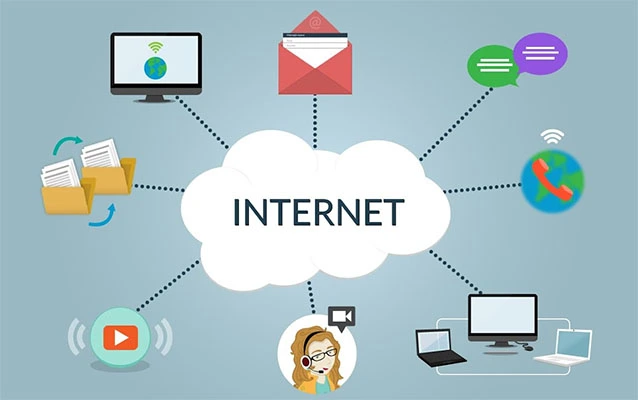
An Echo Dot depends heavily on Wi-Fi for Alexa features. Without an internet connection, it cannot process most voice requests, stream music directly, fetch weather, control cloud-connected smart devices, or answer questions. Alexa’s “brain” largely lives in the cloud, not inside the little fabric-covered orb on your desk.
That said, Bluetooth audio may still work if the Echo Dot was previously paired with your phone or computer. This means you may be able to play audio from a device even when home Wi-Fi is down. But if you have not already paired the Echo Dot, setting it up from scratch without Wi-Fi is usually not practical.
What works without Wi-Fi?
- Bluetooth playback from a previously paired device may work.
- Physical volume buttons still work.
- The microphone mute button still works.
- Some already-running audio behavior may continue briefly, depending on the source.
What does not work without Wi-Fi?
- Alexa voice requests
- Streaming music directly from cloud services
- Smart-home control through Alexa
- Weather, news, questions, reminders, and routines
- Initial setup for most normal users
So, can an Echo Dot work without Wi-Fi? Barely. Can it work well without Wi-Fi? No. Without Wi-Fi, the Echo Dot is like a GPS with no satellites: technically still an object, emotionally not helpful.
Can You Use Echo Dot Without an Amazon Account?
For normal setup and daily smart features, you need an Amazon account. The account links the Echo Dot to your Alexa app, device settings, music services, smart-home devices, preferences, and privacy controls. Without an Amazon account, setup becomes a wall with no door.
If you buy a used Echo Dot, the previous owner should deregister it from their Amazon account before giving or selling it to you. If the device is still tied to someone else’s account, setup can be difficult or impossible until it is properly deregistered or reset.
Can You Use Echo Dot as a Wired Speaker?
This depends on the Echo Dot generation. Older Echo Dot models included a 3.5mm audio output jack, which allowed users to connect the Dot to an external speaker. However, newer Echo Dot models, including the 5th generation, removed the 3.5mm audio line-out port. That means the latest Echo Dot is not ideal if your goal is to connect it to a stereo system with an auxiliary cable.
Also, the Echo Dot is generally not designed to act as a simple wired input speaker for another device. In most cases, Bluetooth is the better route if you want to send audio from a phone or computer to the Echo Dot.
What Can Echo Dot Do Without Voice Commands?
If you disable the microphone and avoid voice commands, the Echo Dot can still do a few things, depending on setup:
- Play audio through Bluetooth from a paired phone or computer
- Adjust volume with physical buttons
- Pause or resume some audio with tap controls on supported models
- Show time, weather, or song information on Echo Dot with Clock models if configured
- Remain part of the Alexa app ecosystem for settings and device management
But most of the famous Echo Dot features disappear when voice control is removed. You are left with a small speaker that sounds decent for its size, but not necessarily better than a dedicated Bluetooth speaker at the same price.
Why Would Someone Want an Echo Dot Without Alexa?
There are several reasonable reasons. Some people worry about privacy. Others received an Echo Dot as a gift and do not want a voice assistant. Some users like the compact speaker design but dislike talking to devices. Others only want a cheap bedroom speaker, kitchen radio, or podcast player.
And some people simply do not enjoy saying a wake word out loud. That is fair. Not everyone wants to stand in the kitchen saying, “Alexa, stop,” while a timer screams with the confidence of a smoke alarm auditioning for Broadway.
Privacy concerns
The microphone off button is the simplest privacy step. When the red light is on, the microphones are disabled. Users can also manage voice recording settings, delete voice history, and adjust privacy preferences in the Alexa app. For people who want stronger privacy boundaries, placing the Echo Dot in common areas instead of bedrooms or offices is also sensible.
Minimalist smart-home setups
Some users want smart lights and plugs but do not want constant voice interaction. In that case, the Echo Dot may still be useful as a hub-like controller through the Alexa app and routines, though the exact smart-home capabilities depend on device compatibility and the Echo model.
Echo Dot Without Alexa vs. Regular Bluetooth Speaker
If your main goal is to play music from your phone, a regular Bluetooth speaker may be a better choice. A dedicated Bluetooth speaker often has a rechargeable battery, simpler pairing, better portability, and no voice assistant at all. Many also offer water resistance, stereo pairing, and stronger bass.
The Echo Dot, by contrast, must be plugged into power. It is best at being a small smart speaker for a room, not a rugged beach speaker or travel speaker. If Alexa is not part of your plan, you are paying for features you may never use.
Choose Echo Dot if:
- You already own one and want to repurpose it.
- You may use Alexa occasionally.
- You want a compact speaker for a desk, kitchen, or bedroom.
- You like the option of smart-home control later.
Choose a Bluetooth speaker if:
- You never want Alexa.
- You want battery-powered portability.
- You want stronger audio for music.
- You want setup without an Amazon account or Alexa app.
Best Practical Uses for an Echo Dot Without Alexa
If you already own an Echo Dot and want to keep it useful without chatting with Alexa all day, here are the best options.
1. Use it as a desk speaker
Pair it with your laptop and use it for casual music, video calls, online classes, or background podcasts. It will not replace studio monitors, but it can outperform weak laptop speakers.
2. Use it as a kitchen podcast player
Pair your phone and play podcasts while cooking. This keeps your phone safely away from flour, oil, and whatever sauce just made a brave leap from the pan.
3. Use it in a guest room
An Echo Dot with the microphone muted can work as a simple speaker for guests. If they want to connect by Bluetooth, they can play their own music without accessing your smart-home controls.
4. Use it as a temporary speaker during Wi-Fi problems
If your internet goes down but your phone still has local audio or cellular data, a previously paired Echo Dot can help keep music or podcasts going.
5. Use it with the microphone off most of the time
Some people keep Alexa muted until they need a timer, alarm, or smart-home command. This compromise gives you more privacy comfort while preserving the option to use Alexa when convenient.
Common Limitations You Should Know
Using an Echo Dot without Alexa is possible, but it comes with trade-offs. The device was not designed to be a plain speaker first. It was designed to be a voice-controlled smart speaker.
No true Alexa removal
You can mute microphones and avoid voice commands, but Alexa remains part of the device software and setup ecosystem.
No battery in standard Echo Dot models
Echo Dot devices generally need to stay plugged in. If you want portable music, a battery-powered Bluetooth speaker is more convenient.
Limited controls without the app
Many settings live in the Alexa app. Avoiding the app completely makes the device harder to manage.
Bluetooth quality is convenient, not magical
Bluetooth is good enough for casual listening, podcasts, and background music. Audiophiles may want a dedicated speaker system. The Echo Dot is compact, and physics remains annoyingly undefeated.
Should You Buy an Echo Dot If You Do Not Want Alexa?
Probably notunless it is heavily discounted or you might use Alexa later. The Echo Dot is a good value when you want a small smart speaker. It is less compelling when you strip away the assistant, cloud services, smart-home controls, and voice features.
If you already own one, keep it and repurpose it. If you are shopping from scratch and know you do not want Alexa, buy a regular Bluetooth speaker instead. You will get a device that was built for your actual use case, not one that spends its life wondering why nobody talks to it anymore.
Personal Experience: Living With an Echo Dot Without Relying on Alexa
Using an Echo Dot without Alexa feels a little like owning a Swiss Army knife and only using the toothpick. It still works, but you are very aware that a lot of tiny tools are sitting there unused. In everyday life, the experience depends on expectations. If someone expects a powerful standalone speaker, the Echo Dot can feel underwhelming. If someone expects a compact helper that can quietly play a podcast from a phone, it does the job without complaint.
In a practical home setup, the best approach is usually not to “remove” Alexa, but to reduce Alexa’s role. For example, keeping the microphone muted most of the day gives a sense of control. The red light is visible, simple, and reassuring. When a timer or smart-light command is genuinely useful, the microphone can be turned back on. This creates a middle ground between full smart-home convenience and full voice-assistant avoidance.
As a Bluetooth speaker, the Echo Dot is pleasant for spoken audio. Podcasts, audiobooks, news clips, and casual YouTube videos sound clear enough for a bedroom, home office, or kitchen. Music is acceptable, especially at moderate volume, but it will not make your living room feel like a concert hall unless the concert is being held inside a cereal bowl. Bass exists, but it is compact bass. Vocals are usually the strongest part of the sound.
The biggest annoyance is setup dependence. A normal Bluetooth speaker usually has one job: turn on, pair, play. The Echo Dot has more ceremony. It wants Wi-Fi, an Amazon account, the Alexa app, and occasional settings management. Once everything is paired, daily use becomes easier, but the first setup reminds you that this device belongs to a larger ecosystem.
Another real-world issue is placement. Since the Echo Dot needs power, it naturally lives near an outlet. That makes it great for a nightstand, desk, shelf, or kitchen counter, but less useful for moving around the house. A battery-powered Bluetooth speaker wins instantly for patios, garages, bathrooms, and outdoor use. The Echo Dot is a homebody. It likes a stable Wi-Fi network, a power adapter, and a flat surface where it can sit like a tiny fabric-covered planet.
Privacy habits also matter. People who feel uncomfortable with microphones in their home may not enjoy owning an Echo Dot, even with the mute button. The red light helps, but comfort is personal. For some users, the right answer is not “mute Alexa,” but “choose a device with no assistant at all.” For others, the convenience of occasionally asking for a timer, weather update, or song is worth keeping the device around.
The most satisfying use case is repurposing. If an Echo Dot is already sitting in a drawer, using it as a Bluetooth speaker is better than letting it become electronic clutter. It can serve students in dorm rooms, remote workers at desks, parents in kitchens, or anyone who wants a small speaker for casual listening. It is not the best non-Alexa speaker on the market, but it is a perfectly usable one when you already own it.
After using an Echo Dot this way, the honest verdict is simple: it works, but it works best when you accept its limits. You can ignore Alexa, mute Alexa, and use the Dot mostly as a speaker. You just cannot turn it into a completely different product. The Echo Dot without Alexa is useful in the same way a smart TV without apps is useful: it can still show a picture, but you are not using the main reason it was built.
Conclusion
So, can you use an Echo Dot without Alexa? Yes, but with limits. You can disable the microphone, avoid voice commands, and use the Echo Dot as a Bluetooth speaker after setup. You may also control some audio from your phone or computer without speaking to Alexa at all.
However, the Echo Dot is designed around Alexa. Without Alexa, you lose the smart features that make the device special: voice control, routines, smart-home commands, weather, timers, reminders, streaming requests, and hands-free help. If you already own an Echo Dot, it can still be useful as a small speaker. If you are buying a device and know you do not want Alexa, a regular Bluetooth speaker is probably the cleaner, simpler choice.
In short: an Echo Dot without Alexa is possible, but it is not the full Echo Dot experience. It is more like Echo Dot Liteextra lite, hold the assistant.
Note: This article is based on current Echo Dot setup behavior, Amazon device documentation, and reputable consumer technology references. Always check your specific Echo Dot generation because ports, setup options, and supported features may vary by model.