Shopping for the best home security system can feel a little like shopping for a spaceship. There are sensors, cameras, smart locks, emergency buttons, cel your Wi-Fi router blush.
The good news is that protecting a home does not require turning it into a high-security vault with laser beams across the hallway. A well-chosen home security system should match the way you live, the size of your home, your budget, and your tolerance for monthly bills that quietly multiply like rabbits.
Bob Vila’s tested-and-reviewed home security roundup identifies several standout choices for different types of households. ADT earns the best overall designation, SimpliSafe is positioned as a strong value choice, Vivint stands out for professional monitoring, Ring appeals to self-monitoring households, and Frontpoint remains a solid alternative for buyers who want professional support with DIY-friendly equipment.
The real winner, however, is not always the brand with the flashiest commercial or the loudest siren. It is the system that protects your doors, windows, family routines, and peace of mind without becoming another gadget that sends mysterious notifications at 3 a.m.
What Makes a Home Security System Worth Buying?
A home security system is more than a doorbell camera staring at delivery drivers. A complete setup can combine door and window sensors, motion detectors, alarms, cameras, environmental sensors, mobile alerts, and professional monitoring. The goal is to create several layers of protection rather than relying on one device to do all the work.
For example, a video doorbell may show who is standing outside, but it cannot protect a side window, detect smoke, or call for help when you are asleep. A broader system can alert you when a door opens unexpectedly, detect motion in a restricted area, notify you about water leaks, and help escalate serious emergencies.
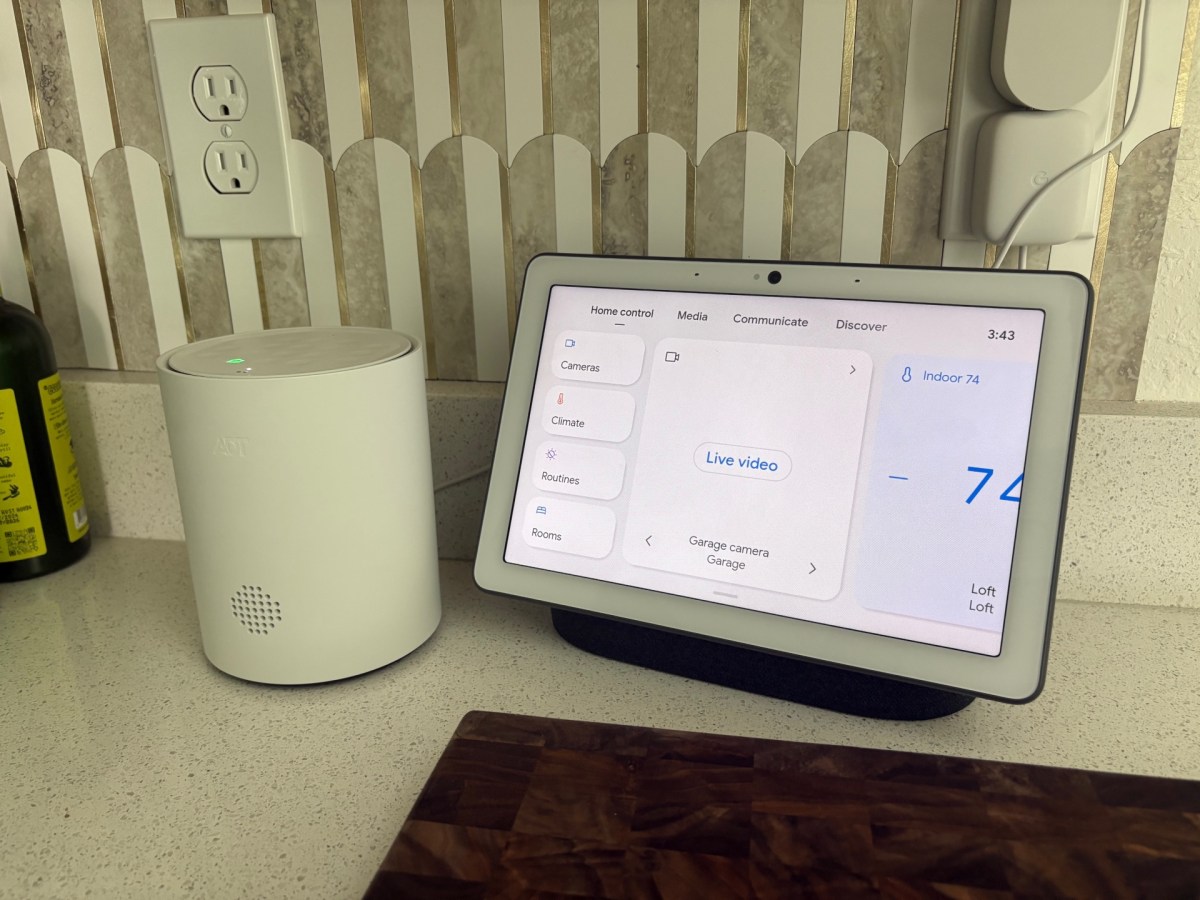
The best home security systems also make everyday life easier. You may be able to arm the house from your phone, check whether the garage door is closed, receive a package alert, lock a smart deadbolt remotely, or turn on lights when you are traveling. That is the smart-home version of remembering whether you unplugged the curling ironexcept with fewer panicked U-turns.
Bob Vila’s Top Home Security System Picks
ADT: Best Overall Home Security System
ADT remains one of the most recognizable names in residential security, and Bob Vila’s roundup names it the best overall choice. The brand’s broad equipment selection, professional monitoring options, smart-home integrations, and established reputation make it appealing to homeowners who want a polished, full-service experience.
ADT is especially practical for households that prefer help with setup rather than spending a Saturday afternoon balancing on a ladder while trying to interpret a camera mounting bracket. Depending on the available package and location, customers can choose professional installation or explore more DIY-oriented options.
A major advantage of a professionally monitored security system is that trained personnel can respond when an alarm event occurs. That can matter when a homeowner is away, sleeping, driving, or simply unable to reach a phone. Many ADT systems also offer cellular communication backup, which helps keep alarm signals moving even if the home Wi-Fi connection drops.
ADT is often a sensible option for larger homes, households with several entry points, families who travel frequently, or buyers who want one provider for intrusion detection, cameras, smart devices, and monitored emergency response.
SimpliSafe: Best Value for Flexible Security
SimpliSafe is a favorite among renters, first-time homeowners, and anyone who believes security equipment should not require a degree in electrical engineering. Bob Vila highlights SimpliSafe as a best-value option because it combines approachable pricing with flexible installation and monitoring choices.
Most SimpliSafe systems are designed for DIY installation. Sensors typically use adhesive mounting, and the equipment can be moved when you relocate. That makes it especially attractive for apartment dwellers and renters who cannot drill holes into every wall without making their landlord develop an eye twitch.
Another strength is flexibility. Buyers can build a starter kit with basic entry sensors and a motion detector, then add cameras, glass-break sensors, smoke detectors, water sensors, or panic buttons as their needs grow. Professional monitoring is available, but users can also choose a more self-directed approach depending on their plan and preferences.
SimpliSafe makes the most sense for people who want easy installation, predictable equipment choices, and the ability to start small. It is also a practical choice for households that want security without signing up for a complicated long-term commitment.
Vivint: Best for Professional Monitoring and Smart-Home Integration
Vivint is designed for homeowners who want a professionally installed security ecosystem with deep smart-home integration. Bob Vila identifies Vivint as a top pick for professional monitoring, and that focus shows in its service model.
Vivint systems are generally built around professional installation, which can be helpful in larger homes with multiple cameras, complicated entry points, smart locks, thermostats, garage controls, and outdoor monitoring needs. Instead of figuring out whether a camera should point toward the driveway, the installer helps plan placement, mount equipment, test devices, and confirm that the system works together.
The trade-off is that a more hands-on service model may cost more than a simple DIY kit. Still, for busy homeowners who value convenience, professional setup can be worth it. A properly positioned camera is far more useful than a camera pointed directly at a tree branch that waves dramatically every time the wind blows.
Vivint can be a strong fit for households that want one app to manage security, cameras, lighting, climate controls, smart locks, and other connected devices. It is particularly appealing for people who want a premium smart-home security experience without doing the installation themselves.
Ring: Best for Self-Monitoring and Budget-Friendly Expansion
Ring is widely known for video doorbells, but its ecosystem extends into alarm systems, cameras, sensors, lights, and smart-home accessories. Bob Vila names Ring as a top self-monitoring option, making it appealing to homeowners who want to keep control in their own hands.
Ring can be a good choice for people who are comfortable receiving alerts and deciding how to respond. You may get a notification when a camera detects motion, a door sensor is triggered, or a package arrives. For many households, that level of control is enough. Others may choose a subscription plan that adds features such as video storage, cellular backup, or professional monitoring.
The Ring ecosystem is especially convenient for people who already use Alexa-enabled devices. A homeowner can create routines that turn on lights when motion is detected, announce doorbell activity through compatible speakers, or arm the alarm with voice controls where supported.
Ring is often a good fit for smaller homes, condos, apartments, and budget-conscious buyers who want to add security piece by piece. Start with a doorbell camera, add a few sensors, and expand only when the home needs more coverage. Security does not have to arrive in one giant cardboard box that blocks the front door.
Frontpoint: A Strong Alternative for Professional Support
Frontpoint is another option worth considering for buyers who want professionally monitored security with user-friendly equipment. Bob Vila includes Frontpoint as an “also consider” choice, particularly for households that want a system capable of growing with their needs.
Frontpoint offers intrusion sensors, cameras, smart-home controls, and environmental protection devices. The equipment is typically designed for DIY setup, but the service model still includes professional monitoring. That creates a useful middle ground for buyers who want to install the system themselves while still having a monitoring center available around the clock.
Frontpoint may appeal to homeowners who value mobile app control, customizable alerts, and automatic system checks. It can also be a practical choice for people who want a longer equipment warranty than some entry-level competitors provide.
How to Choose the Right Home Security System for Your Home
Before comparing brands, walk through your house like a slightly suspicious detective. Look at doors, accessible windows, garage entries, basement windows, side gates, and places where packages are usually delivered. The goal is not to become paranoid; it is to identify the spots where a simple sensor or camera could make the biggest difference.
Choose Between Professional Monitoring and Self-Monitoring
Professional monitoring means a monitoring center receives alarm signals and follows a response process when an emergency occurs. Self-monitoring means you receive the alert and decide what to do next.
Self-monitoring can reduce recurring costs and gives you direct control. It works best for people who are comfortable responding to alerts and who are likely to have their phone nearby. Professional monitoring adds another layer of support when you are unavailable, asleep, on vacation, or busy doing the one thing nobody should have to interrupt for a motion notification: showering.
There is no universal answer. A frequent traveler may value 24/7 professional monitoring, while a renter in a small apartment may be perfectly happy with a self-monitored alarm and a video doorbell.
Think Beyond Cameras
Cameras are useful, but they are not the entire security system. A good starter package should include a central hub or keypad, door and window sensors, and at least one motion sensor. From there, consider adding glass-break sensors, indoor cameras, outdoor cameras, a video doorbell, smart locks, panic buttons, and environmental sensors.
Water and temperature sensors are often overlooked. A small leak under a sink can become a large repair bill if nobody notices it for several days. Likewise, monitored smoke and carbon monoxide devices can add meaningful protection beyond burglary prevention.
Smoke alarms should be installed inside bedrooms, outside sleeping areas, and on every level of a home, including the basement. A smart security system can support fire safety, but it should never replace basic smoke alarm placement, regular testing, or a family escape plan.
Check Cellular Backup and Battery Backup
A security system that depends entirely on Wi-Fi can be less useful during an internet outage. Look for systems with cellular backup for alarm communication and battery backup for temporary power disruptions. These features are especially valuable in areas that experience storms, rolling outages, or unreliable internet service.
Read the plan details carefully. Some companies include cellular backup only with certain monitoring plans, while others may require an upgraded subscription. A system that works beautifully until the router loses power is not exactly the dramatic plot twist anyone wants.
Review Contracts, Trial Periods, and Monthly Fees
Equipment costs are only part of the total price. Monitoring plans, cloud video storage, professional installation, extended warranties, and smart-home services can add to the long-term expense.
Before purchasing, ask these questions:
- Is professional monitoring optional or required?
- How much does cloud video storage cost after the trial period?
- Does the system require a contract?
- Can the equipment be moved to a new address?
- What happens if Wi-Fi, power, or cellular service is interrupted?
- Does the provider offer a return period or money-back guarantee?
It is easier to compare the total first-year cost than to focus only on a discounted starter kit. A low equipment price can look less charming once several subscriptions start lining up behind it.
Privacy and Cybersecurity Matter as Much as Locks and Sensors
Modern home security systems collect sensitive information. Cameras may record visitors, family members, pets, deliveries, and daily routines. Smart locks can reveal entry activity. Mobile apps can control access to the system from almost anywhere.
That means digital security matters. Choose a strong, unique password for every home security account. Turn on multifactor authentication whenever it is available. Keep the system’s app, cameras, router, and hub updated. Avoid reusing old passwords, especially the one that has been floating around since the era of flip phones.
It is also wise to review privacy settings before installing cameras indoors. Decide who can access live video, how long recordings are stored, whether footage is shared with family members, and whether camera microphones are enabled. Indoor cameras can be helpful for checking on pets or children, but privacy rules should be clear for everyone in the household.
For outdoor cameras, focus on your own property. Avoid aiming a camera directly into a neighbor’s private yard or windows whenever possible. Good security should make a home safer, not turn a quiet neighborhood into a low-budget surveillance drama.
Do Home Security Systems Lower Homeowners Insurance Costs?
Some insurers offer discounts for qualifying security devices, including smoke alarms, burglar alarms, monitored fire alarms, and deadbolt locks. The amount varies by insurer, state, policy, and system type.
A professionally monitored system may qualify for a larger discount than an unmonitored camera setup, but homeowners should always ask their insurer before buying. Request the specific documentation needed to verify the installation, such as a monitoring certificate or proof of professional service.
Do not buy a security system solely for an insurance discount. The real value is protection, awareness, and faster response to potential emergencies. Any savings on premiums should be treated as a welcome side effect, like finding fries at the bottom of the takeout bag.
Real-World Home Security Experiences: What Ownership Feels Like
Owning a home security system is usually less dramatic than the commercials suggest. Most days, it is a quiet routine: arm the system before bed, disarm it in the morning, get an alert when a package arrives, and occasionally check the camera to confirm that the suspicious movement was a squirrel with a strong work ethic.
The first week after installation is often the adjustment period. Homeowners learn which doors should have sensors, which family members forget to disarm the alarm, and how quickly a pet can trigger a motion detector if the settings are not configured correctly. This is also when people realize that a camera positioned too low will produce several hours of high-definition footage of their own front steps.
For renters, a DIY system can feel especially empowering. Peel-and-stick sensors, wireless cameras, and portable keypads make it possible to add protection without permanent modifications. When moving day arrives, the equipment can come along instead of becoming a farewell gift to the next tenant.
For homeowners with larger properties, the experience is often about reducing blind spots. A front door camera may handle deliveries, while a driveway camera watches vehicles, a backyard camera monitors gates, and window sensors provide protection where cameras cannot see. The best setups do not depend on one device catching everything. They create overlapping layers that make it harder for an intrusion or hazard to go unnoticed.
Professional monitoring brings a different kind of reassurance. The main benefit is not that someone is watching a camera feed every second. It is knowing that a monitoring center can receive alarm signals and follow a response procedure when you cannot. This can be valuable during travel, overnight hours, medical emergencies, or situations where a phone notification might be missed.
Self-monitoring, on the other hand, can feel more flexible and less expensive. Many users enjoy checking camera alerts directly and deciding whether to call a neighbor, contact authorities, or dismiss the event as a false alarm. It works particularly well for people who spend a lot of time at home or who prefer to control every part of their smart-home setup themselves.
One of the most useful lessons from real ownership is that security systems work best when paired with basic home habits. Lock doors consistently. Keep shrubs trimmed near accessible windows. Use exterior lighting. Avoid advertising travel plans online in real time. Do not hide a spare key under the doormat, because that is not a hiding place; it is a traditional welcome mat for bad decisions.
Maintenance also matters. Test alarms regularly, replace batteries when prompted, clean camera lenses, update software, and review alert settings after major life changes. A new puppy, a remodeled room, a new roommate, or a changed work schedule can all affect how the system should be configured.
Ultimately, the best home security system becomes part of the background of daily life. It should be easy enough to use that everyone in the household understands it, reliable enough that alerts matter, and flexible enough to grow with the home. The goal is not to live in fear. It is to create a home that feels prepared, protected, and a little harder for trouble to bother.
Final Thoughts on the Best Home Security Systems
Bob Vila’s top home security system picks show that there is no one-size-fits-all answer. ADT offers broad, established protection for homeowners who want a full-service system. SimpliSafe is a strong choice for flexible DIY security. Vivint makes sense for professionally installed smart-home security. Ring is useful for self-monitoring and affordable expansion. Frontpoint offers another compelling professionally monitored option with user-friendly equipment.
The right choice depends on your home, your budget, your comfort with technology, and how much support you want during an emergency. Start with the basics, protect the most vulnerable entry points, secure your account settings, and add equipment only where it solves a real problem.
A good security system should make you feel more preparednot more overwhelmed. When it works well, it is not the star of the house. It is the dependable supporting character quietly keeping an eye on things while you get on with living.
Note: Home security equipment, subscription plans, professional monitoring terms, compatibility, and pricing can change. Confirm current details directly with the provider and check local requirements before purchasing or installing a system.