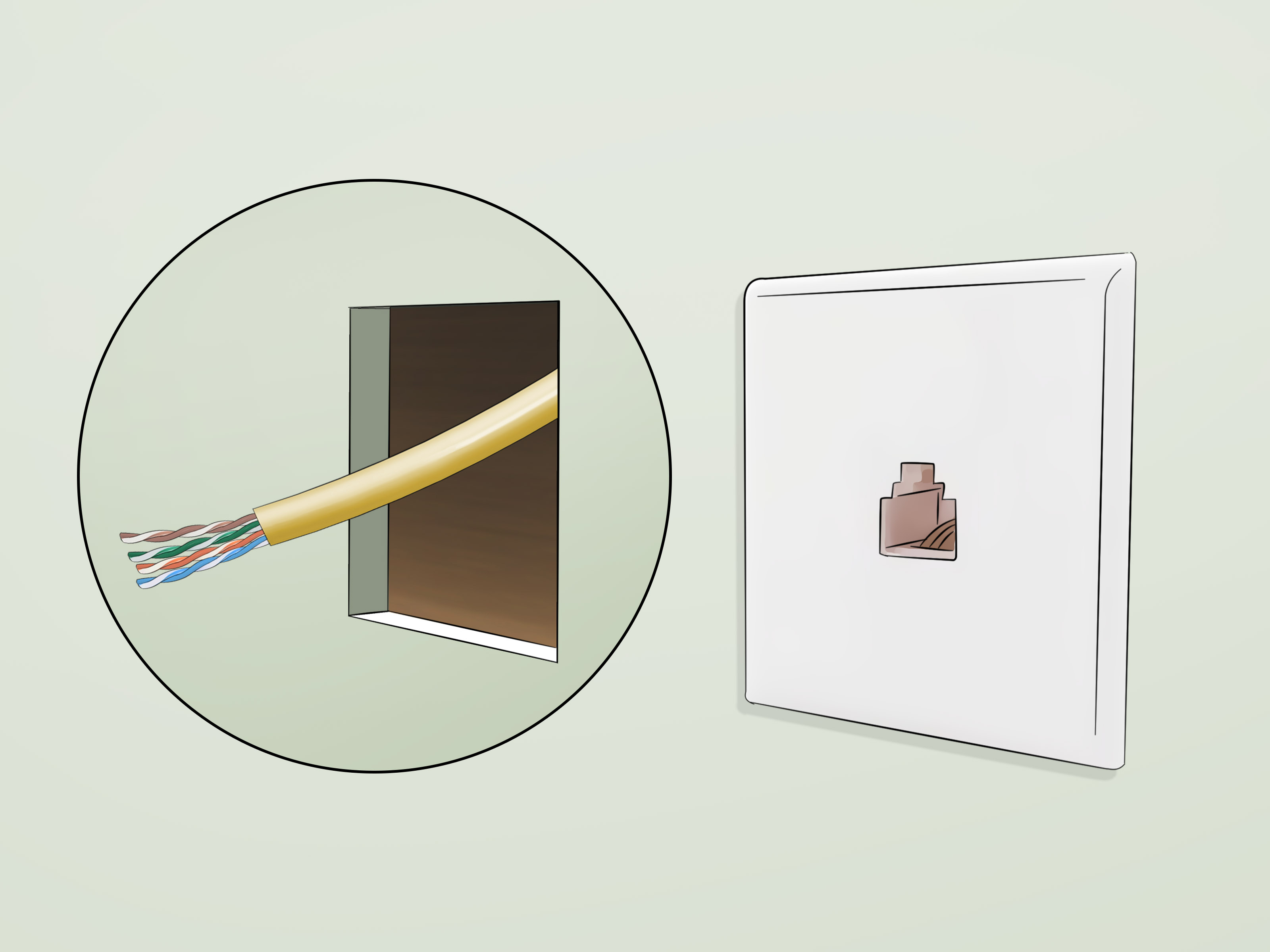
Installing cabling in a pre built home can feel a little like performing surgery on a sandwich. Everything is already assembled, the walls are finished, and nobody wants a giant hole where the living room used to be. The good news is that you can absolutely add modern cabling to an existing house without turning it into a drywall crime scene.
Whether you want faster internet, a more reliable home office, wired streaming, PoE security cameras, better smart home coverage, or a cleaner TV setup, the basic strategy is the same: plan the routes, choose the right cable, protect it properly, and terminate everything neatly. Do that well, and your network will feel less like “Why is Zoom freezing again?” and more like “Wow, this actually works.”
This guide focuses mainly on low-voltage cabling in a finished home, including Ethernet, coax, speaker wire, and similar communication cabling. If you are talking about line-voltage electrical wiring, that is a different project altogether and may require permits, inspections, and a licensed electrician depending on local code. In other words, running Cat6 is one thing. Rewiring a breaker-fed circuit is a whole different rodeo.
Why Cabling a Pre Built Home Is Different
New construction gives installers open studs, easy access, and a dream scenario where every cable can be placed before drywall goes up. Existing homes are not nearly that polite. You are working around insulation, fire blocking, finished walls, crowded utility spaces, and the eternal mystery of “What exactly did the last homeowner do in here?”
That means your job is not just to install cable. It is to install cable with minimal damage, smart routing, and enough foresight that you do not need to do the whole thing again in two years. In most retrofit projects, the cleanest paths run through unfinished basements, attics, crawlspaces, utility rooms, closets, and wall cavities that allow a vertical drop. These become your cable highways.
Start With a Plan Before You Touch a Drill
Choose a central distribution point
Every successful cabling project needs a home base. In a pre built home, that usually means a structured media panel, network closet, utility room, or another central spot where your internet service enters the house and where your switch, patch panel, modem, or router can live. A home-run layout works best, meaning every cable run goes back to one central location instead of daisy-chaining from room to room.
Decide what you actually need
Do not run random cable “just because.” Think in terms of actual use cases. A home office may need two Ethernet runs. A TV area may need Ethernet and coax. A ceiling-mounted access point may need one Ethernet cable with PoE. A future camera location may need a spare run now, even if the camera is still just a bright idea living in your notes app.
Map your room list
Create a simple floor plan and mark every destination. Include wall locations, ceiling drops, and where the cable will start and end. If you are unsure where furniture or desks will end up, give yourself options. Running one extra cable now is dramatically easier than reopening the wall later because your desk moved three feet to the left.
Pick the Right Cable for the Job
Ethernet cable
For most homes, Cat6 is the sweet spot. It is fast, common, and more than capable for gaming, streaming, work-from-home setups, and most smart-home gear. Cat6A is worth considering if you want longer 10-gigabit capability, more headroom for future upgrades, or more demanding PoE applications. Cat5e still works in many homes, but for a fresh install in 2026, Cat6 or Cat6A usually makes more sense.
Use in-wall rated bulk cable, not cheap premade patch cords stuffed through walls like a bad shortcut. Solid copper conductors are the standard choice for permanent in-wall runs. Stranded patch cords are better for short, flexible device connections outside the wall.
Coaxial cable
If you are feeding cable internet equipment, MoCA, or television service, RG6 coax is still the standard pick. It remains useful in many existing homes because coax is already present and can sometimes be repurposed intelligently instead of abandoned like a forgotten treadmill.
Speaker, camera, and specialty cabling
For whole-home audio, speakers, alarm systems, and cameras, choose cable types designed for those exact uses. If a camera or access point supports PoE, one properly installed Ethernet run can carry both data and power. That is one of those rare moments in home improvement where life gets easier instead of weirder.
Tools and Materials You Will Probably Need
- Bulk Cat6 or Cat6A cable, and RG6 if needed
- Keystone jacks, wall plates, patch panel, and short patch cords
- Low-voltage old-work brackets or mounting frames
- Fish tape or glow rods
- Stud finder that can detect wiring and pipes
- Drywall saw or oscillating tool
- Drill and long flex bits
- Cable stripper and punch-down tool
- Cable tester
- Velcro straps, insulated staples, J-hooks, labels, and marker
- Nail plates if drilling near stud edges
Yes, you can buy all this and feel like a superhero. You can also buy all this and discover that your actual superpower is crawling through attic insulation while asking life-changing questions. Both are normal.
Step-by-Step: How to Install Cabling in a Pre Built Home
1. Survey the route
Before cutting anything, inspect the path from the distribution point to each destination. Look in the attic, basement, crawlspace, or utility areas. Identify studs, joists, plumbing, ductwork, insulation, and fire blocking. The cleanest route is usually one that uses unfinished areas for long horizontal runs and only uses finished walls for short vertical drops.
2. Mark the wall locations
Use a stud finder to locate clear wall cavities and avoid plumbing and electrical lines. Mark the opening for each low-voltage bracket or old-work mount carefully. If the wall is already crowded, consider a surface raceway instead of opening the wall further. A raceway may not look as “invisible” as an in-wall run, but it is neat, fast, and far better than loose cable drooping down the wall like sad spaghetti.
3. Cut in low-voltage brackets
Cut only as much drywall as needed for the bracket. In finished homes, low-voltage brackets are ideal because they secure the wall plate without needing a full electrical box for low-voltage-only cable. Work slowly and cut shallowly so you do not plunge into the wall cavity like an overconfident pirate.
4. Drill access holes from attic or basement
Once you know the wall cavity is clear, drill through the top plate from the attic or through the bottom plate from the basement or crawlspace. Keep cable holes at least 1 1/4 inches back from the edge of studs or framing where possible. If you cannot maintain that clearance, use steel nail plates to protect the cable from future drywall screws or nails.
5. Pull the cable gently
Feed fish tape through the cavity and pull the cable without yanking, twisting, or over-bending it. Communication cable is not meant to be manhandled like electrical Romex. Avoid sharp bends, kinks, and crushing pressure. Sweeping bends are your friend. Tight corners are not.
Also keep low-voltage cable separated from electrical power wiring. As a practical rule, maintain about six inches of separation where you can, and if you must cross a power line, do it at a 90-degree angle. That helps reduce electromagnetic interference and keeps your installation cleaner.
6. Support and protect the run
Do not staple low-voltage cable tightly against framing with whatever hardware happens to be nearby. Use proper supports such as J-hooks, cable clamps, Velcro straps, or insulated low-voltage staples that do not crush the jacket. Leave the cable snug but not strangled. Your goal is support, not suffocation.
Keep the cable off sharp edges. Use bushings or grommets when passing through metal framing. In unfinished areas, route cables cleanly along framing members instead of tossing them across the room like holiday lights in January.
7. Leave service loops
At each wall location and at the central panel, leave extra cable. A service loop gives you breathing room for termination mistakes, future changes, or replacing a jack later. A couple of feet of extra cable is cheap insurance. A cable that ends one inch too short is a character-building experience you do not need.
8. Terminate the cable correctly
Terminate solid in-wall Ethernet cable onto keystone jacks and patch panels, not typically onto random male plugs. Use one wiring standard consistently throughout the house. In North America, T568B is the most common choice for residential Ethernet termination, so stick with it from one end to the other.
For coax, strip the cable carefully and install compression F-connectors cleanly. A sloppy coax termination is a reliable way to create signal headaches that make you question both physics and your life choices.
9. Label everything
Label both ends of every run. Not “later.” Not “I’ll remember.” You will not remember. Label the room, wall, and purpose. Example: Office-West-Desk-1 is much better than Blue Cable Maybe?
10. Test every run before closing up
Use a cable tester to confirm continuity, pair order, and performance. Test before you permanently mount the plate, before you organize the bundle, and definitely before you celebrate. It is much more fun to catch a wiring mistake while standing next to your tools than after you have put everything away and declared victory.
Best Practices That Make a Big Difference
Use home-run wiring
Every data run should go back to the central distribution point. This makes troubleshooting, switching, upgrading, and repurposing much easier. It also keeps the system organized instead of turning it into a mystery novel with no satisfying ending.
Respect cable limits
For Ethernet, total channel length matters. A common rule of thumb is up to 90 meters for the permanent in-wall run and up to 10 additional meters total for patch cords. In a house, you will rarely get anywhere near that limit, but it is still smart to avoid unnecessary cable detours and giant slack loops.
Choose shielding only when it helps
Most homes do perfectly well with unshielded twisted pair. Shielded cable is more useful in electrically noisy spaces, such as near large electrical equipment or other strong interference sources. In a typical residence, plain UTP is usually the simpler and more practical choice.
Think about tomorrow, not just today
If you are opening a wall or working in an attic anyway, consider installing conduit or at least a pull string in tricky locations. Future you will be thrilled. Future you may even speak kindly about present you, which is rare and should be encouraged.
Common Mistakes to Avoid
- Using premade patch cords inside walls instead of in-wall-rated bulk cable
- Running data cable tightly parallel to electrical wiring
- Crushing cable with regular staples or zip ties pulled too tight
- Skipping labels because “it’s obvious”
- Terminating one end T568A and the other T568B by accident
- Ignoring bend radius and kink damage
- Forgetting extra cable slack at the wall and panel
- Not testing the run before buttoning everything up
When to Use Surface Raceway Instead of In-Wall Cable
Sometimes the smartest installation is not the most invisible one. If your walls are packed with insulation, blocked by fire stops, covered in expensive finishes, or hiding unknown surprises, a painted surface raceway may be the right answer. It installs quickly, looks much cleaner than exposed cable, and avoids cutting and patching drywall. This is especially practical for wall-mounted TVs, offices, and renters who want a cleaner look without full invasive work.
When to Call a Pro
Call a licensed low-voltage installer or electrician if you need to route cable near high-voltage wiring, cut into complicated wall assemblies, drill fire-blocked framing, work in masonry, or meet local permit requirements. Also call a pro if the project includes line-voltage power, not just communication cable. There is no shame in hiring help. Drywall repair has humbled stronger people than us.
Real-World Experiences Installing Cabling in a Pre Built Home
If you talk to homeowners who have done this project, their stories tend to sound strangely similar. The plan usually begins with one “simple” cable run to a home office or TV wall. Then the project grows. Suddenly there is talk of a second access point, a camera by the garage, a wired gaming setup, maybe a ceiling speaker or two, and somehow a person is standing in the attic on a Saturday whispering, “Well, since I’m already up here…” That is the retrofit cabling lifestyle in a nutshell.
One of the most common experiences is learning that the hardest part is not termination. It is access. Pulling cable through a straight, open wall cavity feels great. Finding out that the wall has horizontal blocking, old insulation, and a mystery pipe exactly where you wanted your cable drop feels much less great. Many homeowners say the real win came when they stopped fighting the wall and rerouted through a closet, basement ceiling, or attic corner instead. In existing homes, elegant often beats direct.
Another common lesson is that labeling feels boring right up until the moment it saves your sanity. People who skip labels tend to spend an extra hour crouched in front of a patch panel, testing one cable after another like they are defusing a bomb in a home theater cabinet. People who label everything tend to finish faster, troubleshoot faster, and sleep better. Coincidence? Absolutely not.
There is also the emotional roller coaster of the first wall cut. Before the cut, everything feels theoretical. After the cut, it becomes wonderfully real. Sometimes you discover a clean cavity and feel like a genius. Other times you find insulation packed tighter than a Thanksgiving waistband and immediately start reassessing your life choices. Either way, experienced DIYers will tell you the same thing: make one small exploratory opening first, not a giant “I’m sure this will work” rectangle.
Homeowners who upgraded from Wi-Fi-only setups to a few strategic wired runs often describe the result as bigger than expected. The home office becomes more stable. Streaming devices stop buffering at the worst moment. Gaming latency improves. Mesh nodes or ceiling access points connected by Ethernet suddenly behave like they got their act together. In short, the house feels less dependent on invisible radio luck and more like a system with a backbone.
And then there is the attic experience. Anyone who has done retrofit cabling through an attic in warm weather develops a very specific respect for timing, hydration, and long sleeves. Ask almost any homeowner, and they will tell you the same thing: start early, bring lights, bring knee protection, and do not underestimate how far away that “easy” corner actually is when you are stepping across joists and trying not to put a foot through the ceiling. Cabling itself is technical. Attic work is athletic.
The best experience reports usually end with a simple takeaway: plan more than you think you need, run one extra cable where it matters, and keep the installation neat enough that future upgrades are easy. A pre built home does not have to stay trapped in the era it was built. With the right approach, you can give it a modern cabling system that is faster, cleaner, and far more dependable without tearing the place apart.
Conclusion
Installing cabling in a pre built home is not the easiest upgrade you can make, but it is one of the most rewarding. Done right, it improves speed, reliability, flexibility, and the overall feel of your living space. The keys are simple: plan the routes, choose the right cable, respect low-voltage installation practices, keep data away from power, terminate carefully, and label everything like a professional who has been burned before.
Take your time, think like a strategist, and remember that the goal is not just to get cable from point A to point B. The goal is to build a system you can trust, expand, and understand later. That is what turns a retrofit project from “good enough” into “why didn’t I do this sooner?”