
Finding a village in Minecraft can feel like searching for a coffee shop in the middle of a national forest. You know one probably exists somewhere, but the world keeps handing you mountains, oceans, suspicious caves, and approximately seven million birch trees.
Fortunately, locating a Minecraft village does not have to become an expedition worthy of its own documentary. Whether you prefer traditional Survival exploration, do not mind using commands, or want the precision of a Minecraft seed map, there is a reliable method for you.
Villages are worth finding early. They provide beds, food crops, shelter, workstations, useful loot, iron golems, and villagers who can trade everything from bread to enchanted books. A well-protected village can also become a trading center, a starter base, or the foundation for a much larger settlement.
This guide explains three easy ways to locate a village in Minecraft, with specific instructions for Java Edition and Bedrock Edition. It also covers common mistakes, useful preparation tips, and practical experience from searching across different types of worlds.
Where Do Villages Generate in Minecraft?
Before running toward the horizon with twelve baked potatoes and unreasonable confidence, it helps to know where villages can naturally appear.
In Java Edition, villages commonly generate in these Overworld biomes:
- Plains
- Desert
- Savanna
- Taiga
- Meadow
- Snowy plains
Bedrock Edition can also generate villages in certain additional biomes, including snowy taiga and sunflower plains. World-generation rules can vary slightly by edition and version, so players should always select the correct edition when using an external village finder.
Villages do not normally generate as complete structures in jungles, swamps, dark forests, oceans, or most mountain biomes. A village generated near a biome border can extend into one of these areas, however. That is why you may occasionally see a plains village with houses creeping into a swamp as though the villagers made a questionable real-estate investment.
Method 1: Explore the Right Biomes Manually
Manual exploration is the best option for players who want to locate a village without commands, cheats, or external tools. It preserves the sense of discovery and works in ordinary Survival worlds, multiplayer servers, and challenge runs.
Start With Open Terrain
Plains, deserts, savannas, snowy plains, and meadows are usually the easiest places to search because they offer long sightlines. Village rooftops, farms, paths, hay bales, lamp posts, and fenced animal areas can be visible from hundreds of blocks away when the terrain is relatively flat.
Dense taiga forests can contain villages, but spruce trees often hide the buildings. If you are searching a taiga biome, climb a hill or build a temporary observation tower. Even a stack of dirt can become advanced reconnaissance technology when you are desperate enough.
Increase Your Render Distance
If your computer or console can handle it, temporarily increase the render distance in the video settings. A higher render distance allows more terrain to appear on the horizon, improving your chances of spotting a village without walking directly into it.
Do not push the setting so high that the game begins moving like a slideshow. A smooth medium-distance view is more useful than a beautiful panoramic image that updates once per geological era.
Search From High Ground
Mountains, hills, meadow slopes, and player-built towers make excellent lookout points. From an elevated position, scan for:
- Groups of similarly shaped houses
- Unnatural dirt or gravel paths
- Rectangular crop farms
- Hay bale piles
- Iron golems or villagers moving between buildings
- Torches and illuminated windows near sunset
Dusk can make a village easier to recognize because its lights contrast with the surrounding landscape. Traveling after dark is riskier, though, because hostile mobs begin spawning. Observe from a safe position, sleep when necessary, and avoid converting your peaceful search into an unplanned creeper convention.
Use a Planned Search Pattern
Random wandering is entertaining, but it is not efficient. Choose a starting point, record its coordinates, and explore in a deliberate pattern.
One simple strategy is an expanding square:
- Travel 500 blocks east.
- Turn south and travel 500 blocks.
- Turn west and travel 1,000 blocks.
- Turn north and travel 1,000 blocks.
- Continue expanding the square in larger sections.
This approach helps you cover new terrain without repeatedly crossing the same forest. You can also follow biome borders because open plains, deserts, and savannas are easier to inspect from the edges than from the center of dense terrain.
Bring Basic Exploration Supplies
A village hunt can take several Minecraft days. Carry enough equipment to survive the trip:
- A bed
- Food
- A shield and weapon
- A boat for rivers and oceans
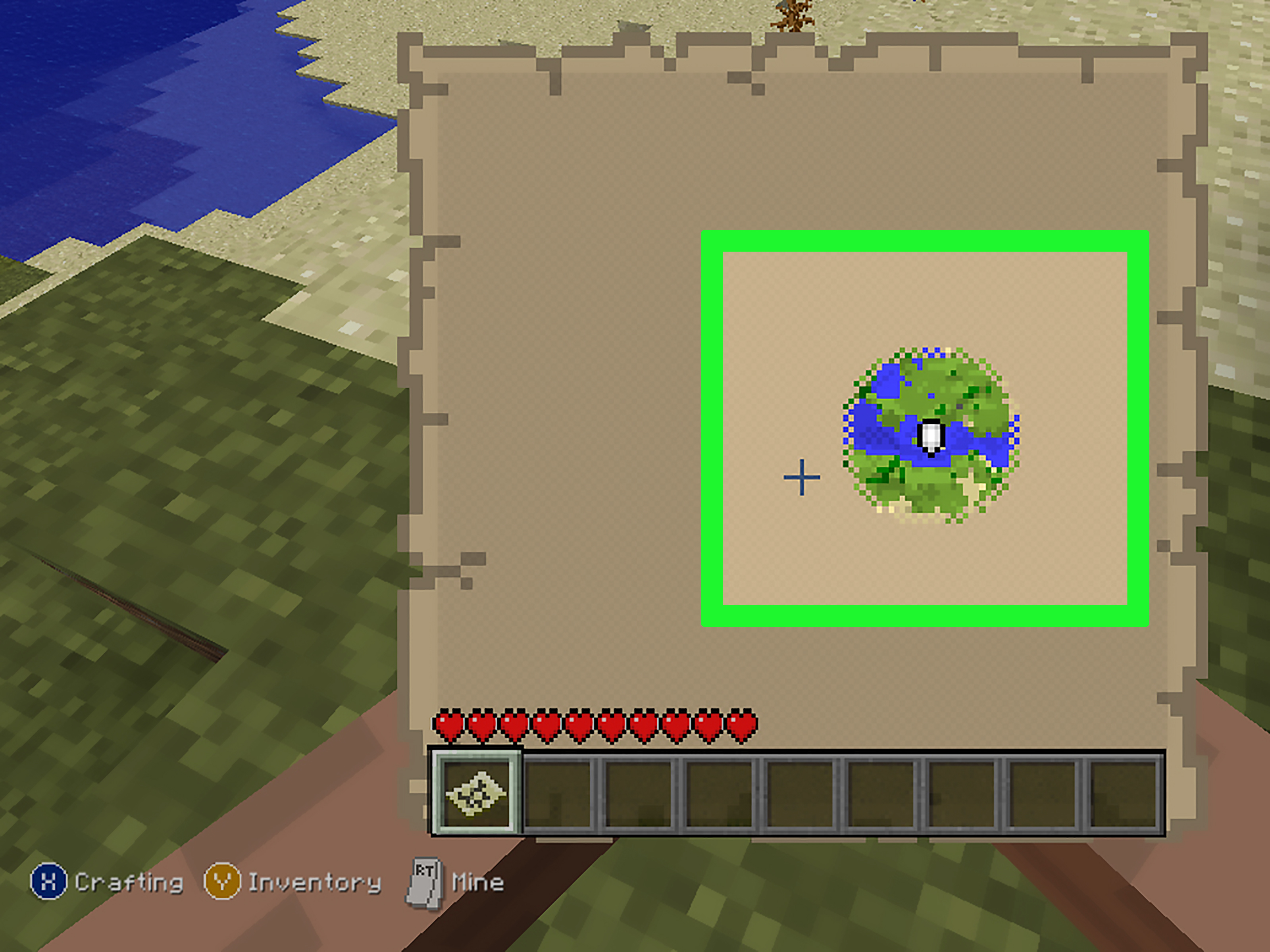
- A map or compass
- Building blocks
- Torches
- A pickaxe
Coordinates are especially useful. In Java Edition, press F3 to view the debug screen and find the XYZ values. In Bedrock Edition, open the world settings and enable Show Coordinates.
Write down the coordinates of your base before leaving. The joy of finding a village fades slightly when you realize your original home is now located somewhere between “probably west” and “near that hill that looked like a chicken.”
Best For
Manual exploration is ideal for Survival players, no-cheat worlds, multiplayer servers with restricted commands, and anyone who considers getting lost part of the entertainment.
Method 2: Use the Locate Command
The locate command is the fastest built-in method. It asks Minecraft to identify the nearest matching structure and return its coordinates. This method is useful for Creative building, testing worlds, recording videos, troubleshooting world generation, or simply reclaiming the afternoon you were about to spend crossing a desert.
Requirements
The locate command requires cheats or sufficient command permissions. In a multiplayer world, you may need to be an operator or have permission from the server administrator.
Command syntax can differ between Java Edition, Bedrock Edition, and individual releases. Minecraft’s autocomplete feature is therefore extremely helpful. Begin typing the command and select the village option shown by the game.
Java Edition Command
In recent Java versions, the village structure tag can be used to locate the nearest village of any supported type:
You can also search for a specific village variant when the version supports its structure identifier. For example:
Other possible identifiers may include desert, savanna, snowy, or taiga variants. Use the suggestions displayed in the command interface rather than relying entirely on memorized names, particularly after a game update.
Bedrock Edition Command
In Bedrock Edition, the usual command is:
After the command runs, Minecraft displays the coordinates of the nearest matching structure in the current dimension. Villages are Overworld structures, so run the command while you are in the Overworld rather than standing in the Nether and wondering why the villagers have abandoned you.
Travel to the Coordinates
You can travel normally by watching the X and Z coordinates. Remember:
- Increasing X moves east.
- Decreasing X moves west.
- Increasing Z moves south.
- Decreasing Z moves north.
Players with teleport permissions can use the teleport command, but teleporting directly to unfamiliar terrain can place you in an unsafe position. In Creative or Spectator mode, teleporting above the target and flying downward is usually safer than appearing inside a wall, ravine, or very surprised villager’s bedroom.
Players who want to preserve the Survival journey can use the locate command only for coordinates and then walk to the destination. This creates a useful compromise: Minecraft supplies the address, but you still have to survive the commute.
What if the Command Does Not Work?
If the command returns an error, check the following:
- Cheats or commands are enabled.
- You have operator permissions.
- You are using the correct syntax for your edition.
- You selected a structure identifier offered by autocomplete.
- You are currently in the Overworld.
- Your world type allows villages to generate.
Older Minecraft versions may use different command formats. When playing an old release, consult the command suggestions provided by that release rather than copying syntax intended for the newest version.
Best For
The locate command is best for Creative worlds, administrators, map creators, testing, fast building projects, and players who value efficiency more than the thrill of becoming hopelessly lost.
Method 3: Use a Minecraft Village Finder or Seed Map
A Minecraft village finder analyzes the world seed and displays predicted village locations on an interactive map. Chunkbase is one of the most widely used examples, although other seed-map tools offer similar features.
This method is especially useful when commands are unavailable in the main world, you need to compare several villages, or you want to find a settlement close to a specific biome or base.
Find Your World Seed
Java Edition players with permission can normally enter:
The game then displays the world’s seed value. In Bedrock Edition, the world owner can usually view the seed in the world settings. Server players may need to ask the server owner because many multiplayer servers restrict access to seed information.
Do not confuse the seed with your coordinates. A seed defines the world’s generated layout. Coordinates describe your current position within that world.
Select the Correct Edition and Version
Open the village finder and enter the seed. Then select the exact Minecraft edition and the version that generated the area you are searching.
This step matters because Java and Bedrock do not always place structures in identical locations. World-generation changes between releases can also alter village positions.
Older worlds require additional care. Suppose a world was created several years ago and later updated. Previously explored chunks retain their older terrain, while newly explored chunks use newer generation rules. A seed map configured for the latest version may accurately predict new regions but disagree with older areas.
Enter Your Current Coordinates
Once the map loads, enter your current X and Z coordinates. Enable the village structure filter and look for the nearest village icon.
Clicking an icon normally reveals its coordinates. You can then compare several options. The closest village by straight-line distance is not always the easiest one to reach. A settlement 1,200 blocks away across plains may be more convenient than one 700 blocks away beyond an ocean and a mountain range.
Verify the Location in the Game
Seed maps predict structure placement, but they are not perfect. A village may occasionally fail to generate, generate differently, or be affected by:
- An incorrect seed
- The wrong Java or Bedrock selection
- A version mismatch
- Chunks created in an older release
- Mods, add-ons, data packs, or custom world generation
- Server-specific changes
Double-check the seed, edition, version, and coordinates before declaring that Minecraft has personally betrayed you.
Best For
A seed map is best for long-term Survival worlds, technical players, builders choosing a base location, multiplayer planning, speedier exploration, and anyone who wants multiple village options instead of only the nearest result.
Quick Comparison of the Three Methods
| Method | Cheats Required | Speed | Accuracy | Best Use |
|---|---|---|---|---|
| Manual exploration | No | Slow to moderate | Depends on search strategy | Traditional Survival gameplay |
| Locate command | Yes or command permission | Very fast | High | Creative mode and testing |
| Seed map | No in-game cheats required | Fast | High when configured correctly | Planning and comparing locations |
Common Questions About Finding Minecraft Villages
How Far Away Can the Nearest Village Be?
There is no guaranteed short distance between your spawn point and the nearest village. Some seeds place a village almost beside the player, while others require traveling hundreds or thousands of blocks. The surrounding biomes and world seed determine the result.
Can Villages Generate Underground?
Standard villages are surface structures. Uneven terrain can produce unusual buildings, buried paths, floating sections, or houses partially embedded in hills, but the village is not intended to be a fully underground structure.
Can a Bell Help You Find a Village?
No. A village bell is useful after you have reached the village, but it does not guide you toward distant settlements. You must first locate the village through exploration, commands, or seed data.
Why Is the Village Empty?
You may have discovered an abandoned village, sometimes called a zombie village, or the original villagers may have been killed by hostile mobs. Look for cobwebs, damaged buildings, zombie villagers, and missing doors or lights. An ordinary village can also become empty over time if it is not protected.
Should I Build My Base Inside the Village?
A village makes a convenient early base because it contains beds, farms, buildings, and trading opportunities. However, you should add lighting, repair paths, secure villagers, and build defensive walls or fences. Otherwise, your promising trading center may become a zombie-operated ghost town.
Experience-Based Notes From Village Hunting
The biggest lesson from manually searching for villages is that determination is not the same thing as efficiency. In one Survival world, I spent several in-game days walking through a dark forest because I had chosen a direction and stubbornly refused to reconsider it. The scenery was lovely. The village count remained firmly at zero.
The first useful change was climbing above the trees. From the top of a hill, it became obvious that the forest continued for a huge distance in one direction, while a narrow plains biome began toward the southeast. I changed course, followed the open land, and found a small plains village roughly 1,400 blocks from the original base.
The village was not visible because of some mysterious expert instinct. It was visible because rectangular crop fields and pale rooftops looked unnatural against the grass. Once you become familiar with those patterns, village hunting becomes much easier. Players often look only for complete houses, but farms, paths, hay bales, animals in fences, and iron golems can be recognized first.
That experience also demonstrated why coordinates matter. I had remembered the general direction of the base but had not written down its position. Returning home became a separate exploration mission featuring repeated hill climbing and several accusations directed at innocent sheep. Now, I record the coordinates of the base, important portals, and discovered villages before traveling farther.
In a Creative building world, manual exploration created the opposite problem. I did not want an adventure; I needed a village quickly so I could test a redesigned trading hall. The locate command produced coordinates immediately. That was the correct tool for the situation. There was no meaningful benefit in spending forty minutes flying over terrain merely to prove that I possessed patience.
A third world showed why seed-map settings must match the world history. The seed map indicated a village at a nearby location, but nothing existed there in the game. The seed was correct and the coordinates were correct. The problem was that the area had been generated in an older Minecraft version, while the map was displaying predictions for the newest version.
After switching the tool to the older generation version, the map matched the existing terrain. For unexplored regions farther away, the newer version became appropriate again. Mixed-version worlds can therefore require more than one map setting, especially when they have been played and updated for several years.
Boats have also proven surprisingly valuable during village searches. Rivers and coastlines often connect open biomes, and traveling by boat preserves hunger while covering ground quickly. A boat is inexpensive, fits in one inventory slot, and can also transport a villager later. That last feature becomes useful when the settlement contains excellent trades but is located somewhere you never want to visit again.
The most effective no-cheat routine has been simple: record the starting coordinates, pack a bed and food, identify village-friendly biomes, travel during the day, climb regularly for visibility, and search in a planned pattern. If the search is part of a technical project rather than an adventure, use the locate command or a seed map without guilt. Minecraft is a sandbox, not a paperwork office. The best method is the one that supports the way you actually want to play.
Conclusion
There are three dependable ways to locate a village in Minecraft. Manual exploration offers the most authentic Survival experience, especially when you prioritize open village biomes and use coordinates to organize the search. The locate command provides almost instant results for players with cheats or administrative permissions. A seed map gives you a broader view of nearby village locations and is particularly useful for selecting a settlement near a preferred biome or existing base.
Whichever method you choose, prepare before traveling and record important coordinates. Once you find a village, protect its residents, light the surrounding area, secure the farms, and inspect the available trades. A modest collection of square houses can eventually become one of the most valuable locations in your Minecraft world.
Note: Minecraft commands, structure identifiers, and world-generation behavior may change between editions and updates. Use in-game command autocomplete and select the exact edition and generation version when consulting a seed map.











