
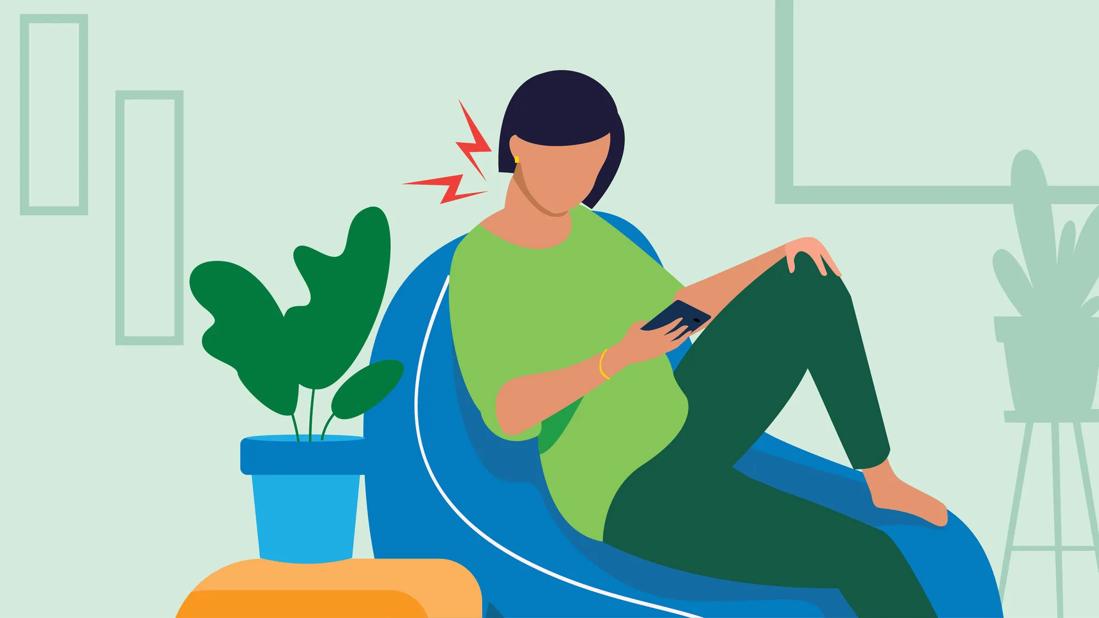
Once upon a time, people blamed heavy boxes, bad mattresses, and questionable life choices for neck pain. Now? A big chunk of us can thank the tiny glowing rectangle in our hands and the larger glowing rectangle on our desks. “Tech neck” may sound like a buzzword invented by someone trying to sell a very expensive pillow, but the discomfort behind it is real. Hours spent looking down at phones, leaning toward laptops, and freezing in the same posture during work meetings can leave your neck, shoulders, and upper back feeling like they’ve unionized against you.
The good news is that tech neck is often manageable, and in many cases preventable. The better news is that you do not need to throw your phone into a lake, retire from email, or move to a cabin with no Wi-Fi. You just need smarter screen habits, better posture, a workstation that isn’t quietly plotting against you, and a few movements sprinkled into your day. This article breaks down what tech neck is, why screens trigger it, how to recognize it, and what you can actually do about it without turning your life into a full-time stretching seminar.
What Is “Tech Neck,” Exactly?
Tech neck is the everyday name for neck, shoulder, and upper back pain that develops or worsens because of poor posture during screen use. It usually happens when your head drifts forward and downward for long stretches while you scroll, text, type, read, or watch videos. Your neck muscles then have to work overtime to support that position, and your shoulders often creep upward or round forward at the same time.
In plain English, your body likes movement and alignment. Your devices, unfortunately, encourage the opposite. Phones invite you to look down. Laptops tempt you to hunch. Long video calls convince you that becoming a decorative office statue is somehow productive. Hold that posture long enough, and your muscles, joints, and surrounding tissues start sending complaints.
Why Screens Can Be So Hard on Your Neck
1. Forward head posture sneaks up on you
You may begin with good intentions: shoulders relaxed, chin level, spine tall. Then five minutes later you’re folded over your phone like a shrimp reading tax documents. That forward head position increases strain on the muscles in the neck and upper back. Over time, that tension can build into soreness, stiffness, and headaches.
2. Static posture is a quiet troublemaker
It is not only how you sit or stand. It is also how long you stay there. Even a fairly decent posture can become irritating if you hold it too long without moving. Muscles that support your head and shoulders fatigue when they stay switched on for extended periods. That is one reason people often feel worse after a long work session, gaming marathon, or evening doomscrolling session that somehow began at 8 p.m. and ended in another zip code.
3. Poor workstation setup multiplies the problem
A monitor that sits too high or too low, a chair that forces your shoulders up, a laptop without external accessories, or a desk setup that keeps documents off to one side can all nudge your body into awkward positions. Small ergonomic mismatches do not always cause instant pain, but day after day they can add up.
4. Phones create a “repeat offender” pattern
Many people do not spend one long block on their phone. They spend dozens or even hundreds of short blocks. Check a message. Read a headline. Answer a text. Watch one video. Then one more. Each glance down seems harmless, but the repetition can create a pattern of strain that lasts all day.
Common Signs of Tech Neck
Tech neck does not always announce itself dramatically. Sometimes it starts as a mild annoyance and then becomes your least favorite daily companion. Common symptoms can include:
- Stiffness in the neck, especially after screen time
- Aching in the shoulders or upper back
- Tension headaches, particularly around the base of the skull
- Soreness when turning your head
- Muscle tightness between the shoulder blades
- Pain that feels worse after using a phone, tablet, or laptop
- A feeling that your posture is “collapsing” by the end of the day
For some people, the discomfort stays local. For others, it spreads. Neck pain can sometimes be accompanied by tingling, numbness, weakness, or pain that travels into the arms. That moves the situation out of the “annoying but common” category and into “please get this checked” territory.
When It’s More Than Just Screen Fatigue
Not every case of neck pain is tech neck. Poor posture and screen time can absolutely contribute to discomfort, but neck pain can also be tied to strains, arthritis, pinched nerves, disc problems, or other medical issues. That is why it matters to pay attention to warning signs instead of assuming your laptop is the villain in every plot twist.
You should seek medical care sooner rather than later if your neck pain is severe, persistent, or paired with symptoms like numbness, tingling, weakness, shooting pain down an arm, loss of hand strength, or headaches that feel unusual for you. Pain after an injury, fall, or accident also deserves prompt medical attention. Tech neck is common, but it should not become your excuse for ignoring something more serious.
How to Fix the Habits That Feed Tech Neck
Raise the screen
One of the simplest changes is also one of the most effective: bring your screen closer to eye level. If you use a desktop monitor, position it so you are not constantly tilting your head down or craning it up. If you work on a laptop for long periods, consider a laptop stand plus an external keyboard and mouse. That way, your screen can rise without forcing your arms into an awkward angle.
Stop reading your phone from your lap
Your phone does not need to live at belly-button height. Lift it closer to eye level when reading or texting. No, this is not the most glamorous pose. Yes, your biceps may file a minor complaint. But your neck will likely appreciate the trade.
Build a neutral sitting posture
A good seated setup is not about military-straight stiffness. It is about a neutral posture your body can maintain comfortably. Keep your shoulders relaxed, elbows close to your sides, and forearms supported. Your feet should rest on the floor or a footrest. Your lower back should be supported by your chair. Your head should sit over your shoulders, not miles in front of them like it is trying to leave early.
Adjust your chair before blaming your body
If your chair is too high, you may end up shrugging your shoulders or dangling your feet. If it is too low, you may slump forward. Adjustable seating can make a surprising difference, especially if you spend most of your day at a desk. Armrests also matter. When they are set too high, the neck and shoulders can tense up. When they are set too low, you may lean awkwardly to one side.
Use a headset for long calls
If you regularly wedge the phone between your ear and shoulder while typing, your neck would like to formally decline. A headset or earbuds can help keep your head in a better position during calls.
Move every 30 minutes or so
This is a big one. Even with an ideal setup, staying frozen in one position can fatigue your neck and shoulder muscles. Stand up. Roll your shoulders. Walk to refill your water. Stretch for a minute. Look away from the screen. These micro-breaks are not laziness. They are maintenance.
Simple Exercises and Movements That Can Help
Exercise for tech neck is not about turning into a human pretzel. The goal is to reduce stiffness, restore mobility, and strengthen the muscles that support better posture. Gentle, regular movement usually beats dramatic one-time stretching. A few options often recommended in neck-friendly routines include:
Chin tucks
Think of this as giving yourself a tiny, elegant double chin on purpose. Sit or stand tall and gently draw your head straight back, keeping your chin level. This helps counter forward head posture and encourages better alignment. It should feel subtle, not forceful.
Shoulder blade squeezes
Draw your shoulder blades gently back and down, then relax. This can help wake up the upper back muscles that often get lazy when the chest and shoulders round forward.
Upper trapezius stretch
Gently tilt one ear toward one shoulder until you feel a light stretch along the opposite side of the neck. Do not yank. Your neck is not a lawn mower cord.
Chest-opening stretches
Screen-heavy posture often shortens the muscles at the front of the chest. Opening that area can ease the rounded-shoulder pattern that contributes to neck strain.
Walk more than your chair expects
General physical activity matters, too. Walking, light strength work, mobility routines, yoga, and other forms of regular movement can support better posture, circulation, and muscle endurance. In other words, the best exercise for tech neck may not be one perfect neck stretch. It may be a lifestyle that includes less stillness overall.
If a movement increases pain, causes tingling, or feels sharp instead of gently stretching, stop and talk with a clinician or physical therapist. Good exercise should feel helpful, not like your spine is negotiating a hostage situation.
How Parents, Students, and Remote Workers Get Hit Differently
Remote workers
Working from home often means more hours at makeshift setups: kitchen chairs, couches, beds, and dining tables pretending to be ergonomic workstations. Add nonstop meetings and fewer natural breaks, and neck tension can pile up fast.
Students
Students often bounce between laptops, tablets, and phones all day, then keep using screens for entertainment at night. That stack of screen hours can create a nearly constant cycle of strain, especially if studying happens on the bed or floor.
Parents
Parents can get a double dose: screen posture plus daily tasks like carrying kids, bending over strollers, or working one-handed while managing household chaos. If you are text-answering while balancing a toddler and a grocery bag, your neck is doing side quests it did not sign up for.
What a Tech-Neck-Friendly Day Looks Like
You do not need a perfect day. You need a less punishing one. A practical routine might look like this:
- Start work with your monitor at a comfortable height and your shoulders relaxed.
- Use your phone closer to eye level instead of down in your lap.
- Take a standing or walking break every 30 minutes.
- Stretch your neck and chest briefly once every hour or two.
- Use a headset for longer calls.
- Swap couch-working for an actual workstation when possible.
- End the day with movement instead of another two-hour bent-neck scrolling session.
That may not sound revolutionary, but that is the point. Tech neck usually develops through ordinary habits. It improves through ordinary habits, too, repeated consistently.
Real-Life Experiences With Tech Neck
Ask around and you will hear a familiar pattern. A marketing manager notices neck tightness every afternoon but assumes it is stress. A college student gets headaches during exam season and blames sleep deprivation. A gamer feels shoulder burning after long sessions and thinks the chair is “good enough.” A parent scrolling recipes, emails, school updates, and group chats late at night wonders why mornings start with stiffness and a crunchy turn of the head. Different lifestyles, same plot: too much screen time, not enough posture awareness, and barely any movement between tasks.
One of the most common experiences is the slow build. People often say the pain did not arrive dramatically. It crept in. First came the tight shoulders. Then the neck soreness after long days. Then the headaches. Then the realization that turning the head while backing out of a driveway suddenly felt like a whole event. That gradual progression is part of what makes tech neck easy to ignore. It rarely kicks down the door. It just quietly moves in and eats your snacks.
Another common experience is feeling fine while using a device and sore only afterward. Someone can spend an hour reading on a phone or three hours answering emails and feel “mostly okay” in the moment. Then they stand up and realize their shoulders are glued to their ears and their neck feels like it has been cast in concrete. This delayed discomfort tricks people into thinking the problem is random, when it is often the accumulated result of posture and muscle fatigue.
Many people also discover that emotional stress makes the whole issue worse. On busy days, shoulders rise, jaws clench, breathing gets shallow, and the body adds tension on top of bad posture. That combination can make screen-related discomfort feel much more intense. It is not “all in your head,” but your stress level can absolutely influence how hard your muscles are working.
There are encouraging stories, too. People often report meaningful improvement from surprisingly modest changes: raising a laptop on books, switching to an external keyboard, taking short walking breaks, using a headset, or doing chin tucks and shoulder blade exercises daily. The body tends to appreciate consistency more than heroics. You do not need a total life overhaul. You need fewer hours in awkward positions and more moments of reset.
Perhaps the most relatable experience of all is this one: knowing what good posture looks like and still not doing it for very long. That is normal. Nobody maintains flawless alignment all day. The goal is not posture perfection. The goal is catching yourself sooner, changing positions more often, and setting up your environment so your body is not constantly fighting your technology. Your screens may be modern, but your neck is still gloriously analog. Treat it accordingly.
Final Thoughts
Tech neck is one of the most modern ways to annoy one of the oldest parts of the human body. It shows up because our devices are useful, our schedules are packed, and our posture is often an afterthought until pain makes it impossible to ignore. The fix is rarely one magic stretch or one miracle chair. It is a set of practical habits: better screen height, better alignment, more frequent breaks, and enough movement to remind your body that it was built for more than staring at glowing rectangles.
If your symptoms are mild, consistent ergonomic changes and gentle exercise may help a great deal. If your pain is persistent, severe, or travels into your arms with numbness or weakness, get medical advice. There is a sweet spot between panic and denial, and it usually begins with paying attention. Your devices may not be going anywhere, but your daily discomfort does not have to be part of the subscription plan.
Note: This article is based on current guidance and educational information from major U.S. medical and ergonomics organizations. It is for general information only and is not a substitute for individualized medical care.











