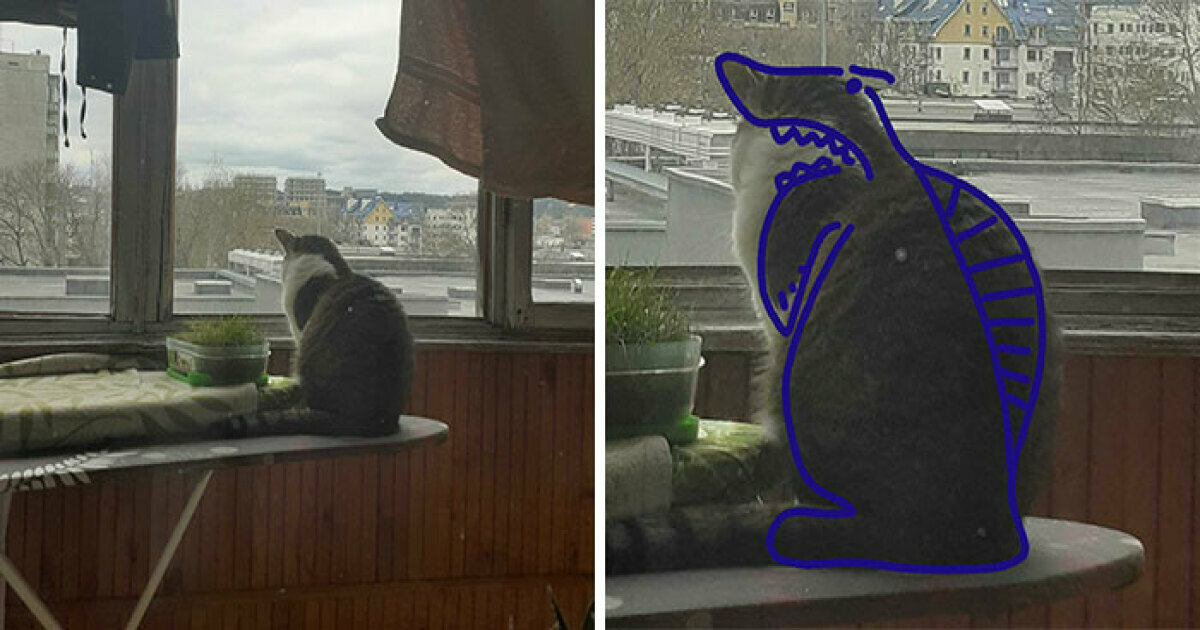
Every pet owner has at least one photo that deserves a tiny drumroll: the cat caught mid-sneeze, the dog staring at a cucumber like it just explained taxes, the parrot looking suspiciously like a retired pirate accountant. Now add Photoshop, a little imagination, and absolutely no shame, and you get the internet’s favorite kind of harmless chaos: weird pet photo edits.
“Hey Pandas, Photoshop your pets to make them look weird” sounds like the kind of challenge that begins with a normal golden retriever and ends with a four-legged baguette wearing sunglasses on Mars. It is silly. It is creative. It is deeply unnecessary in the best possible way. And when done thoughtfully, it can turn everyday pet photos into funny digital art that people actually stop scrolling to enjoy.
This guide explores why weird pet Photoshop edits are so shareable, how to create them without turning your beloved furball into visual soup, and which editing ideas work best for cats, dogs, rabbits, birds, reptiles, and any other tiny roommate who pays no rent but owns your heart.
Why Weird Pet Photoshop Edits Are So Addictive
Pets already live halfway between comedy and mystery. A dog can look noble in one second and like a confused potato in the next. A cat can sit in a cardboard box with the seriousness of a judge reviewing evidence. Photoshop simply takes that natural weirdness and gives it a megaphone.
The appeal comes from contrast. We know what a normal pet photo should look like: cute eyes, fluffy ears, maybe a paw resting gently on a couch. Then someone replaces the couch with a throne, stretches the ears into satellite dishes, adds tiny dragon wings, or swaps the pet’s body with a loaf of bread. The brain recognizes the pet, notices the absurd change, and immediately says, “I need to show this to someone.”
That reaction is internet gold. Funny pet edits combine three powerful ingredients: emotional attachment, visual surprise, and low-stakes humor. Nobody needs a deep philosophical explanation for why a chihuahua astronaut is funny. It simply is. Like socks on a rooster, it arrives fully formed as comedy.
The Golden Rule: Make the Photo Weird, Not Cruel
Before opening Photoshop and giving your hamster the body of a bodybuilder, remember one rule: the joke should never come at the animal’s expense. The best weird pet edits celebrate a pet’s personality. They exaggerate the goofiness that is already there instead of making the animal look hurt, frightened, or humiliated.
That matters because pet content is most enjoyable when viewers can feel the affection behind it. A silly edit of your dog as a mayor? Delightful. A forced costume session where the dog looks stressed? Less delightful. Possibly a tiny lawsuit from the dog union.
If you want props or costumes in the original photo, keep them safe, lightweight, and comfortable. Many pets dislike clothing or accessories, and signs like freezing, scratching, panting, hiding, yawning, or trying to remove the item mean it is time to stop. The magic of Photoshop is that you can add the wizard hat later. Your cat does not need to physically wear it while plotting your downfall from under the bed.
Start With a Strong Pet Photo
A weird edit works better when the original picture is clear. You do not need a studio setup or a camera that costs more than a used motorcycle. A smartphone, natural window light, and patience can do plenty.
Use good light
Soft daylight is your best friend. Take photos near a window or outdoors in open shade. Harsh flash can create glowing pet eyes, especially in cats and dogs, and while that can be fixed later, starting with clean lighting saves time.
Get on their level
Photos taken from a pet’s eye level usually feel more expressive than shots taken from above. A dog looking straight into the camera from floor height has main-character energy. A rabbit photographed from its own tiny perspective can look like the ruler of a lettuce kingdom.
Capture the natural “derp”
The best source material often happens between posed shots: a tongue sticking out, one ear flipped backward, a dramatic blink, a paw in the air, or a suspicious side-eye. Weird edits need personality. A technically perfect but emotionally flat photo is harder to turn into comedy than a slightly messy picture full of character.
Photoshop Ideas That Make Pets Look Wonderfully Weird
There are endless ways to make pet photos strange, but the funniest edits usually follow a simple concept. The viewer should understand the joke within one second. If people need a paragraph to decode why your cat has become a Victorian lampshade, the edit may be trying too hard.
1. Turn your pet into food
This classic never gets old. Dogs become hot dogs. Cats become croissants. Guinea pigs become baked potatoes with judgmental eyes. The trick is matching shape and texture. A curled-up orange cat already looks suspiciously like a cinnamon roll. A sleepy pug has strong dinner-roll energy. Do not fight destiny.
2. Make a tiny giant
Scale humor is simple and effective. Place your hamster on top of a city skyline. Let your cat loom over a miniature village. Turn your corgi into a mountain-sized guardian of the backyard. Add shadows and match the lighting so the edit feels intentionally ridiculous rather than accidentally pasted.
3. Add fantasy features
Dragon wings, unicorn horns, mermaid tails, fairy dust, and glowing eyes can transform an ordinary pet portrait into a mythical creature poster. This works especially well when the pet already has a dramatic expression. A sleepy bulldog with dragon wings may not look majestic, but it will look like it has been guarding treasure since lunch and needs a nap.
4. Swap backgrounds
Background replacement is one of the easiest ways to create weird pet Photoshop edits. Put your cat in a boardroom. Place your dog on the moon. Send your rabbit to a medieval banquet. A believable background swap depends on matching perspective, color temperature, and shadows.
5. Stretch one feature, gently
Liquify tools can make ears bigger, eyes rounder, paws wider, or noses more cartoonish. The key word is “gently.” Push the effect too far and your pet stops looking funny and starts looking like a witness in a dream sequence. Keep the original charm visible.
6. Create a pet hybrid
Animal mashups are internet catnip. A dachshund with giraffe legs. A cat with owl wings. A bearded dragon with a lion mane. For a clean hybrid, blend fur direction, lighting, and edges carefully. The goal is not realism exactly; it is “weird enough to laugh at, polished enough to admire.”
Basic Photoshop Workflow for Weird Pet Edits
You do not need to be a professional designer to make a funny edit, but a clean workflow helps. Here is a beginner-friendly process that keeps things organized.
Step 1: Duplicate the original image
Always keep the original photo untouched. Work on a copy or duplicate layer. This lets you experiment freely without accidentally saving over the only decent photo of your dog looking at the camera.
Step 2: Cut out your pet carefully
Use selection tools to separate the pet from the background. Pay extra attention to fur, whiskers, feathers, and ears. A rough cutout can make the edit look cheap. A clean cutout makes even the weirdest idea feel intentional.
Step 3: Match lighting and color
If your pet is lit from the left, the new background or added objects should follow the same direction. Adjust brightness, contrast, shadows, and color temperature until the elements feel like they belong in the same universe, even if that universe contains a ferret piloting a submarine.
Step 4: Add shadows
Shadows are the secret sauce of believable nonsense. A pet floating without a shadow looks pasted. A pet casting a soft shadow suddenly looks like it truly landed on a pizza planet.
Step 5: Save different versions
Keep a layered file for editing and export a separate web-friendly version. This allows you to return later, adjust details, or create a whole series: “My Cat as Increasingly Unqualified Professionals,” perhaps.
Using AI Tools Without Losing the Joke
Modern editing tools can add objects, remove distractions, expand backgrounds, and blend new elements faster than ever. Generative editing can be useful for pet humor because it handles boring tasks quickly: cleaning up a leash, extending a background, adding a tiny crown, or creating a surreal setting.
However, AI should support the joke, not replace your taste. A prompt can generate a space helmet, but you still decide whether the helmet fits your turtle’s emotional brand. The funniest edits come from specific observation: your dog already looks like a nervous substitute teacher, your cat already looks like a villain, your rabbit already looks like it knows where the family secrets are buried.
Use AI tools to build the scene, then refine it manually. Fix odd edges, remove extra paws, correct strange fur patterns, and make sure the final image still looks like your actual pet. Weird is good. Accidentally creating a dog with seven elbows is a different art movement.
Funny Pet Photoshop Concepts by Animal
Dogs
Dogs are perfect for heroic, goofy, and chaotic edits. Try turning your dog into a superhero, a tiny CEO, a pirate captain, a medieval knight, or a giant city monster who only destroys buildings that smell like bacon.
Cats
Cats naturally look like they are either judging humanity or contacting another dimension. Good edits include royal portraits, wizard robes, villain lairs, floating space cats, and “cat as household appliance” concepts. A cat’s expression does half the work.
Rabbits and guinea pigs
Small pets work beautifully in oversized fantasy scenes. Put a guinea pig in a race car, a rabbit in a wizard tower, or a hamster behind a news desk delivering urgent updates about sunflower seeds.
Birds
Birds already come with dramatic silhouettes and expressive posture. Try giving a parrot a pirate ship, a cockatiel a rock-star stage, or a chicken a royal courtroom. Chickens, in particular, have the face of someone who has seen your browser history and disapproves.
Reptiles
Lizards, snakes, and turtles are excellent candidates for fantasy edits. A bearded dragon can become an actual dragon. A turtle can become an ancient island. A snake can become a suspiciously elegant scarf in a fake fashion campaign.
How to Make the Edit Shareable
A funny image is only part of the package. Captions matter. Short, punchy captions usually work best: “He has accepted the promotion,” “The council has spoken,” “My cat after one compliment,” or “Local dog becomes suspicious cloud.”
Think of the caption as the second punchline. It should add context without explaining the whole joke. If the image shows your cat in a courtroom, the caption might read: “Found guilty of knocking one glass off the table with intent.” That is enough. The internet can fill in the rest.
For SEO and social sharing, descriptive file names and alt text also help. Instead of uploading “IMG_4729-final-final-real-final.jpg,” use something like “funny-photoshopped-cat-wizard.jpg.” Search engines appreciate clarity, and so do humans who have downloaded 900 mystery files onto their desktop.
Common Mistakes to Avoid
Over-editing the face
Your pet’s face is the emotional anchor. If you distort it too much, the image can lose its charm. Keep the eyes recognizable unless the entire joke depends on cartoon exaggeration.
Ignoring fur edges
Fur is difficult, especially against complex backgrounds. Use soft masks, refine edges, and avoid harsh cutout lines. A cat should not look like it was trimmed out with safety scissors during a power outage.
Using too many ideas at once
A dog with wings, sunglasses, a crown, laser eyes, pizza shoes, and a volcano background may be memorable, but not necessarily good. Pick one strong concept and execute it well.
Forgetting pet safety
If the photo requires a real-world setup, keep it calm and short. Do not force poses, costumes, or props. Digital weirdness is safer, easier, and far less likely to result in a cat hiding inside the laundry basket until Thursday.
Creative Challenge: 10 Weird Pet Edit Prompts
If you want to join the fun, start with one of these ideas:
- Your pet as a tiny mayor giving a serious speech.
- Your cat as the final boss in a video game.
- Your dog as a professional food critic reviewing kibble.
- Your rabbit as a wizard guarding a magical carrot.
- Your hamster as a giant monster attacking a cereal-box city.
- Your bird as a rock star on a stadium stage.
- Your turtle as a floating island with palm trees.
- Your pet as a famous painting, but slightly more judgmental.
- Your dog as an astronaut discovering the planet Treat-9.
- Your cat as a weather reporter announcing a 90% chance of chaos.
Personal Experiences: The Joy of Making Pets Look Weird
The funniest thing about editing pet photos is how quickly a normal picture turns into a story. A simple photo of a dog sitting by the door can become “Sir Biscuit, Guardian of the Portal.” A cat lying on a blanket can become “The Ancient Loaf, Keeper of Crumbs.” Once you start seeing pets as characters, every photo becomes a tiny movie poster waiting to happen.
One of the most relatable experiences is discovering that pets do not cooperate with your artistic vision. You may plan a majestic portrait, but your dog chooses that exact moment to lick the air. You may want your cat to look mysterious, but she blinks and becomes a sleepy goblin. Strangely, those “failed” photos often make the best edits. A perfect pose can look stiff, while a weird expression gives the image life.
For example, imagine taking a blurry picture of a dog mid-yawn. At first, it seems unusable. Then you look again and realize the dog appears to be singing opera. Add a stage, dramatic curtains, a tuxedo collar, and a spotlight, and suddenly the photo has a purpose. The mistake becomes the joke.
Another common experience is learning that small edits can be funnier than big ones. You do not always need to send your pet into outer space. Sometimes all it takes is adding tiny reading glasses, a name tag, and a desk to turn a serious-looking cat into the manager of a very strict accounting firm. The humor comes from matching the edit to the pet’s expression.
There is also a wonderful social side to these edits. When people share photoshopped pet pictures, the comment section often becomes part of the comedy. Someone names the creature. Someone writes a fake backstory. Someone else says, “This looks like my dog’s sleep paralysis demon.” Suddenly, one silly image becomes a group joke, and everyone gets to play.
The best experience, though, is seeing your own pet in a new way. You already know their habits: the dramatic sighs, the suspicious sniffing, the heroic battle against the vacuum cleaner. Photoshop lets you turn those traits into visual jokes. Your anxious dog becomes a tiny detective. Your lazy cat becomes a retired emperor. Your lizard becomes a dragon with mortgage concerns.
And unlike real costumes or elaborate photoshoots, digital editing lets the animal stay comfortable. Your pet can nap peacefully while you add a crown, spaceship, or haunted mansion later. That is the beauty of the whole idea: all the weirdness, none of the stress. The pet remains safe, the owner gets creative, and the internet receives another deeply important contribution to modern culture: a guinea pig dressed as a potato wizard.
Conclusion
“Hey Pandas, Photoshop your pets to make them look weird” is more than a funny prompt. It is a celebration of pet personality, internet creativity, and the strange joy of turning everyday moments into visual punchlines. With a clear photo, a simple concept, careful editing, and respect for your pet’s comfort, you can create images that are bizarre, lovable, and impossible not to share.
Whether your dog becomes a moon explorer, your cat becomes a suspicious monarch, or your hamster becomes a city-destroying snack enthusiast, the goal is the same: make people smile without making your pet uncomfortable. In a world that can feel a little too serious, a well-edited weird pet photo is a tiny, furry reminder that creativity does not always need a reason. Sometimes it just needs a cat, a lasso tool, and the courage to ask, “What if she had dragon wings?”