If your group chat has become a quiet museum of “lol,” thumbs-up reactions, and one person sending memes from 2018, it may be time to wake the village. Werewolf on Telegram is one of the easiest ways to turn an ordinary iPhone group chat into a fast, funny, suspicious, and slightly chaotic social deduction game. Nobody needs a table. Nobody needs printed cards. Nobody needs to dramatically dim the lights and whisper, “The villagers are sleeping,” unless they really want to commit to the role.
This guide explains how to play Werewolf in Telegram on iPhone, how to add a Werewolf bot, how the game works, what common roles mean, and how to make your first match smoother than a freshly updated iOS keyboard. Whether you are playing with classmates, coworkers, online friends, or your cousins who somehow accuse everyone within three seconds, this easy guide will help you get started.
What Is Werewolf on Telegram?
Werewolf is a social deduction game where players are secretly divided into teams. Usually, one side is the village team, and the other side is the werewolf team. The villagers try to figure out who the werewolves are, while the werewolves try to stay hidden and remove villagers from the game. It is part logic puzzle, part acting exercise, and part “why is Jason suddenly typing so carefully?”
On Telegram, the game is usually managed by a bot. The bot acts like a digital moderator. It assigns roles, sends private messages, controls day and night phases, collects votes, and announces what happens. That means your group does not need one unlucky friend to sit out and run the whole game. Everyone can play, and the bot handles the boring administrative stuff like a tiny robotic village mayor.
What You Need Before Playing
Before you begin, make sure you have the basics ready. You need an iPhone with Telegram installed, a Telegram account, and a group chat with enough people to make the game interesting. Many Werewolf games work best with at least five to seven players, though larger groups usually create more dramatic discussions, wild accusations, and unforgettable “I told you so” moments.
Basic Requirements
To play Werewolf in Telegram on iPhone, you will need:
- The Telegram app installed on your iPhone
- A Telegram account with access to group chats
- A group of players who can reply during the game
- A Werewolf game bot, such as a Telegram Werewolf moderator bot
- A little patience during the first round while everyone learns the flow
Telegram works across devices, so players can join from iPhone, Android, desktop, or tablet. However, this guide focuses on the iPhone experience because tapping through group settings, bot profiles, and private messages can feel different on iOS.
How to Add a Werewolf Bot to Telegram on iPhone
The easiest way to play is by adding a Werewolf bot to a Telegram group. One commonly known option is the Telegram Werewolf moderator bot. Different communities may use different Werewolf-style bots, but the general setup is similar.
Step 1: Open Telegram on Your iPhone
Unlock your iPhone and open the Telegram app. If you have not installed Telegram yet, download it from the App Store and sign in with your phone number. Once you are inside the app, you are ready to gather your future suspects.
Step 2: Create or Open a Group Chat
You can play in an existing group or create a new one. To create a group on iPhone, tap the compose icon, choose New Group, select the people you want to invite, and give the group a name. Something like “Village of Very Normal People” is optional but encouraged.
If you already have a group, open it. Make sure the people in the group actually want to play. Werewolf is fun when players participate, vote, and chat. It is less fun when half the group disappears like they saw a homework assignment coming.
Step 3: Search for a Werewolf Bot
Use Telegram’s search bar to look for a Werewolf bot. For example, you may search for @werewolfbot. Open the bot profile carefully and make sure it looks like the intended Werewolf moderator bot before adding it to your group.
Because Telegram has many bots with similar names, always check the bot description and avoid random copycat bots that look suspicious. A good rule: if a bot asks for strange permissions or personal information unrelated to the game, do not use it.
Step 4: Add the Bot to Your Group
From the bot profile, choose the option to add it to a group. Select your Werewolf group chat. In most cases, the bot does not need full admin powers just to run a standard game. If a bot says it needs certain permissions, read the prompt carefully before approving anything.
Once added, the bot should appear in your group chat. Some bots may send a welcome message or instructions. If nothing happens, try opening a private chat with the bot and tapping Start.
Step 5: Start a New Game
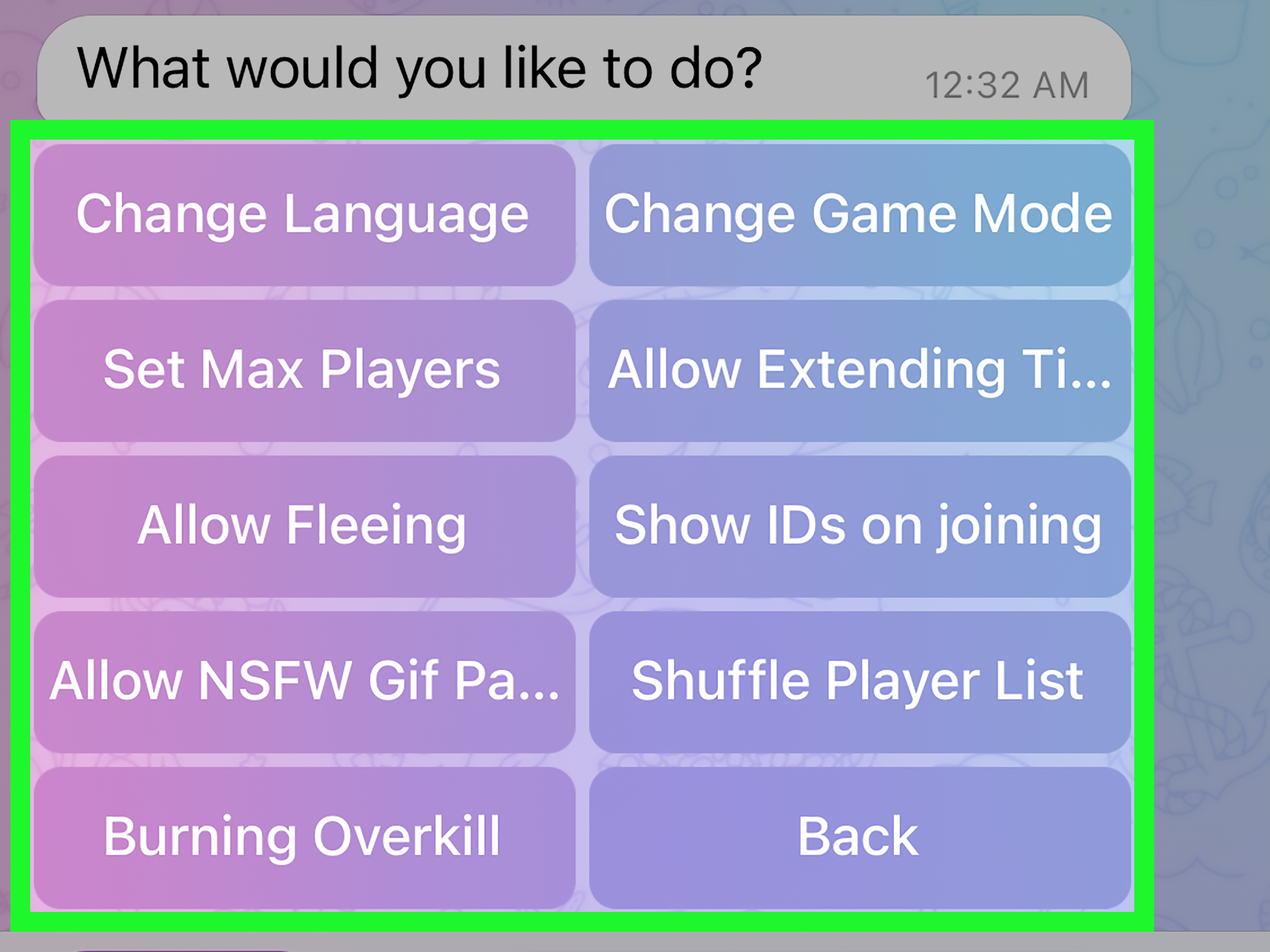
Many Telegram game bots use slash commands. These are commands that begin with “/” and tell the bot what to do. The exact commands can vary by bot, so read the bot’s message or command list. Common examples may include commands to start a game, join a game, view help, or check settings.
If the bot has a menu button or command suggestions, use those first. Telegram bots often provide tappable commands, inline buttons, or reply keyboards, which are much easier than guessing what to type.
How Werewolf Works in Telegram
Werewolf usually follows a repeating cycle: role assignment, night phase, day discussion, voting, and results. Telegram makes this easy because the bot can send private role messages while keeping public discussion inside the group.
1. Players Join the Game
After someone starts a game, players usually tap a button or type a join command. Wait until enough people have joined. Do not start too early unless you enjoy games where one werewolf blinks and accidentally wins.
2. The Bot Assigns Secret Roles
Each player receives a private message from the bot with their role. Keep this role secret unless the rules or your strategy say otherwise. If you are a villager, your job is to observe and vote wisely. If you are a werewolf, your job is to blend in without looking like you are blending in, which is harder than it sounds.
3. Night Phase Begins
During the night phase, special roles may take actions privately. Werewolves may choose a target. A Seer-type role may inspect another player. A Doctor-type role may protect someone. The bot usually handles these choices through private chat buttons or commands.
On iPhone, pay attention to Telegram notifications. If the bot sends you a private message during the night phase and you miss it, your team may lose a useful action. Nobody wants to hear, “I forgot to check my DMs,” right after the village collapses.
4. Day Phase Begins
During the day phase, everyone talks in the group. This is where the game becomes wonderfully messy. Players explain their suspicions, defend themselves, ask questions, and sometimes accuse people based on absolutely scientific evidence like “you used a period at the end of your sentence.”
Good discussion matters. Do not just vote randomly every time. Look for patterns: Who avoided answering questions? Who defended someone too quickly? Who changed votes at the last second? Who is typing a paragraph that sounds like a courtroom drama?
5. The Group Votes
At the end of the discussion, players vote. The person with the most votes is usually removed from the game. The bot announces the result and the game continues into another night phase.
6. One Team Wins
The villagers usually win when they identify and remove all werewolves. The werewolves usually win when they reduce the village team enough that the villagers can no longer stop them. Some bots include extra roles or teams, so always read the bot’s current rules before playing.
Common Werewolf Roles Explained
Different Telegram Werewolf bots may include different role sets, but many games use a few familiar roles. Here are the basics.
Villager
The Villager has no special night power, but do not underestimate this role. Villagers win by listening carefully, spotting contradictions, and voting well. A smart Villager can carry the game harder than someone with a fancy role and a suspicious emoji habit.
Werewolf
The Werewolf belongs to the hidden enemy team. Werewolves usually know each other and choose a target during the night. The challenge is to avoid being discovered during the day. Good werewolves do not stay completely silent, but they also do not talk so much that everyone starts hearing boss music.
Seer
The Seer can usually check another player’s identity or team alignment at night. This is a powerful role, but revealing too early can be risky. If you are the Seer, keep notes and choose the right moment to share information.
Doctor or Protector
A Doctor-type role can usually protect one player during the night. Sometimes the Doctor can protect themselves; sometimes they cannot protect the same person twice in a row. Bot rules vary, so check the details before making assumptions.
Other Special Roles
Many Telegram Werewolf communities include additional roles such as Hunter, Fool, Guardian, Traitor, Cupid, or other custom characters. These roles add variety, but they can also confuse new players. For your first game, keep the role list simple if the bot allows it.
Best iPhone Settings for Playing Smoothly
Playing Werewolf on Telegram from an iPhone is convenient, but a few settings can make the experience much better.
Turn On Telegram Notifications
Make sure Telegram notifications are enabled. Go to your iPhone settings, open Notifications, choose Telegram, and allow notifications. Inside Telegram, you can also check notification settings for private chats and groups.
This is especially important because the bot may message you privately during the game. Missing a private action can change the whole round.
Keep the Bot Chat Easy to Find
When the game begins, open the private chat with the bot. You may want to keep it near the top of your chat list. During night actions, switch between the group and the bot chat quickly.
Use Split Attention, Not Panic Tapping
Telegram on iPhone makes it easy to jump between chats, but do not tap wildly. Read the bot messages carefully. Some buttons may be final choices, and you do not want to accidentally vote for your best ally because your thumb had ambitions.
Charge Your Phone
This sounds obvious, but Werewolf games can run longer than expected. If your battery is at 6%, you are not a brave villageryou are a future disconnected player. Plug in your iPhone before a big game.
Beginner Strategy: How to Play Better
Werewolf is easy to learn but tricky to master. The good news is that you do not need to become a professional detective overnight. Start with simple habits.
Talk, But Do Not Overdo It
Silence can look suspicious. So can talking too much. Aim for helpful comments. Ask players why they voted a certain way. Point out patterns. Explain your own vote without writing a novel titled My Innocence: A Memoir.
Keep Notes
Use the iPhone Notes app or a quick Telegram saved message to track claims and votes. Write down who accused whom, who changed their mind, and what roles people claim. By round three, your memory may feel like a browser with 47 tabs open.
Do Not Reveal Your Role Too Early
New players often reveal their roles immediately because they want to be trusted. Sometimes that helps, but often it gives the werewolves a clear target. Reveal only when the information is useful or when the village needs it.
Watch Voting Behavior
Votes tell stories. Werewolves may avoid voting for each other, pile onto easy targets, or switch votes late to save a teammate. Villagers should review voting patterns instead of relying only on vibes.
Stay Friendly
Werewolf is a game of bluffing, not a permission slip to be rude. Accuse characters, not people. Keep the jokes light, respect group boundaries, and remember that the goal is fun. The best games end with everyone laughing, even the person who got voted out for “typing suspiciously.”
Common Problems and Easy Fixes
The Bot Is Not Responding
First, check whether the bot is available and whether you started a private chat with it. Some bots need you to tap Start before they can send private messages. If the group is very active, give the bot a moment. Avoid spamming commands because that can make the experience worse for everyone.
Players Are Not Receiving Roles
Ask each player to open the bot privately and tap Start. Telegram bots may not be able to message users who have never started a private chat with them.
The Game Is Too Confusing
Use a smaller role set. Start with villagers, werewolves, a Seer, and a Doctor-type role. Once your group understands the rhythm, add more special roles.
Someone Keeps Going AFK
Set expectations before starting. Ask players to join only if they can stay active for the round. If someone disappears often, the group may need shorter games or a smaller player list.
People Are Taking It Too Seriously
Pause and reset the tone. Werewolf should be dramatic, not stressful. A friendly reminder like “Let’s keep accusations in-game” can save the village and the group chat.
Example First Game Setup
Here is a simple first-game plan for a group of seven players:
- Two werewolves
- One Seer
- One Doctor or Protector
- Three villagers
This setup gives both teams a fair chance while keeping the rules understandable. The werewolves have teamwork, the Seer has information, the Doctor has protection, and the villagers have discussion power. It is simple enough for beginners but still creates plenty of suspense.
Extra Experience: What Playing Werewolf on Telegram on iPhone Actually Feels Like
The first time you play Werewolf on Telegram on iPhone, expect a little confusion. That is normal. The bot sends messages, players jump between the group and private chats, and someone will almost certainly ask, “Wait, are we in day or night?” Do not worry. By the second round, most people understand the rhythm.
One of the best parts of playing on iPhone is convenience. You can play from the couch, from a study break, during a long family gathering, or while waiting for friends online. You do not need physical cards, a host, or everyone in the same room. Telegram becomes the table, the bot becomes the moderator, and your thumbs become your dramatic acting tools.
The private bot messages are especially helpful. In a face-to-face Werewolf game, people close their eyes and rely on a moderator. In Telegram, the bot quietly sends each person their role and actions. This reduces mistakes and makes the game more accessible for people who are shy about speaking out loud. Some players who barely talk in real life become surprisingly persuasive detectives in chat. Others become suspicious simply because they type “hmm” too often. Such is village democracy.
However, iPhone play also comes with a few habits to learn. Notifications matter. If you mute the bot chat, you may miss your night action. If you keep switching apps, you may miss the voting deadline. If your internet connection is weak, your carefully written defense may arrive after everyone already voted against you. For the smoothest experience, keep Telegram open while the game is active, charge your phone, and avoid disappearing mid-round.
Group size also changes the experience. A small game feels quick and personal. Every vote matters, and one clever observation can swing the result. A larger game feels more like a comedy courtroom with monsters. There are more claims, more contradictions, and more chances for someone to confidently accuse the wrong person. For beginners, start small. Once the group gets comfortable, increase the player count and experiment with more roles.
The most enjoyable Telegram Werewolf groups usually create their own traditions. Maybe the first eliminated player gets to post ghost-themed stickers. Maybe the group names every round after a ridiculous village disaster. Maybe everyone agrees that “I was eating noodles” is not a strong defense. These little habits make the game feel less like a bot command sequence and more like a shared social event.
Good etiquette makes a huge difference. Do not screenshot private bot messages unless your group specifically allows role proof, because that can break the spirit of deduction. Do not insult players for bad guesses. Do not reveal information after being removed unless the rules allow it. And if you are a werewolf, please enjoy your sneaky little performance responsibly.
After several games, you will notice that Werewolf is not just about finding the hidden team. It is about communication. The best players ask clear questions, remember earlier votes, and understand when to speak. The funniest players turn every accusation into a mini drama. The most dangerous players look completely calm while quietly guiding the village in the wrong direction. On Telegram, all of that happens through short messages, reactions, pauses, and timing.
That is why Werewolf works so well on iPhone. It is quick to start, easy to access, and surprisingly social. A simple group chat becomes a mystery game, a strategy session, and a comedy show all at once. Once your group gets used to it, “one quick game” may become three rounds, two rematches, and one person insisting they were obviously innocent the entire time.
Final Thoughts
Learning how to play Werewolf in Telegram on iPhone is simple: install Telegram, create or open a group, add a Werewolf bot, let players join, and follow the bot’s instructions. The real fun begins once everyone starts debating, bluffing, protecting, investigating, and voting.
Start with a basic role setup, keep the game friendly, and remind players to check their private bot messages. Once your group understands the flow, you can experiment with bigger games, special roles, and different strategies. Just remember: in Werewolf, the quiet person may be innocent, the loud person may be innocent, and the person saying “trust me” is almost certainly worth watching.