Your printer has two hobbies: printing important things five minutes before a deadline… and suddenly deciding
it’s an abstract artist. If your pages are streaky, faded, missing colors, or printing blank lines like a
minimalist runway show, dried ink is a usual suspect.
The good news: you can often revive dried ink cartridges (and sometimes the printhead) with a few low-drama
stepsno lab coat required. Below are three simple methods that work for most inkjet setups, plus a “real-world”
section of what people actually run into when they try this at home.
First, a quick reality check: cartridge vs. printhead
“Dried ink cartridge” can mean two different problems, and choosing the right fix depends on what your printer
uses:
-
Cartridge with a built-in printhead: Some inkjets (especially certain models) put the tiny
nozzles right on the cartridge. If ink dries, cleaning the cartridge can help a lot. -
Printer with a permanent printhead: Many printers keep the printhead inside the printer and
the cartridges/tanks simply feed ink. In that case, your cartridge may be fine, but the printhead nozzles
are clogged. You’ll focus on built-in cleaning cycles and gentle “wicking” methods instead of soaking the
cartridge itself.
If you’re not sure which you have, look at the cartridge: if it has a flat nozzle plate area that looks like it
could “print,” it may be the style with a built-in printhead. If the cartridge looks more like a sealed ink box
with no nozzle plate, the printhead is likely in the printer.
Before you start: supplies, safety, and the “don’t make it worse” checklist
What you’ll want on hand
- Distilled water (best for avoiding mineral residue)
- Lint-free cloth or microfiber cloth
- Paper towels (the plain, non-lotion kind)
- Cotton swabs (optional, but handy)
- Disposable gloves (optional, but your hands will thank you)
- Isopropyl alcohol (90%+ preferred) for contacts only (optional)
- A small shallow dish or plate (for the soak method)
Safety + common-sense rules
- Power down first. Turn off the printer and unplug it before removing cartridges.
-
Keep liquids away from electronics. Never soak copper/gold contacts or circuit areas.
Moisture + electronics = regret. -
No boiling water, no harsh solvents. Very hot water can warp plastics and damage adhesives.
Skip acetone, paint thinner, and anything that smells like it could remove a tattoo. -
Be gentle with nozzle plates. Scrubbing can damage the microscopic nozzles. Think “dab,” not
“sand the deck.”
Method 1: Use your printer’s built-in cleaning and nozzle check
If your printer offers a “Nozzle Check,” “Head Cleaning,” or “Clean Cartridges” option, start here. It’s the
least invasive method and often fixes mild-to-moderate clogs by pushing ink through the nozzles.
Best for
- Faded prints, missing lines, banding, or one color disappearing
- Printers with a permanent printhead inside the machine
- Situations where the cartridge isn’t physically dried outbut the nozzles are clogged
Step-by-step
- Load plain paper.
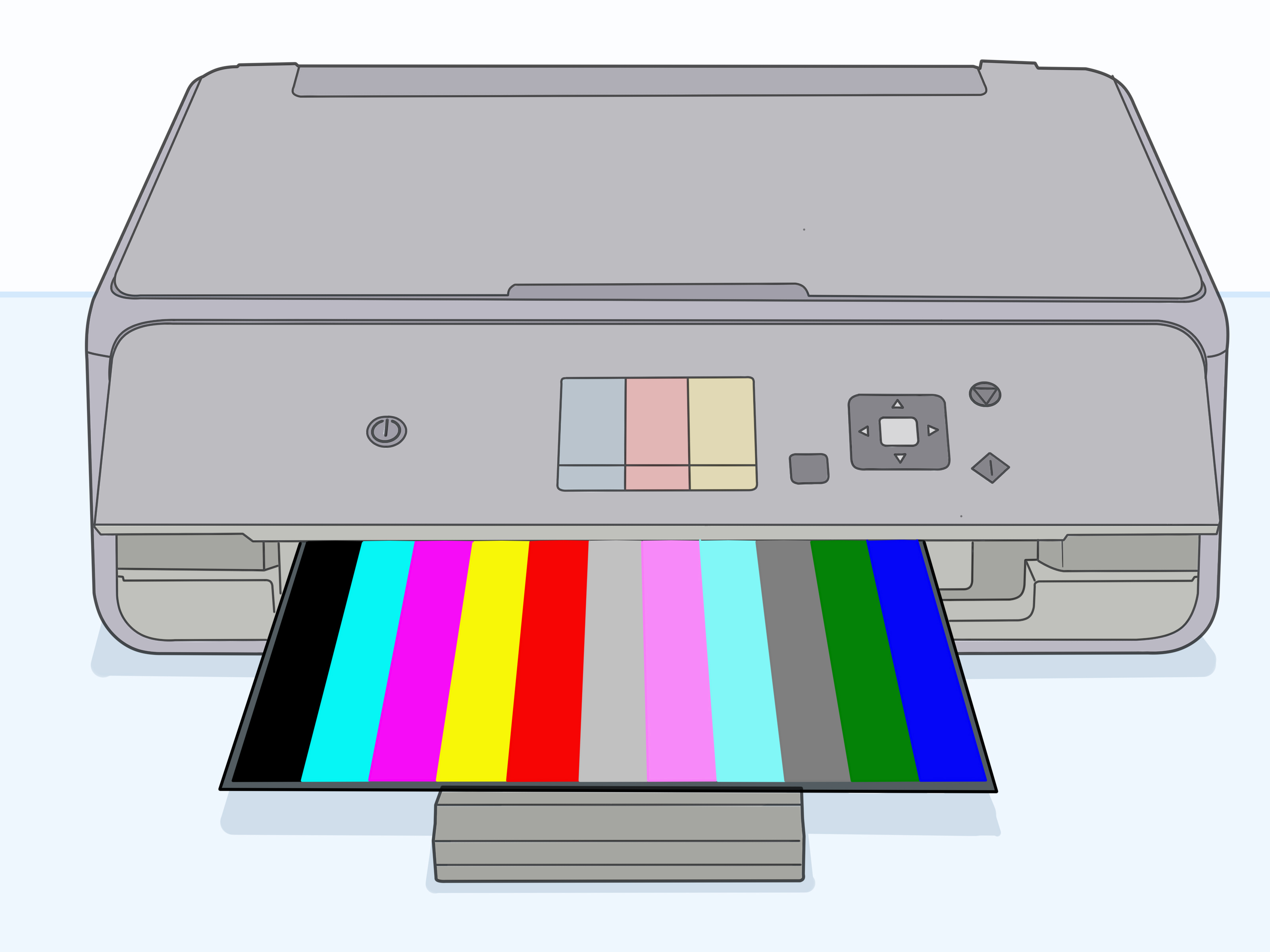
- Print a Nozzle Check (or any built-in test pattern) to confirm which colors/nozzles are clogged.
- Run Head Cleaning (or “Clean Cartridges”) once.
- Print another nozzle check.
-
If you see improvement but it’s not perfect, run one more cleaning cycle. If there’s no improvement at all,
stop and move to Method 2 or 3. -
If your printer has a “Deep Cleaning” or “Power Cleaning” mode, use it sparingly and only after normal
cleaning attempts fail.
Important notes (so you don’t accidentally turn ink into money confetti)
Cleaning cycles can use a noticeable amount of ink. That’s normal: the printer is actively forcing ink through
the system to clear clogs. Resist the urge to run cleaning 10 times in a row like it’s a video game combo.
If you’ve tried a couple of times, pause and let things sit. Some printers even recommend a waiting period
after multiple attempts so the ink can rehydrate and pressure can stabilize.
Quick example
If your color print looks like it’s missing cyan (hello, everything is suddenly orange), a nozzle check will
usually show broken lines in the cyan pattern. A single normal cleaning cycle can restore that channelespecially
if the printer was unused for a week or two and the ink just started to dry.
Method 2: The “damp cloth + contact polish” quick clean
Sometimes the problem isn’t only dried ink at the nozzleit’s also a dirty electrical connection. Dust, dried
ink smudges, or residue on the cartridge contacts can cause recognition errors, missing colors, or inconsistent
firing.
Best for
- “Cartridge not recognized,” “missing,” or intermittent errors
- Light clogs on cartridges with a built-in nozzle plate
- Printers that print sometimes… and then go on strike
Step-by-step
- Turn off and unplug the printer.
- Remove the ink cartridge and place it on a paper towel, nozzle side up if possible.
-
Clean the contacts: Lightly dampen a lint-free cloth with distilled water (or a small amount of
90%+ isopropyl alcohol). Gently wipe the copper/gold contact area on the cartridge. Use a fresh section of the
cloth as ink lifts off. -
Clean the nozzle area (if applicable): If your cartridge has a nozzle plate, lightly dab it
with a cloth dampened with distilled water. Do not scrub. You’re trying to soften and lift dried ink, not
exfoliate the nozzles. - Let the cartridge air-dry for 10–15 minutes. Contacts should be fully dry before reinstalling.
- Reinstall the cartridge, plug the printer back in, and run a nozzle check.
Specific example: “It prints black fine, but color is weird”
A common scenario: black text prints okay, but color photos have missing streaks or one channel drops in and out.
Cleaning the cartridge contacts (plus one nozzle check/cleaning cycle) often stabilizes the connection and gets
colors firing consistently again.
Method 3: The warm distilled-water soak (a gentle spa day for dried ink)
When ink has fully dried at the nozzle area, you often need time and moisture to soften it. This is where a warm
distilled-water soakor the safer “paper towel wick” methodshines.
Best for
- Printers that sat unused for weeks/months
- Cartridges with a built-in nozzle plate that’s visibly crusty or dried
- Stubborn clogs that didn’t respond to built-in cleaning
Option A: Paper towel “wick” method (lowest risk)
- Fold a paper towel into a thick pad and place it on a plate or shallow dish.
- Moisten the pad with warm distilled water until damp (not a puddle).
-
Set the cartridge nozzle-side down onto the damp pad. The idea is to let moisture slowly wick into the dried
ink at the nozzle area. - Leave it for 10–20 minutes.
-
Lift the cartridge and check the towel: you should see ink transfer. If you do, blot the nozzle area gently
with a clean, dry section of towel. - Let the cartridge rest nozzle-side up for 10–15 minutes, then reinstall and run a nozzle check.
Option B: Shallow soak (for removable printheads or cartridges with nozzle plates)
- Pour a small amount of warm distilled water into a shallow dishjust enough to cover the nozzle area.
-
Hold the cartridge so only the nozzle plate touches the water. Keep electrical contacts and labels out of the
water. - Soak for 5–10 minutes. If the water becomes inky, replace it with fresh warm distilled water.
- Remove the cartridge, gently blot the nozzle area, and let it air-dry 10–15 minutes.
- Reinstall and run a nozzle check. If improved but not perfect, run a single normal cleaning cycle.
What not to do (seriously)
- Don’t use boiling water. Heat can warp plastics and weaken seals.
- Don’t scrape the nozzle plate. Those holes are microscopic and easy to damage.
- Don’t submerge contacts. Moisture there can cause errors or shorting.
- Don’t “blow into” the cartridge. Moisture from breath can introduce contamination and air bubbles.
When cleaning won’t save it (and how to tell fast)
Sometimes a cartridge is simply done. Here are signs you’re past the point of a DIY rescue:
- Expired ink (older ink can thicken or behave unpredictably)
- Cracked cartridge housing or leaking ink
- Repeated blank nozzle checks after reasonable cleaning attempts
- Burned-out nozzles (rare, but can happen if printing continues while severely clogged)
- Cleaning cycles make no difference and manual methods produce zero ink transfer to a paper towel
If you’re in this territory, replacing the cartridge (or servicing/replacing the printhead, depending on the
printer) is often more cost-effective than turning your desk into a chemistry experiment.
Prevent dried ink next time: five habits that actually help
- Print a small test page weekly. Even a quick color test pattern keeps ink moving.
-
Use the printer’s power button to shut down. Many inkjets “park” the printhead into a capped
position to reduce drying. - Don’t remove cartridges and leave them out. Exposure to air speeds up drying.
- Store spare cartridges sealed in their packaging at room temperature (not a hot car, not a freezing garage).
- Run cleaning only when needed. It’s helpful, but it uses ink and can add wear if abused.
FAQ
Can I use rubbing alcohol to clean dried ink?
Use isopropyl alcohol mainly for electrical contacts and external grime. For nozzle plates,
distilled water is the safer first choice. Alcohol can evaporate quickly and may not be ideal for rehydrating
dried ink at the nozzles.
Do cleaning cycles waste ink?
They do use inkintentionallybecause the printer is flushing ink through tiny channels to clear clogs. That’s
why it’s smart to do a nozzle check first, run a standard cleaning cycle, and avoid repeated “deep cleaning”
unless absolutely necessary.
How long should I wait between cleanings?
If you’ve run one or two cycles with partial improvement, waiting can help. A short rest lets moisture work into
the dried ink and can reduce the urge to over-clean. If your printer’s manual recommends a longer waiting window
after multiple attempts, follow that guidance.
Why did cleaning make my print quality worse?
Two common reasons: (1) you dislodged a chunk of dried ink that’s now partially blocking a nozzle, or (2) air
bubbles got into the ink path. A short rest, followed by one nozzle check and a single cleaning cycle, often
stabilizes things again.
Conclusion: pick the simplest fix that matches the problem
If your ink cartridge has dried out, start with the lowest-risk steps: run the printer’s built-in nozzle check
and cleaning tools. If that doesn’t do it, clean the contacts and gently dab the nozzle area. For stubborn dried
ink, use a warm distilled-water wick or shallow soakcarefully keeping contacts dry.
The goal isn’t to “force it.” The goal is to rehydrate dried ink and restore smooth flow. When you keep it gentle
(and avoid turning your cartridge into soup), you’ll often get your printer back to normalwithout paying the
“emergency ink run” tax.
Real-World Experiences: what typically happens when people try to fix dried cartridges
Let’s talk about the part guides rarely mention: the human side of printer maintenance. In real homes and
offices, dried ink rarely announces itself politely. It usually arrives with a deadline, a school project, or a
shipping label that must be printed “right now.”
Scenario 1: The “I only print once a month” surprise. A printer sits quietly for weeks, and the
next print looks like it’s wearing zebra stripes. In this case, people often jump straight to deep cleaning,
then run it again…and again. The outcome? Ink levels drop fast, frustration rises faster, and the clog isn’t
always gone. What tends to work better is a calmer sequence: nozzle check, one normal clean, then a 20–30 minute
break. If there’s improvement but not perfection, the paper towel wick method gives dried ink time to soften
without brute force. Many times, the second nozzle check after a rest is noticeably cleanerlike the printer
needed a coffee break more than a punishment.
Scenario 2: The cartridge “looks fine,” but the printer won’t recognize it. This happens a lot
after a cartridge swap, a paper jam, or just normal dust accumulation. People assume the cartridge is dead when
it’s actually a contact issue. The quick fix is almost boring: gently wipe the copper/gold contacts, let them
fully dry, reinstall, and try again. Recognition errors can vanish after a simple contact clean, which is both
satisfying and mildly insulting (because it feels like the printer could’ve just said, “Please wipe my face,”
instead of flashing an error code like a tiny digital drama queen).
Scenario 3: A printer moved houses and now prints blank or faint. Moving can introduce air
bubbles into the ink path, especially if a printer rides in a cold car or gets tilted around. People often chase
this with repeated cleaning cycles, but sometimes the better play is: reseat cartridges, do one cleaning cycle,
then let the printer sit powered on (or per manual guidance) so the system can stabilize. If you see any ink
transfer using the wick method, that’s a strong sign the nozzle area is rehydrating and you’re on the right
track.
Scenario 4: The “third-party ink roulette.” Plenty of compatible inks work just fine, but real
life is messy: ink formulations vary, and some can dry faster or clog more easily in certain printers. When a
clog shows up right after switching inks, people often find the built-in cleaning helpsbut they may need fewer
aggressive cycles and more soak-time (wick method) to dissolve the dried pigment. The practical takeaway: if your
printer is picky, consistency matters. A cartridge that worked last year might not behave the same after a long
storage period or a different ink batch.
Scenario 5: The hard truth momentsometimes it’s just time. If you’ve tried a reasonable mix of
nozzle check/cleaning, gentle contact cleaning, and a wick/soak with zero improvementno ink transfer, no pattern
recoveryit may be an expired cartridge, a damaged nozzle plate, or a printhead issue. The experience lesson
here is surprisingly freeing: knowing when to stop saves you ink, time, and sanity. Printer maintenance is
supposed to support your life, not become your life.
In short: most “dried ink” problems are solvable, but the best results usually come from a gentle planclean,
test, rest, and only then escalate. Your printer isn’t a stubborn jar lid. It’s a tiny fluid-delivery system
with microscopic nozzles…and a personality.