Mounting a TV without studs sounds a little like trying to parallel park a boat: technically possible, but only if you know what you’re doing and you don’t get cocky. The good news is that you can mount a TV on a wall even when wood studs are not in the right spot. The better news is that you do not have to gamble your expensive screen, your drywall, or your dignity to do it.
The secret is choosing the right wall type, mount type, and fastener type. That is where many DIY plans go off the rails. People often assume drywall is drywall, a wall mount is a wall mount, and any anchor with a bold number on the package is basically a permission slip from the universe. It is not. A TV puts different stress on a wall than a picture frame, especially if the mount tilts, swivels, or extends away from the wall.
If you want the short version, here it is: your safest no-stud options are usually heavy-duty toggle or molly anchors for a light-to-moderate fixed setup, a purpose-built no-stud TV mount, or masonry anchors if the wall is brick or concrete. Each option has its place, and each one can go very wrong if you use the wrong hardware or ignore the mount’s weight rating.
This guide walks through the three simplest solutions, explains when each one makes sense, and helps you avoid turning your living room into a cautionary tale.
Before You Mount Anything, Check These 4 Things
Before we get into the three solutions, do a quick reality check. It takes five minutes and may save you from a very expensive “learning experience.”
1. Know your TV’s real weight
Use the weight of the TV without the stand, not the shipping weight and not the “it felt kind of heavy” estimate. A slim 55-inch TV may be surprisingly manageable, while an older or larger screen can weigh a lot more than it looks. The mount, anchors, and wall all need to handle that number comfortably.
2. Check the VESA pattern
The VESA pattern is the spacing of the mounting holes on the back of your TV. If your mount does not match that pattern, the project is over before it starts. A mount can be rated for the right weight and still be wrong for your TV if the VESA compatibility is off.
3. Be honest about your wall
Is it standard drywall, older plaster, brick, or concrete? These are not tiny details. They are the whole game. Drywall needs anchors that spread force. Brick and concrete need masonry hardware. Old crumbly plaster may look brave but can behave like a stale cracker once you start drilling.
4. Pick the right mount style
If you are mounting a TV without studs, a fixed or tilting mount is usually the smartest choice. A full-motion mount pulls the TV away from the wall and adds leverage, which increases stress on the wall and fasteners. Translation: the farther the TV sticks out, the more the wall gets bullied.
Solution 1: Use Heavy-Duty Toggle Bolts or Molly Bolts on Drywall
This is the classic answer when people ask how to mount a TV without studs. And yes, it can work. But it only works well when the TV is not too heavy, the mount is low profile, the drywall is in good shape, and the anchors are truly rated for the load.
How this method works
Toggle bolts and molly bolts are designed for hollow walls. Instead of relying on the face of the drywall alone, they expand or grip behind the wall and spread the load over a larger area. That gives them much more holding power than cheap plastic anchors. In other words, they are the grown-ups at the fastener table.
Best use case
This option is best for:
- smaller or lighter TVs,
- fixed or slight-tilt mounts,
- drywall in good condition,
- setups where the TV will sit close to the wall.
It is not the best choice for a giant TV, a full-motion articulating arm, damaged drywall, or a home where the wall already sounds suspiciously hollow and dramatic.
How to do it
- Hold the wall plate in place and mark the holes with a pencil.
- Use a level. Your eyes are great for sunsets, less great for precision hardware.
- Drill the holes to match the anchor manufacturer’s instructions.
- Install the toggle or molly anchors carefully and do not overtighten.
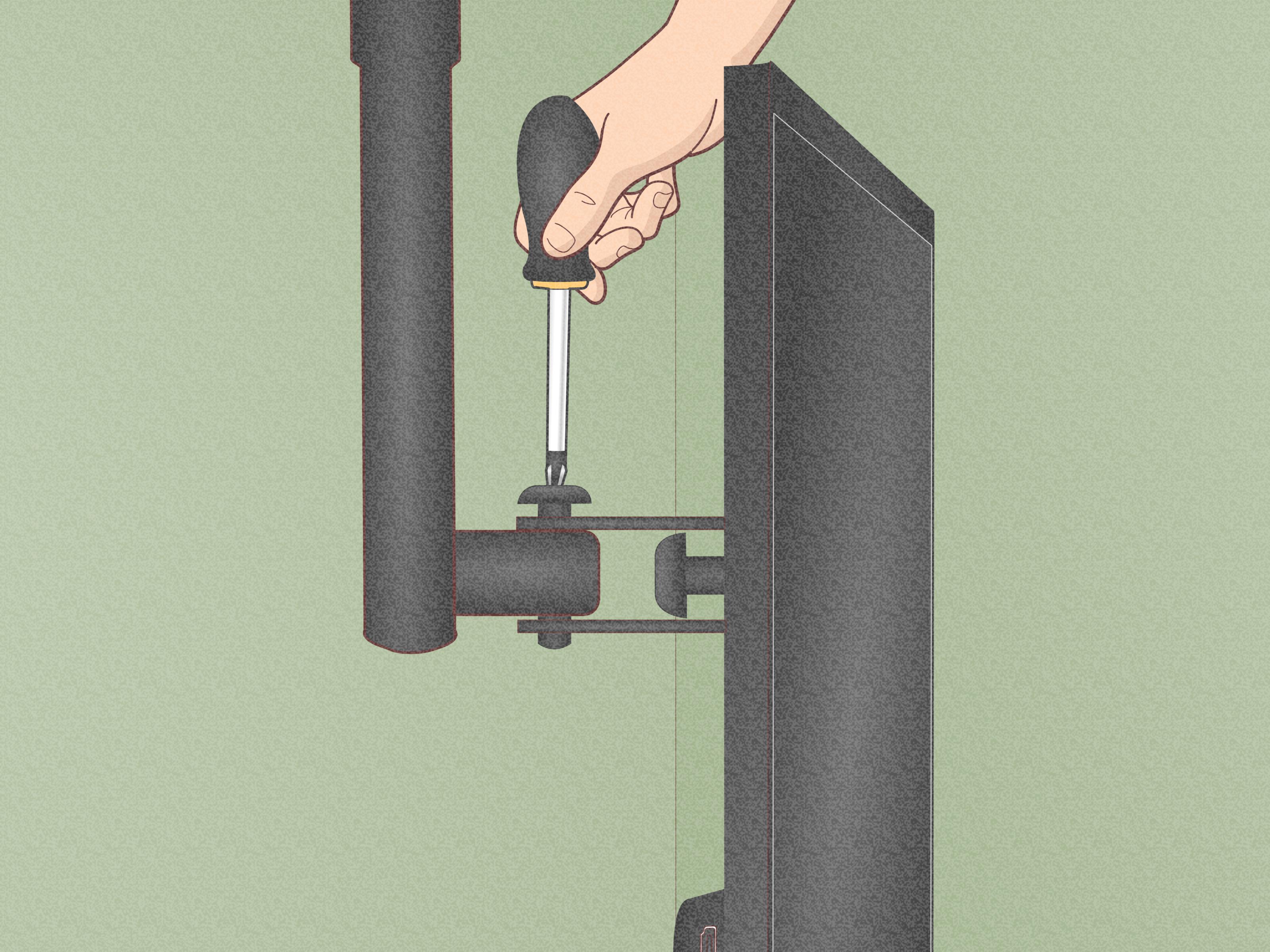
- Attach the wall plate, then mount the TV according to the bracket instructions.
- Check every fastener again before hanging the full load.
Pros
- Affordable and widely available
- No need to open the wall
- Works well for many smaller fixed-mount setups
Cons
- Less forgiving than stud mounting
- Not ideal for full-motion mounts
- Anchor ratings can mislead people into overconfidence
The biggest mistake with this method is treating the package rating like a target instead of a ceiling. Give yourself a safety margin. If your TV and mount together are getting close to the edge of what the anchors can support, back away slowly and choose another solution.
Solution 2: Use a Purpose-Built No-Stud TV Mount
This is the easiest modern solution, and honestly, it feels a little like cheating. Purpose-built no-stud TV mounts are designed specifically for drywall installations where wood studs are not available in the right place. Instead of using a few large fasteners, they spread the load across many small fasteners or nails, which helps distribute weight across a wider section of wall.
Why these mounts are popular
They are quick, simple, and often surprisingly strong. Many models are designed for flat, low-profile installations and can support a respectable amount of weight when installed exactly as directed. That “exactly as directed” part matters. This is not the moment to freestyle.
Best use case
A no-stud mount is a smart choice for:
- modern flat-screen TVs,
- people who want a cleaner, simpler install,
- renters or homeowners who want less wall damage than large anchors can create,
- low-profile fixed mounting.
How to do it
- Confirm the TV size, weight, and VESA pattern match the no-stud mount.
- Mark the installation height and level line.
- Attach the wall piece using the included fasteners exactly as the manufacturer specifies.
- Install the TV brackets on the back of the screen.
- Lift and lock the TV onto the wall bracket.
- Engage any safety latch or locking tab before you call it done.
Pros
- Fast install
- Less intimidating for beginners
- Designed specifically for studless drywall setups
- Great for sleek, low-profile mounting
Cons
- Not every TV or mount style is compatible
- Usually not meant for full-motion arms
- You still need solid drywall and proper weight matching
If your goal is a clean wall-hung look and your TV falls within the mount’s published limits, this is often the most beginner-friendly answer to the question of how to mount a TV without studs. It is also the solution most likely to make you feel wildly competent by lunchtime.
Solution 3: Mount to Brick or Concrete Instead
If your “no studs” problem exists because the wall is brick or concrete, congratulations: you do not actually have a drywall problem at all. You have a masonry project. That usually means different tools, different anchors, and a lot more dust, but it can be an excellent solution because masonry can provide a very strong mounting surface when the right hardware is used.
How this method works
Instead of hollow-wall anchors, you use masonry anchors or concrete screws and drill directly into the brick or concrete. The wall plate is then fastened to the wall with hardware made for that material. One important rule: if you are working with brick, drill into the brick itself, not the grout or weak mortar joints.
Best use case
This solution is best for:
- brick accent walls,
- concrete basement walls,
- heavier TVs that need a stronger surface,
- fixed, tilt, or some heavier-duty mount types rated for masonry.
How to do it
- Use the wall plate to mark the holes.
- Check for level twice before drilling.
- Drill the holes using the correct masonry bit.
- Insert the masonry anchors or use the recommended concrete screws.
- Attach the wall plate and tighten evenly.
- Mount the TV and secure any locking screws or tabs.
Pros
- Very strong when done properly
- No need to hunt for wood studs
- Great long-term solution for heavier TVs
Cons
- More tools required
- More dust, noise, and drilling effort
- Harder to patch if you change your mind later
If you have a brick or concrete wall available, this can actually be the most secure of the three solutions. It just asks more from your drill, your patience, and possibly your vacuum cleaner.
Which No-Stud Solution Is Best?
Here is the simplest way to choose:
- Choose toggle or molly anchors if you have a relatively light TV, a fixed or tilt mount, and solid drywall.
- Choose a no-stud drywall mount if you want the easiest drywall-friendly install and your TV fits the mount’s exact rating.
- Choose masonry anchors if your wall is brick or concrete and you want a stronger, more permanent installation.
If you are planning to use a full-motion mount, hang a very large TV, or install on old plaster that looks one sneeze away from retirement, hiring a pro is not a defeat. It is wisdom in work boots.
Common Mistakes to Avoid
Using the wrong anchor type
Plastic expansion anchors are not the hero of this story. For TV mounting on hollow drywall, heavy-duty toggle-style anchors or a true no-stud system are usually the safer path.
Ignoring the mount style
People focus on weight and forget leverage. A full-motion mount changes the forces on the wall. The moment you pull the TV outward, the wall feels more strain than it does with a flat mount tucked close to the surface.
Skipping the level
A crooked TV will become the only thing you see in the room. You can have a beautiful sofa, a gorgeous rug, and perfect lighting, but your brain will lock onto that tilted screen like a heat-seeking missile.
Mounting too high
A TV mounted near seated eye level is usually more comfortable than one floating halfway to the ceiling like a sports bar special. A practical target is to place the center of the screen around eye level from your main seating position.
Forgetting cable access
Make sure the outlet, streaming device, soundbar, and HDMI cables all make sense before you drill. Nothing kills DIY confidence faster than a perfect install with one power cord stretching across the wall like an accusation.
Real-World Experience: What People Usually Learn the Hard Way
One of the most common experiences with studless TV mounting is that homeowners start the job thinking the hard part will be lifting the TV. It usually is not. The hard part is decision-making before the first hole is drilled. People spend more time second-guessing the wall, the fasteners, the height, and the exact location than they spend actually installing the mount. That is not wasted time. That is the part that keeps the TV from crashing down during movie night.
A lot of first-timers also discover that “no studs” does not always mean “no support.” Sometimes the wall is brick behind a layer of finish material. Sometimes the studs are there, just not where the couch, outlet, or room layout wants them to be. And sometimes the best lesson is that the ideal TV location and the ideal structural location are two very different creatures. Real-world DIY is often a negotiation between aesthetics and physics, and physics tends to be a tough negotiator.
Another common experience is underestimating how much better a low-profile setup behaves than a full-motion one. People love the idea of a mount that swivels, tilts, extends, and perhaps files their taxes. Then they realize that the more the arm moves, the more stress it puts on the wall. In many real homes, especially apartments and older houses, a simple fixed mount ends up being the smarter choice. It may be less flashy, but it is usually more stable, cleaner looking, and easier to trust once the TV is hanging there.
Renters often report the same pleasant surprise: purpose-built no-stud mounts can feel less scary than expected. The install is usually faster, the damage is often easier to patch than a large anchor setup, and the finished look is neat. The catch is that renters also learn to read product limits very carefully. The phrase “up to” on packaging can be a little too optimistic for comfort unless your wall is in excellent shape and your TV is well within the rated range.
Homeowners with brick walls usually have the opposite experience. They may start the project feeling intimidated because drilling masonry sounds intense. Then they realize that once they use the right bit and anchors, the wall can feel far more confidence-inspiring than hollow drywall. The trade-off is the mess. Brick and concrete drilling produce dust with the enthusiasm of a toddler emptying a bag of flour.
There is also the emotional side of the project, which nobody talks about enough. The first time you let go of the TV after hanging it, there is always a silent five-second moment where you stare at it and wonder whether you have made a brilliant home upgrade or an expensive countdown timer. That moment is normal. The way to survive it is simple: check the hardware twice, follow the mount instructions exactly, and do not invent your own shortcut halfway through.
In the end, the best experience usually comes from choosing the least dramatic solution. The TV does not need to pivot like a satellite array. It needs to stay on the wall, look level, feel secure, and make the room more comfortable. If your setup does those things, you have won. Quietly. Responsibly. With both your drywall and your pride intact.
Final Thoughts
If you have been wondering how to mount a TV without studs, the answer is not “never do it.” The real answer is to pick the method that matches your wall and your TV. For drywall, heavy-duty toggle or molly bolts can work for lighter fixed setups. For a cleaner and easier drywall installation, a no-stud TV mount can be the simplest solution. And for brick or concrete walls, masonry anchors give you a strong and durable path forward.
The best installations are not the ones that use the fanciest hardware. They are the ones that respect weight limits, wall material, and common sense. So yes, you can skip the studs. Just do not skip the planning.