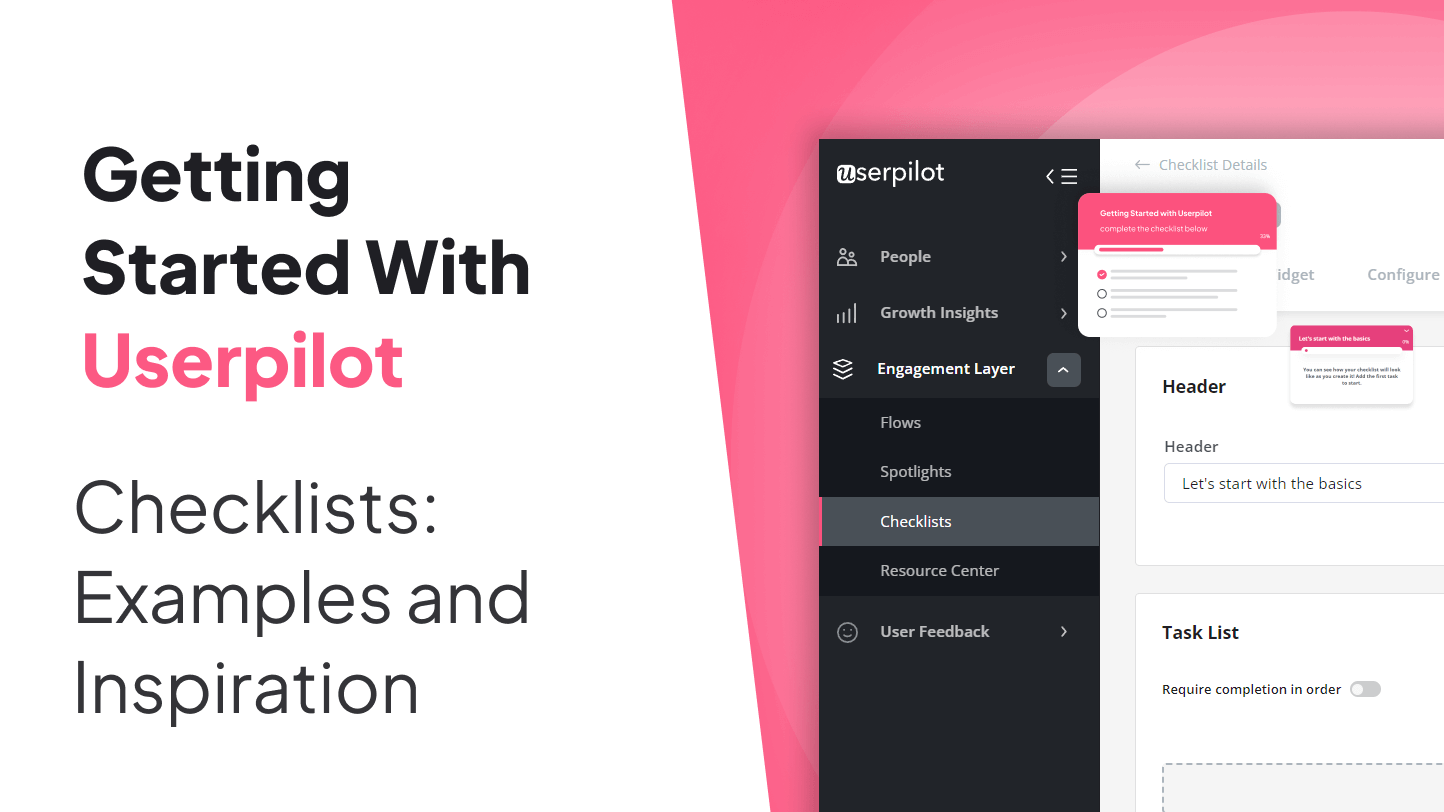
Checklists are the jeans-and-a-T-shirt of great product experiences: simple, reliable, and somehow appropriate for almost every occasion. In SaaS, they do something wonderfully unglamorous but wildly important. They tell users what to do next. That may not sound flashy, but when a new customer lands in your product and sees a dashboard full of buttons, menus, and “powerful capabilities,” a well-designed checklist can feel like a kind guide instead of a software scavenger hunt.
That is exactly why checklists keep showing up in user onboarding, customer success, employee onboarding, project launches, compliance workflows, and even daily operations. They reduce uncertainty, create momentum, and help people move from “I signed up” to “I actually got value from this thing.” For product-led companies, that shift is everything. Activation, adoption, retention, and expansion all get easier when users know what matters first.
In this article, we will explore why checklists work so well, what separates a helpful checklist from an annoying one, and which real-world checklist examples can inspire your next onboarding flow. We will also look at how teams use checklists beyond onboarding and share hands-on lessons from experience so your checklist does not become another decorative UI element collecting digital dust.
Why checklists still work so well
A great checklist removes one of the biggest sources of friction in any digital experience: uncertainty. Users do not just want features. They want direction. They want to know what step matters now, what can wait until later, and what success looks like without reading a 38-page help doc that feels like it was written by a committee trapped in a conference room with stale bagels.
That is why checklists are so effective. They turn a vague goal into visible progress. Instead of asking a new user to “explore the platform,” they present a sequence of meaningful actions such as creating a project, inviting a teammate, installing a snippet, importing data, or publishing the first experience. Suddenly, the product feels learnable. More importantly, it feels doable.
Checklists also support psychology in a very practical way. Small wins create momentum. Progress boosts motivation. Completion gives users a sense of control. In onboarding, that matters because most people do not need more information on day one. They need one clear next action and a reason to care.
For Userpilot-style product experiences, checklists are especially powerful because they help connect user actions to activation milestones. Instead of showing every feature immediately, a checklist can guide users toward the behaviors most likely to produce value early. That is the difference between “Here are seventeen things our product can do” and “Here are the four actions that will make your trial worth it.” One of those approaches feels helpful. The other feels like a hostage situation.
What makes a checklist genuinely good
1. It starts with an outcome, not a feature parade
The best checklists are built around user goals. They are not a dumping ground for everything a product team wants to highlight this quarter. If your user signed up to improve onboarding completion, reduce churn, or launch in-app guidance faster, your checklist should reflect that objective. Every item should move them closer to the outcome they care about.
2. It stays short enough to feel achievable
A checklist should not look like a medieval scroll. If users open it and immediately feel tired, you have already lost. In most onboarding contexts, a shorter checklist performs better because it creates clarity and reduces intimidation. That does not mean you ignore complexity. It means you prioritize the steps that matter now and introduce advanced tasks later.
3. It follows a logical order
Strong checklists mirror the user journey. Early tasks should be foundational, while later items can build on what the user has already learned. Ask users to complete steps in an order that makes sense. If “Invite teammates” comes before “Create your first workspace,” your checklist is not guiding people. It is pranking them.
4. It uses simple language
Checklist copy should be clear, brief, and action-oriented. Good labels sound like “Install the SDK,” “Create your first flow,” or “Invite your team.” Bad labels sound like “Initiate collaborative value acceleration.” Nobody wants to decode enterprise poetry before lunch.
5. It shows progress visibly
Progress indicators matter. Users like seeing how far they have come and how much remains. A checklist with completion states, progress bars, or step counts can make onboarding feel lighter because the end is visible. Progress is motivating when it feels real.
6. It is personalized
Not every user should see the same checklist. An admin, a marketer, and a product manager may all use the same platform for different reasons. The best onboarding checklists adapt to role, persona, plan, use case, or lifecycle stage. Personalization keeps the experience relevant and prevents users from seeing tasks that feel random or premature.
7. It connects tasks to value
Users are more likely to complete a task when they understand what is in it for them. Instead of writing generic to-dos, frame checklist items around benefits where appropriate. “Import users to start segmenting behavior” is stronger than “Import data.” The second tells users what to do. The first tells them why they should care.
Checklist examples that are worth stealing from
Let us be honest: “inspiration” is often polite business language for “show me what good looks like so I do not have to invent this from scratch.” Fair enough. Here are several checklist patterns that consistently work well.
Quick-win onboarding checklist
This is one of the most effective formats for SaaS onboarding. The idea is simple: lead with one or two tasks that are easy to complete and visibly valuable. A quick first win builds confidence and helps users feel productive almost immediately.
Imagine a checklist for a product adoption platform:
- Install your tracking code
- Create your first user segment
- Build a welcome flow
- Publish your first experience
Each task is concrete. Each task pushes the user toward activation. And none of them require a PhD in product ops. That is the sweet spot.
Persona-based checklist
This type of checklist changes depending on who the user is. A customer success manager might see tasks related to health scores and onboarding playbooks. A product manager might see tasks related to feature tagging and analytics. A growth marketer might see tasks focused on experiments and announcements.
This approach works because it respects user intent. It says, “We understand why you are here.” That alone can make an onboarding experience feel dramatically smarter.
Checklist plus contextual guidance
A checklist is powerful on its own, but it becomes more effective when paired with tooltips, modals, hotspots, and resource centers. In this model, the checklist acts like the map, while contextual guidance acts like the turn-by-turn directions.
For example, a checklist item such as “Create a welcome modal” can launch an interactive walkthrough that opens the builder, highlights the relevant controls, and helps the user finish the task without leaving the workflow. This is a fantastic way to reduce confusion while keeping onboarding self-serve.
Checklist for complex setup flows
Some products cannot promise instant value in thirty seconds. If the user must configure settings, install integrations, connect data sources, or align multiple stakeholders, the checklist needs to do more than motivate. It must reassure.
In these cases, a good checklist breaks large setup work into manageable pieces:
- Connect your data source
- Set user permissions
- Verify tracking events
- Invite internal collaborators
- Run your first test
The magic here is not simplicity for its own sake. It is reducing anxiety. When a product asks users to do important setup work, clarity becomes part of the value proposition.
Customer onboarding checklist for implementation teams
Checklists are not just for in-app use. Customer success and implementation teams rely on them to standardize onboarding across accounts. These checklists often include kickoff preparation, welcome materials, configuration, training, early success metrics, and handoff to long-term success or support.
This model is especially useful for B2B SaaS businesses with high-touch onboarding. It keeps internal teams aligned and ensures customers do not fall through the cracks between sales, implementation, and success.
Operational checklist for launches and recurring work
Outside onboarding, checklists are excellent for repeatable workflows. Launch planning, QA, compliance, content publishing, onboarding new employees, and weekly task planning all benefit from checklist thinking. That is because the human brain is brilliant at many things, but remembering every repeatable step during a chaotic launch is not one of them.
A launch checklist, for example, might include:
- Confirm analytics tracking
- Review in-app copy
- Test across environments
- Prepare support documentation
- Notify internal teams
- Monitor post-launch feedback
Not sexy. Extremely useful. Which is often the better trade.
How to design a checklist users actually complete
Focus on the activation path
Start by identifying the actions most closely tied to early value. For a collaboration tool, that might be creating a workspace and sending the first message. For a product adoption platform, it might be installing code, tagging features, and launching the first flow. For an analytics tool, it might be connecting data and building the first report.
Your checklist should not be a summary of your product. It should be a guided path to the first meaningful win.
Use progressive disclosure
Do not show everything at once. Give users what they need for the current stage. Then reveal more when they are ready. This keeps onboarding lightweight and prevents the checklist from turning into an intimidating wall of obligations.
Write task labels like mini calls to action
Strong checklist items usually begin with verbs. They are specific. They avoid jargon. They tell users exactly what action to take. “Set up event tracking” beats “Tracking configuration.” “Invite your team” beats “Collaboration enablement.” One sounds like a helpful next step. The other sounds like a consultant charging by the syllable.
Measure completion, but also measure meaning
A completed checklist is not the final goal. User value is. Track checklist completion, of course, but also look at activation rate, time to first value, trial conversion, feature adoption, retention, and support volume. If users finish the checklist and still do not stick around, your list may be easy to complete but weakly connected to real outcomes.
Iterate based on behavior and feedback
The first version of your checklist is a draft wearing a name tag. Watch where users stall, skip, or drop off. Listen to support tickets. Review onboarding session data. Then tighten the list, rewrite unclear tasks, change the order, or segment the experience more intelligently.
Checklist inspiration by use case
| Use Case | What the Checklist Should Do | Example Tasks |
|---|---|---|
| User onboarding | Get new users to their first win fast | Create account setup, complete profile, launch first action |
| Product adoption | Drive feature discovery and habitual usage | Tag features, build segment, publish walkthrough |
| Customer implementation | Standardize cross-functional onboarding | Kickoff call, configure settings, train stakeholders |
| Employee onboarding | Reduce confusion and improve ramp-up | Set access, meet team, review documentation, 30-day goals |
| Project launch | Prevent missed steps in complex rollouts | QA review, analytics check, docs update, launch monitoring |
| Compliance or QA | Enforce repeatable standards | Review requirements, test controls, document approvals |
How Userpilot-style checklists can stand out
If you are creating checklists for a product like Userpilot, the opportunity is bigger than just helping people finish setup. You can use checklists as part of a broader product growth system. That means combining onboarding checklists with in-app guidance, event-based triggers, resource centers, analytics, and segmentation.
In practical terms, that could look like this:
- A new admin sees a setup checklist during the first session
- Each item launches contextual guidance to complete the task
- Progress updates in real time as users finish actions
- Advanced checklist items appear only after core setup is complete
- Users who stall receive contextual nudges or self-serve help
- The product team tracks which checklist steps correlate with activation and retention
That is where checklists move from being a nice interface pattern to a serious growth tool. They do not just organize tasks. They shape user behavior in a measurable way.
Common checklist mistakes to avoid
- Making the list too long: long checklists create stress, not clarity.
- Showing the same tasks to everyone: irrelevant steps weaken trust.
- Writing vague labels: unclear tasks get ignored.
- Leading with high-effort actions: start with something achievable.
- Hiding the checklist: if it matters, make it visible.
- Measuring completion only: completion without value is just tidy failure.
- Never revisiting the flow: user needs change, so your checklist should too.
Final thoughts
Checklists endure because they solve a timeless problem in a simple way: people need help deciding what to do next. In digital products, that matters even more because complexity arrives fast and patience leaves early. A smart checklist does not try to teach everything. It guides the right person toward the right action at the right moment.
If you are looking for checklist inspiration, do not just copy the prettiest UI. Study the logic behind it. The best checklists are short, relevant, visible, and value-driven. They reduce hesitation, create progress, and support real outcomes. Whether you are onboarding users, launching features, training employees, or managing repeatable workflows, the checklist is still one of the most practical tools in your toolbox.
And honestly, that is part of its charm. In a tech world obsessed with complexity, the humble checklist keeps showing up, rolling up its sleeves, and quietly getting the job done.
Experience and lessons from real checklist work
One of the most revealing things about checklists is that their real value usually appears after launch, not before. On paper, almost every checklist looks reasonable. The steps seem logical. The wording sounds clear. The sequence makes sense in a planning doc. Then real users arrive, and the truth shows up wearing flip-flops. Suddenly, step two is confusing, step three feels too technical, and step four is something only admins can actually do. That is why checklist design is less about decoration and more about observation.
Teams often discover that users do not resist checklists because they dislike guidance. They resist checklists when the list feels disconnected from their immediate goal. For example, a new customer may happily complete “Create your first project” but ignore “Configure advanced workspace permissions” because it feels too heavy for day one. That does not mean the second task is unimportant. It means timing matters. Great checklists respect the user’s current level of motivation, confidence, and context.
Another common lesson is that relevance beats completeness. Teams love comprehensive onboarding because it feels responsible. Users love focused onboarding because it feels merciful. Those are not always the same thing. In practice, the strongest checklists often remove tasks that internal teams initially considered essential. Not because those tasks are useless, but because they are better introduced later through secondary onboarding, contextual prompts, or a resource center.
There is also a big difference between users finishing a checklist and users benefiting from it. Some teams celebrate high completion rates, only to realize that retention has not improved much. That usually means the checklist was optimized for motion instead of meaning. Users completed tasks because the steps were easy, but the tasks were not tightly linked to product value. The fix is not always making the checklist shorter. Sometimes it is making the tasks more outcome-based.
In longer onboarding cycles, especially in B2B SaaS, shared ownership matters too. A checklist works best when users know who is responsible for each step. If implementation requires an admin, a marketer, and a developer, the product should not pretend one person can magically do it all between coffee breaks. Smart checklists acknowledge collaboration. Even better, they make handoffs visible.
Finally, teams learn that the best checklists age like recipes, not monuments. They should be edited. Improved. Simplified. Tested. Reordered. Sometimes one word change in a task label can improve completion. Sometimes one removed step can improve activation more than a whole redesign. The point is not perfection on launch day. The point is building a checklist that gets smarter as you learn how customers actually succeed.
That is the real inspiration behind great checklists. They are humble enough to guide, focused enough to convert, and flexible enough to improve. No fireworks required.