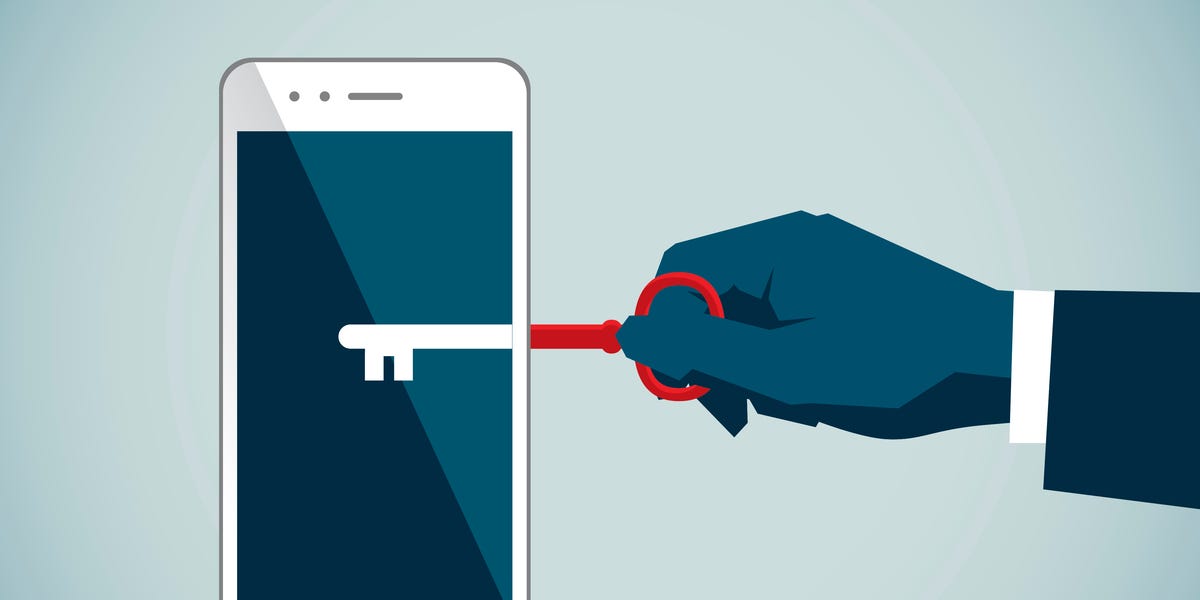
Encryption sounds like something performed by a hoodie-wearing genius in a dark room surrounded by twelve monitors. In reality, it works quietly every day when you unlock your iPhone, open a banking website, send an iMessage, save a password, or back up a photo of your dog wearing sunglasses.
Although people often use terms such as iPhone encryption, encrypted messaging, and end-to-end encryption interchangeably, they describe different types of protection. Your iPhone can encrypt files stored on the device, a website can encrypt information traveling across the internet, and a messaging service can use end-to-end encryption so that only conversation participants can read the content.
This guide explains what encryption is, how encryption on an iPhone works, what end-to-end encryption protects, and where important privacy gaps may still exist.
What Is Encryption?
Encryption is the process of transforming readable information, known as plaintext, into an unreadable form called ciphertext. A cryptographic algorithm and an encryption key perform the transformation. Someone who possesses the correct decryption key can convert the ciphertext back into useful information.
Imagine placing a letter in a locked box. The box may travel through delivery centers, trucks, airports, and sorting facilities, but its contents remain unreadable unless someone has the proper key. Encryption provides a digital version of that locked boxminus the shipping fees and the risk of someone leaving it on the wrong porch.
Encryption is used to protect financial records, passwords, health information, business documents, cloud files, photos, website traffic, and private communications. It does not make information invisible; it makes the protected content unintelligible to anyone who cannot decrypt it.
Encryption Keys Explained
An encryption key is not necessarily a password typed by a person. It is usually a long value created and managed by software. Modern keys are designed to be too difficult to guess through practical brute-force attacks.
Encryption systems generally use one or both of the following approaches:
- Symmetric encryption: The same secret key encrypts and decrypts the information. It is fast and commonly used for protecting large amounts of stored data.
- Asymmetric encryption: The system uses a public key and a private key. The public key can encrypt information or verify signatures, while the private key remains secret and performs sensitive cryptographic operations.
Many secure services combine these methods. Asymmetric cryptography can help two devices establish trust and exchange secrets, while symmetric encryption protects the actual conversation or file efficiently.
The Three Main States of Encrypted Data
To understand digital security, it helps to ask where the data is located. Information can be stored, moving across a network, or actively being processed.
Encryption at Rest
Data at rest is information stored on an iPhone, laptop, server, solid-state drive, or cloud platform. Device encryption helps protect this data if someone steals the physical storage or gains unauthorized access to its contents.
Examples include photos saved on an iPhone, downloaded documents, locally stored messages, and files sitting in cloud storage. Encryption at rest is particularly valuable when a device is lost or stolen.
Encryption in Transit
Data in transit is information moving between systems. When Safari connects to an HTTPS website, Transport Layer Security, commonly called TLS, encrypts the connection between the browser and the website.
This protection makes it far more difficult for someone on the same Wi-Fi network to read account credentials or payment information as it travels. However, ordinary transport encryption may still allow the service operating the receiving server to access the data after it arrives.
Encryption in Use
Data in use is information currently being processed by an app, operating system, or processor. It usually must be available in readable form somewhere to perform useful work. That makes endpoint security important: even excellent encryption cannot guarantee privacy when an unlocked device, compromised app, or malicious recipient can already see the decrypted content.
CISA and Microsoft describe encryption at rest and encryption in transit as complementary protections rather than interchangeable features. A well-designed security system normally uses several layers.
What Is End-to-End Encryption?
End-to-end encryption, often shortened to E2EE, protects communication from the sender’s device to the intended recipient’s device. The message is encrypted at one endpoint and decrypted at the other endpoint.
The important difference is who controls the keys. With genuine end-to-end encryption, the service carrying the message should not possess the keys needed to read its content. The provider’s servers may route or temporarily store encrypted data, but they should not be able to turn that data back into readable conversation content.
Returning to the locked-box example, regular transport encryption may resemble a courier opening your box inside a secure warehouse and placing the letter in a second locked box. End-to-end encryption is closer to keeping the original box locked for the entire journey. Only the devices at the two ends have the keys.
What End-to-End Encryption Can Protect
Depending on the service, end-to-end encryption may protect:
- Message text
- Photos and videos sent in a conversation
- Voice messages
- Voice and video call content
- Documents and other attachments
- Synced passwords, health records, notes, or cloud files
What End-to-End Encryption May Not Hide
End-to-end encryption does not automatically conceal every detail about a communication. Systems may still process metadata such as the accounts involved, delivery time, device information, approximate file size, or routing information. NIST specifically notes that routing information can remain visible even when communications are encrypted.
E2EE also cannot stop a recipient from taking a screenshot, copying a message, photographing the screen with another device, or forwarding information. Encryption protects the journey, not the recipient’s judgment. Unfortunately, cryptography has not yet developed a reliable cure for oversharing.
How Does iPhone Encryption Work?
Modern iPhones use a security architecture called Data Protection to encrypt files stored on the device. Apple’s system creates and manages a hierarchy of cryptographic keys, including per-file keys. Different categories of data can receive different protection classes based on when the information needs to be available.
The process is supported by hardware encryption built into Apple chips. Cryptographic material is tied to the device, making it difficult to remove the storage and read it on another machine. Apple states that its file-protection system uses strong per-file encryption and hardware-assisted key management.
The Role of the iPhone Passcode
Your passcode is an essential part of iPhone security. It does more than prevent someone from casually swiping through your camera roll. The passcode participates in protecting encryption keys used to unlock sensitive data.
A six-digit code provides more possible combinations than a four-digit code, while a longer custom numeric or alphanumeric passcode can offer stronger resistance to guessing. A birthday, address, or repeated sequence such as 111111 is memorable, but it is also the digital equivalent of hiding your house key under a mat labeled “HOUSE KEY.”
Face ID and Touch ID make unlocking convenient, but the passcode remains fundamental. An iPhone requires it in situations such as after a restart, when changing security settings, and under other security conditions.
What Is the Secure Enclave?
The Secure Enclave is a dedicated security subsystem inside Apple’s system-on-a-chip. It is isolated from the main processor and is designed to protect sensitive information even if other parts of the system are compromised.
It helps manage cryptographic operations and protects secrets associated with features such as Face ID and Touch ID. It also includes protected memory, secure boot processes, random-number generation, and dedicated cryptographic capabilities. In less technical language, it is a small security specialist living inside the chipand it takes its job far more seriously than most office security guards.
Is iMessage End-to-End Encrypted?
Yes. Apple states that iMessage text, attachments, photos, locations, links, and other conversation content are protected with end-to-end encryption between participating devices. Apple’s systems route the communication, but the content is designed so that only the sender’s and recipient’s devices can decrypt it.
FaceTime audio and video content is also end-to-end encrypted. Apple says it cannot decrypt the content of a FaceTime call.
iMessage Is Not the Same as SMS
The Messages app can handle several communication technologies. An iMessage conversation is not the same as a traditional SMS or MMS exchange. Standard SMS and MMS do not provide the same end-to-end encryption protections as iMessage.
This distinction matters when a message falls back to a different delivery method. Users should pay attention to the conversation type and any security indicators shown by the app rather than assuming that everything sent through one icon receives identical protection.
What About Encrypted RCS Messages on iPhone?
As of 2026, Apple has begun supporting end-to-end encrypted RCS messaging as a beta feature on compatible iPhones, software versions, carriers, and conversations. Apple says the feature is enabled by default where supported, but availability is rolling out over time.
That means an RCS conversation should not automatically be treated as encrypted in every situation. Carrier support, device software, recipient compatibility, and conversation settings can affect whether E2EE is available. Verify the encryption status shown in Messages before sharing highly sensitive information.
Is Everything in iCloud End-to-End Encrypted?
No. Apple offers two broad levels of protection for iCloud: Standard Data Protection and Advanced Data Protection.
Standard Data Protection
Standard Data Protection is the default. Data is encrypted while traveling to iCloud and while stored on Apple’s servers. Certain sensitive categories, including passwords in iCloud Keychain and Health data, receive end-to-end encryption by default.
For many other categories, Apple retains control of service keys so it can help users recover information after account or device problems. This improves recoverability, but it is not the same security model as keeping the decryption keys exclusively on trusted user devices.
Advanced Data Protection
Advanced Data Protection is an optional account setting that extends end-to-end encryption to most iCloud data, including iCloud Backup, Photos, Notes, and iCloud Drive. When it is enabled, Apple does not possess the keys needed to recover the protected content.
The tradeoff is important: users must maintain an alternative recovery method, such as a recovery contact or a 28-character recovery key. Losing every trusted device and every recovery method could result in permanent loss of access. Privacy becomes stronger, but personal responsibility receives an unexpected promotion to management.
Advanced Data Protection requires two-factor authentication, a device passcode or password, and compatible software on devices signed in to the account. Eligibility and availability can also depend on account type and region.
iCloud Services That Still Have Limitations
Some categories do not receive end-to-end encryption because they must interact with broader internet standards or public collaboration systems. Apple identifies iCloud Mail, Contacts, and Calendars as examples. Certain shared albums, public links, and collaboration features may also use standard protection rather than E2EE.
Messages in iCloud deserve special attention. Under Standard Data Protection, the relationship between message encryption and iCloud Backup affects how the relevant keys are stored. With Advanced Data Protection, the backup and the Messages in iCloud encryption key are end-to-end encrypted.
Can Encryption Be Broken?
Strong, properly implemented modern encryption is designed to make direct decryption without the key computationally impractical. Attackers therefore often target easier weaknesses instead of attempting to “crack the math.”
Common attack paths include:
- Stealing or observing a device passcode
- Tricking a user through phishing
- Taking control of an Apple Account
- Exploiting outdated software
- Installing spyware on an endpoint
- Reading notifications on a locked screen
- Accessing an unlocked device
- Convincing the recipient to reveal the content
Encryption is therefore one layer of security, not an enchanted force field. It works best when combined with strong authentication, current software, careful account recovery settings, and healthy suspicion toward messages claiming that your account will explode unless you click a link within seven minutes.
How to Improve Encryption and Privacy on an iPhone
Use a Strong Passcode
Use at least six digits, and consider a longer numeric or alphanumeric passcode when your threat level justifies it. Avoid codes connected to information that other people can easily learn.
Enable Two-Factor Authentication
Two-factor authentication helps prevent someone from entering your Apple Account using only a stolen password. Review the trusted phone numbers and devices associated with the account.
Keep iOS and Apps Updated
Encryption cannot compensate for every software vulnerability. Security updates fix flaws that might otherwise allow malicious code to bypass normal protections. Enable automatic updates and avoid delaying important patches.
Consider Advanced Data Protection
Users who want stronger iCloud privacy can review Advanced Data Protection. Before enabling it, create reliable recovery methods and store any recovery key somewhere secure, separate from the iPhone.
Turn On Stolen Device Protection
Stolen Device Protection adds safeguards for sensitive operations when an iPhone is away from familiar locations. Some actions require Face ID or Touch ID without a passcode fallback, while especially important changes may trigger a security delay.
Use Trusted End-to-End Encrypted Apps
When cross-platform private communication is needed, choose a service that clearly documents E2EE and enables it by default. Signal, for example, publishes technical specifications describing its key agreement and Double Ratchet systems, which derive changing keys as conversations progress.
Review Backups and Connected Devices
A conversation may be strongly encrypted in transit while an accessible backup or forgotten signed-in device creates a separate exposure. Review devices connected to your accounts, remove devices you no longer own, and understand how each app backs up messages.
Real-World Experiences With iPhone Encryption
Most people do not notice encryption when it is working correctly. There is no dramatic animation of a steel vault closing around every photo. You unlock the iPhone, open an app, and continue with your day. The protection becomes noticeable mainly when circumstances change.
Consider a common lost-phone experience. A user leaves an iPhone in a rideshare vehicle. Because the device has a strong passcode, automatic locking, Find My, and encrypted storage, the driver cannot simply connect the phone to another computer and browse vacation photos or saved account data. The owner can mark the device as lost and, if recovery becomes unlikely, remotely erase it. The experience is stressful, but the security controls reduce a missing phone from an immediate privacy catastrophe to a very expensive inconvenience.
Another practical lesson appears when someone enables Advanced Data Protection. At first, the process feels reassuring: more photos, backups, notes, and documents become end-to-end encrypted. Then the setup asks for a recovery contact or recovery key. That moment reveals the central tradeoff. Stronger encryption limits the provider’s ability to help. A recovery key stored only in a note on the same iPhone is not a recovery plan; it is a tiny digital joke with a disappointing punchline. A better experience involves keeping the key in a password manager, secure physical location, or another carefully protected system.
Messaging creates a different kind of confusion. A user may send an iMessage to one friend, an RCS message to another, and an SMS to a thirdall from the same Messages app. The interface feels unified, but the security properties may not be. The lesson is to check the conversation technology and encryption indicators when privacy matters. A familiar app icon does not guarantee that every delivery route receives the same protection.
Public Wi-Fi offers another revealing experience. People sometimes assume an open airport network allows everyone nearby to read everything on their phone. Modern HTTPS and app encryption generally protect data in transit, making public Wi-Fi safer than it was during the early internet era. However, encrypted transport does not make a fraudulent website trustworthy. A perfectly encrypted connection to a fake banking page still delivers your password securelyto the criminal operating the page. The FTC recommends checking for HTTPS while also using strong passwords and two-factor authentication.
Finally, users often discover that end-to-end encryption protects content but not behavior. A private message can still appear in a notification preview, remain visible on an unlocked Mac, or be copied by its recipient. Good privacy therefore comes from a complete routine: secure the device, secure the account, understand backups, verify recipients, update software, and think before sending.
The best encryption experience is uneventful. It stays out of the way, protects information quietly, and becomes part of a broader security habit rather than a button users activate once and forget forever.
Conclusion
Encryption turns readable data into protected ciphertext that requires the correct key to unlock. On an iPhone, hardware-backed Data Protection, a strong passcode, and the Secure Enclave help protect files stored on the device. Transport encryption protects information traveling between systems, while end-to-end encryption prevents intermediaries from reading eligible communication content.
iMessage and FaceTime use end-to-end encryption, while encrypted RCS support is expanding on compatible iPhones and carriers. iCloud protection depends on the data category and whether Advanced Data Protection is enabled. Some services, backups, collaboration features, metadata, and legacy messaging methods have different security limits.
The practical takeaway is simple: use a strong passcode, enable two-factor authentication and Stolen Device Protection, keep software updated, review connected devices, understand backup settings, and choose genuinely end-to-end encrypted communication when confidentiality matters. Encryption is powerful, but it works best as part of a complete security routine.
Editorial note: This article was synthesized from current technical and consumer-security documentation published by Apple, NIST, CISA, the Federal Trade Commission, Signal, Cloudflare, Google, GSMA, and Microsoft. Product features and carrier availability may change after publication.